

Overview
Curobi's billing schedules decide when each subscriber is charged: Rolling, on every plan, bills each customer from their own signup date, and a fixed calendar, on the Pro plan, bills every subscriber on the same dates — a charge day from the 1st to the 28th, optionally only in chosen months — with an order cutoff and a ship day so a box program is bought, packed and shipped in one batch.
Rolling is the normal subscription. Each customer's clock starts the day they sign up: someone who subscribes on the 8th is charged on the 8th of every month, someone who joins on the 20th on the 20th. Use it for coffee refills, vitamins, pet food and skincare. It works on every Curobi plan, including Free, and every plan created before fixed calendars existed is Rolling, so nothing changed for the subscribers already on it.
A fixed calendar charges every subscriber on the same day no matter when they joined. The reason to choose it is operational, not financial: on Rolling, a box that goes to 400 subscribers goes out as 400 separate orders spread across the month, and you are buying stock and packing every day. On a fixed calendar the same 400 orders arrive on one day, so you buy once, pack once and ship in one batch. It runs on Shopify's own selling-plan anchor dates, so Shopify still creates every charge and Curobi stays out of the payment flow.
The settings are the ones a box operator already thinks in. A charge day of the month from 1 to 28, so the date exists in February too. An optional ship day when packing needs time after the charge; a ship day on or before the charge day means the following month. The months to bill in, for a quarterly or seasonal box, with every month unticked meaning every month. An order cutoff, the number of days before the charge day after which new orders roll into the next batch, so the count you pack for doesn't change after you've packed. And what a new customer's first box does: wait and ship with the next charge day's batch, or ship right away and then join the shared calendar. Either way they pay at checkout, and a preview shows the exact sentence shoppers will see and the next few charge dates before you save.
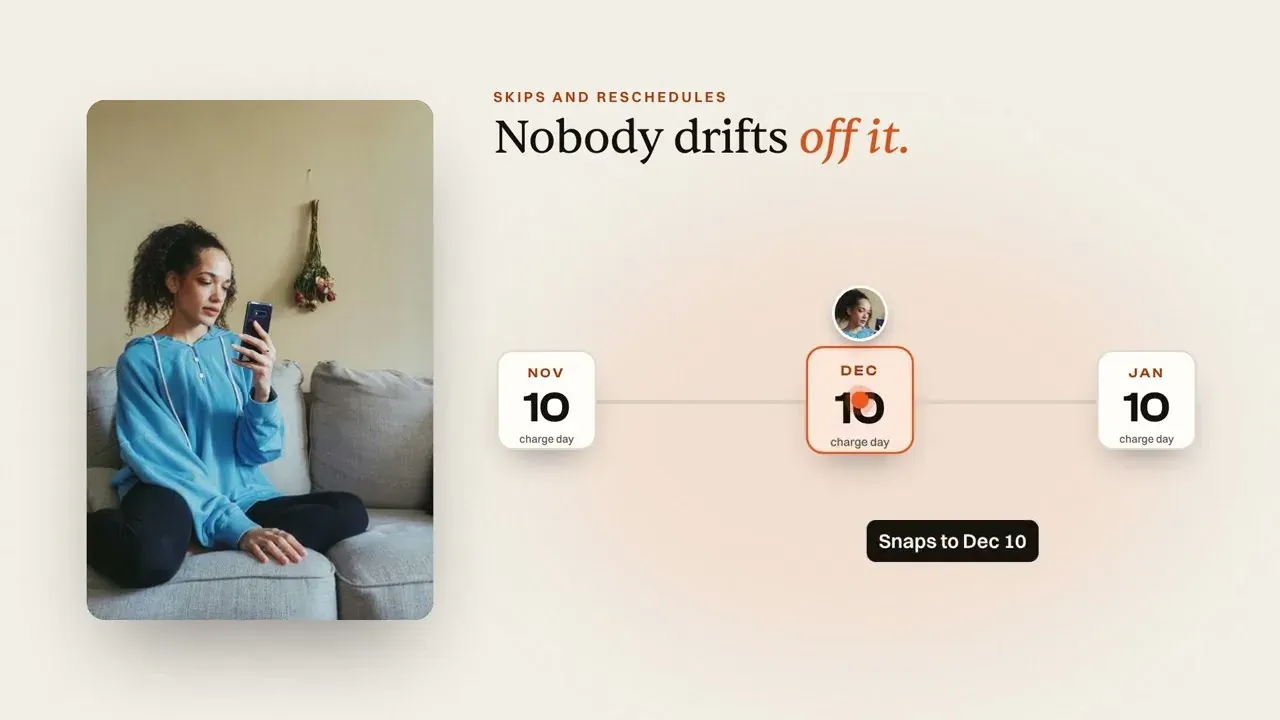
Once a plan is on a fixed calendar, the rest of Curobi follows it. The plan page shows a Next charge day card with the ship date, how many renewals are due and how many new subscribers joined since the last one. Skip moves a subscriber to the next charge date on the calendar rather than one month later, and a reschedule from the portal moves forward to the next charge date on or after the day they picked. The product-page widget adds a line such as 'Order by Nov 15 · ships Dec 1' under the frequency selector, and reporting labels a four-month plan as four charges a year. Curated Boxes and Build-a-Box have the same Schedule section in the box editor, where the period picker lists the next charge days with their ship dates and a one-time box order gets the box for the season it joins.
Fixed calendars are a Pro feature and are not part of the one-time 14-day trial on Free; below Pro the Schedule section shows a Pro feature badge and a View Pro plan button, and your plans bill on each customer's own dates. A plan already on a fixed calendar keeps charging on its dates after a downgrade, and subscribers notice nothing, but its calendar can't be changed until you're back on Pro. Fixed calendars apply to monthly plans only, a plan that bills in chosen months can't also be prepaid, and switching a plan between Rolling and Fixed calendar affects new signups only.
What Billing Schedules gives you
- Rolling schedules on every plan: each subscriber billed from their own signup date
- Fixed calendar on Pro: every subscriber charged on the same day of the month (1st to 28th)
- Seasonal and quarterly boxes: bill only in the months you tick
- Order cutoff so late orders roll into the next batch, and an optional ship day
- A new subscriber's first box ships right away or waits for the next charge day
- Skip and reschedule move to the next charge date; the widget shows 'Order by … · ships …'
- The same Schedule section in the Curated Boxes and Build-a-Box editors
- Runs on Shopify's own selling-plan anchor dates, with 0% Curobi transaction fees
How to put a subscription plan on a fixed calendar in Curobi
Open the Schedule section
In Subscription plans, open a plan or create one, scroll to Schedule and choose Fixed calendar. Curated Boxes and Build-a-Box have the same section in the box editor.
Set the charge day and months
Pick the day of the month everyone is charged, from 1 to 28. Leave every month unticked to charge monthly, or tick the months for a quarterly or seasonal box.
Set the cutoff and ship day
Choose how many days before the charge day the batch closes, and add a ship day if you need packing time after the charge.
Choose the first-box rule and check the preview
Decide whether a new subscriber's first box ships right away or waits for the next batch, read the sentence shoppers will see at checkout and the next charge days, then save.
Related terms: Fixed-Calendar Billing, Billing Cutoff, Selling Plan, Skip vs Pause.
Questions merchants ask
Can Curobi bill every subscriber on the same day?
Yes, on the Pro plan, with a fixed-calendar schedule. By default every Curobi plan bills on a Rolling schedule: each customer's clock starts the day they sign up, so someone who subscribes on the 8th is charged on the 8th of every month. A fixed calendar charges every subscriber on the same day of the month (1st to 28th) no matter when they joined, optionally only in the months you tick for a quarterly or seasonal box, with an order cutoff so late orders roll into the next batch, an optional ship day, and a choice of whether a new subscriber's first box ships right away or waits for the next charge day. It exists for boxes that ship to everyone at once — buy stock once, pack once, ship in one batch — and it uses Shopify's own selling-plan anchor dates, so Shopify still runs the billing. Skip moves a subscriber to the next charge date on the calendar, a reschedule moves forward to the next charge date, and the product-page widget shows shoppers an 'Order by … · ships …' line. Fixed calendars work on monthly plans; weekly and yearly plans stay Rolling.
Which Curobi plan do I need to charge every subscriber on the same date?
Pro, at $69.99 every 30 days. Fixed-calendar and seasonal schedules — every subscriber charged on, say, the 1st of the month, or the 15th of February, May, August, and November for a quarterly box — are a Pro feature, and they aren't part of the one-time 14-day trial on Free. Every plan, including Free, can bill each customer from their own signup date, which Curobi calls a Rolling schedule. If you move below Pro, a plan already on a fixed calendar keeps charging on its dates, but you can't change the calendar until you're back on Pro.