


Overview
Curobi is built on Shopify Subscription Contracts and native checkout, and its developer API, bulk exports and headless APIs are on every plan, including Free, with signed outbound webhooks from Business — so a store's subscription data lives on Shopify's own objects and is reachable from its own systems. The reference lives at docs.curobi.com.
- JobScale
- AreaPlatform
- PlanEvery plan, Free included
- Walk-through5 steps
Subscriptions are created at Shopify's native checkout and mirrored into Curobi for management. On each renewal date Curobi asks Shopify to charge the contract, and Shopify charges the payment method the customer vaulted at checkout, so Curobi never touches or stores card data — it persists only Shopify identifiers (GIDs) and subscription status.
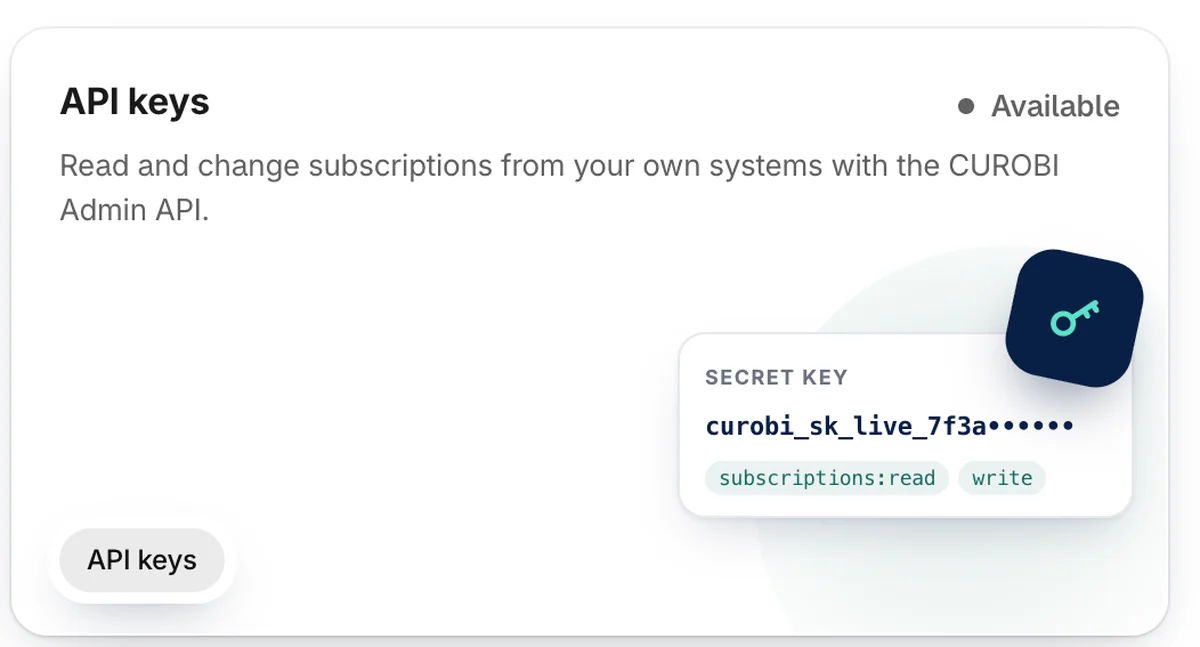
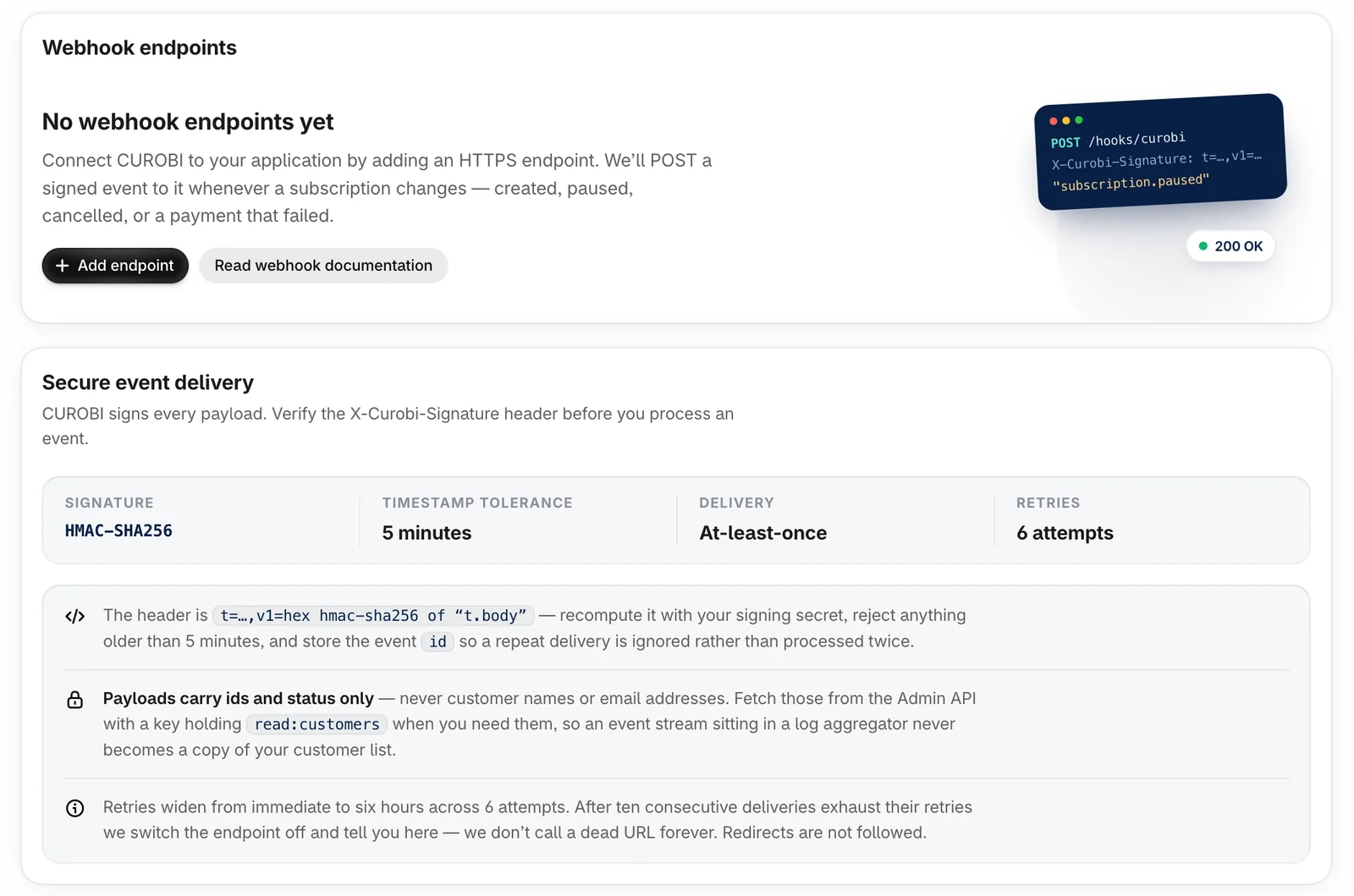
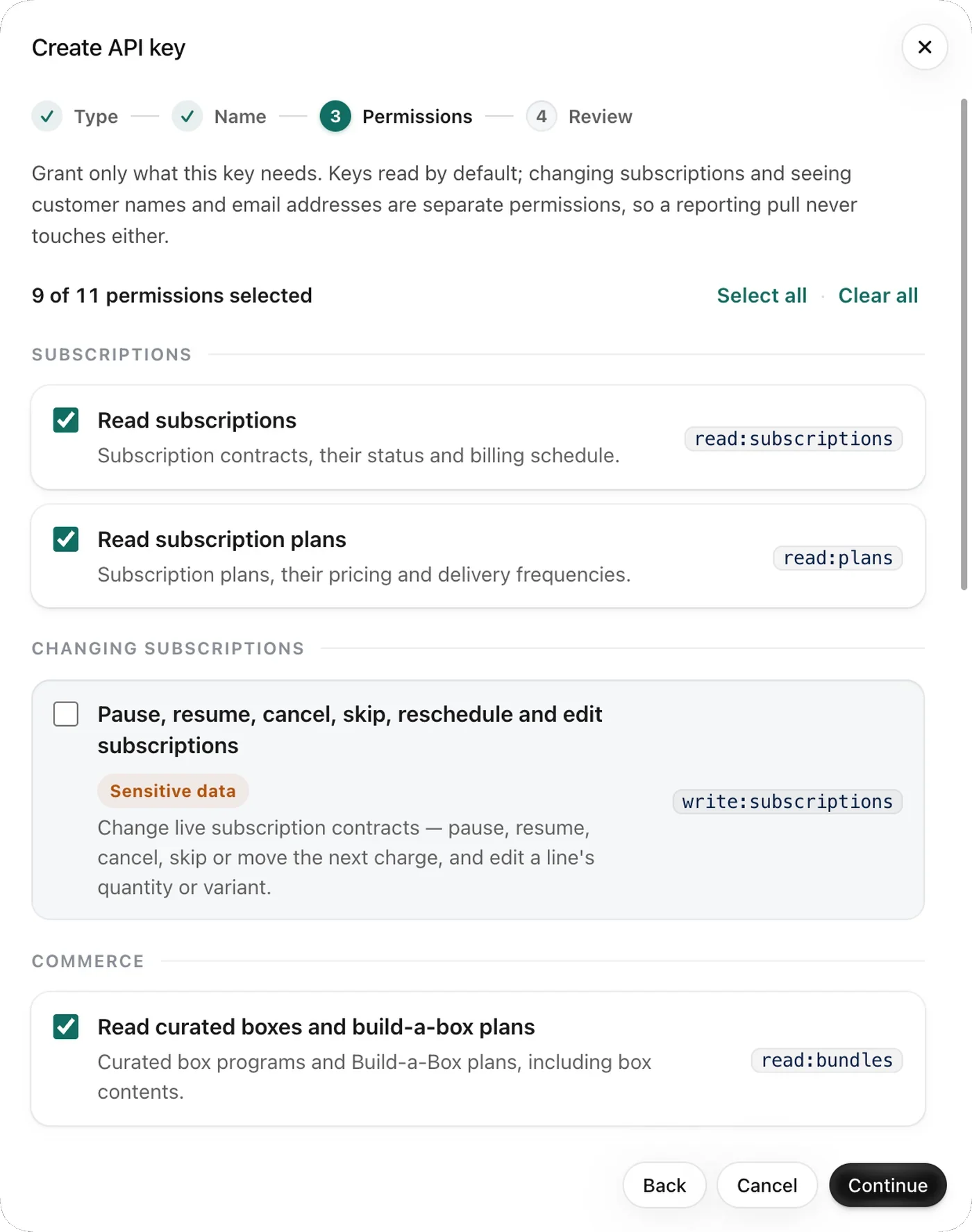
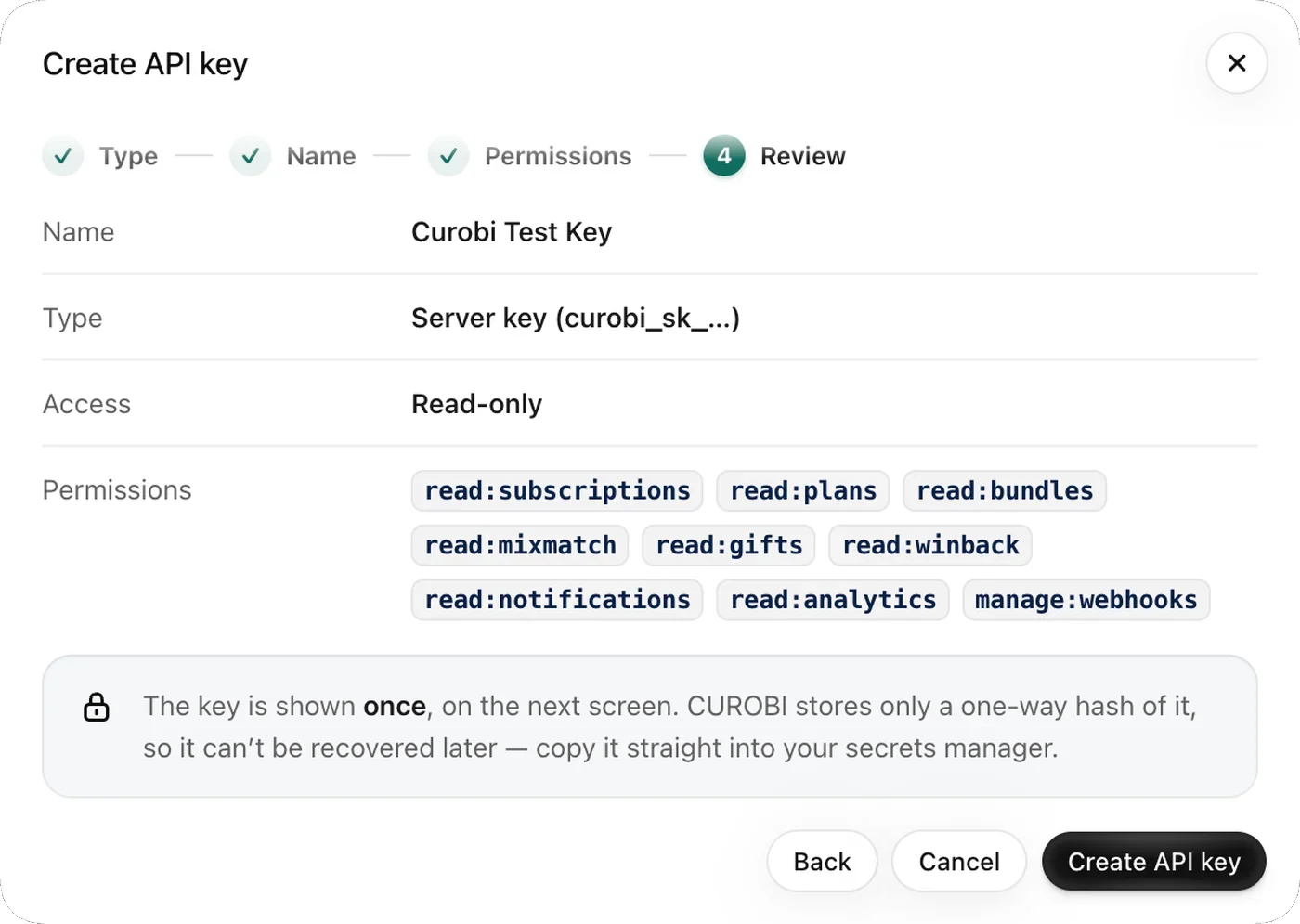
On every plan, including Free, you create API keys with per-scope access and use Curobi's Admin API to read subscriptions and change them from your own tools: pause, resume, skip, reschedule, cancel and edit. Bulk exports deliver subscriptions as CSV or JSONL for a data warehouse, and Storefront and Customer APIs serve headless stores; Curobi's Gorgias integration runs on the same API. From Business, Curobi also sends signed outbound webhooks for 15 subscription and gift events to your own ERP, 3PL, CRM or warehouse. The API and webhooks need a store on a paid Shopify plan; on a development store they stay off until it moves to one.
Because there's no proprietary billing processor or redirect in the path, integrations don't have to reverse-engineer a third-party layer: subscription orders appear as ordinary Shopify orders to the reviews, loyalty, email/SMS, analytics, and upsell apps in your stack. For setup, APIs, and reference, product documentation lives at docs.curobi.com.
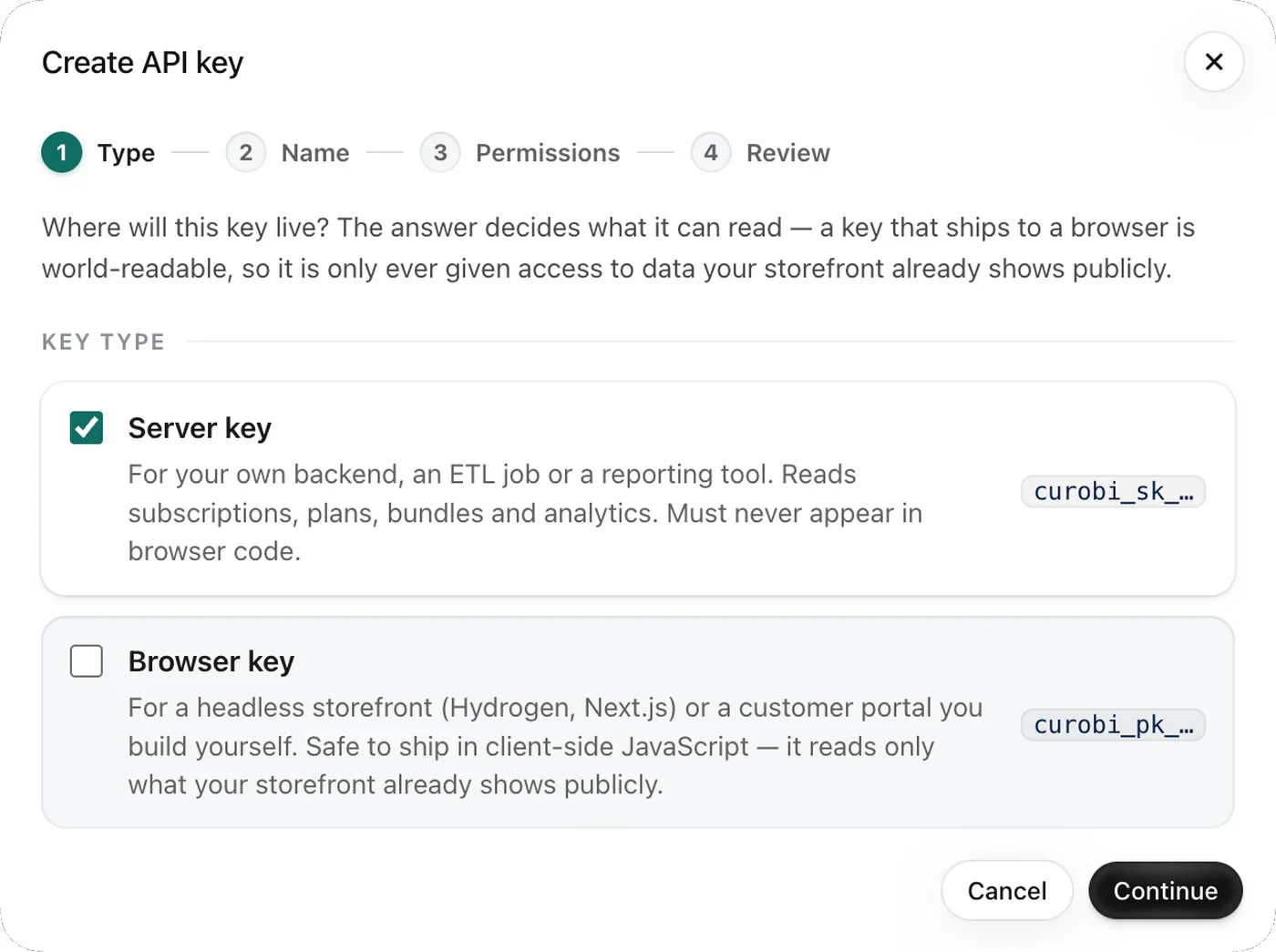
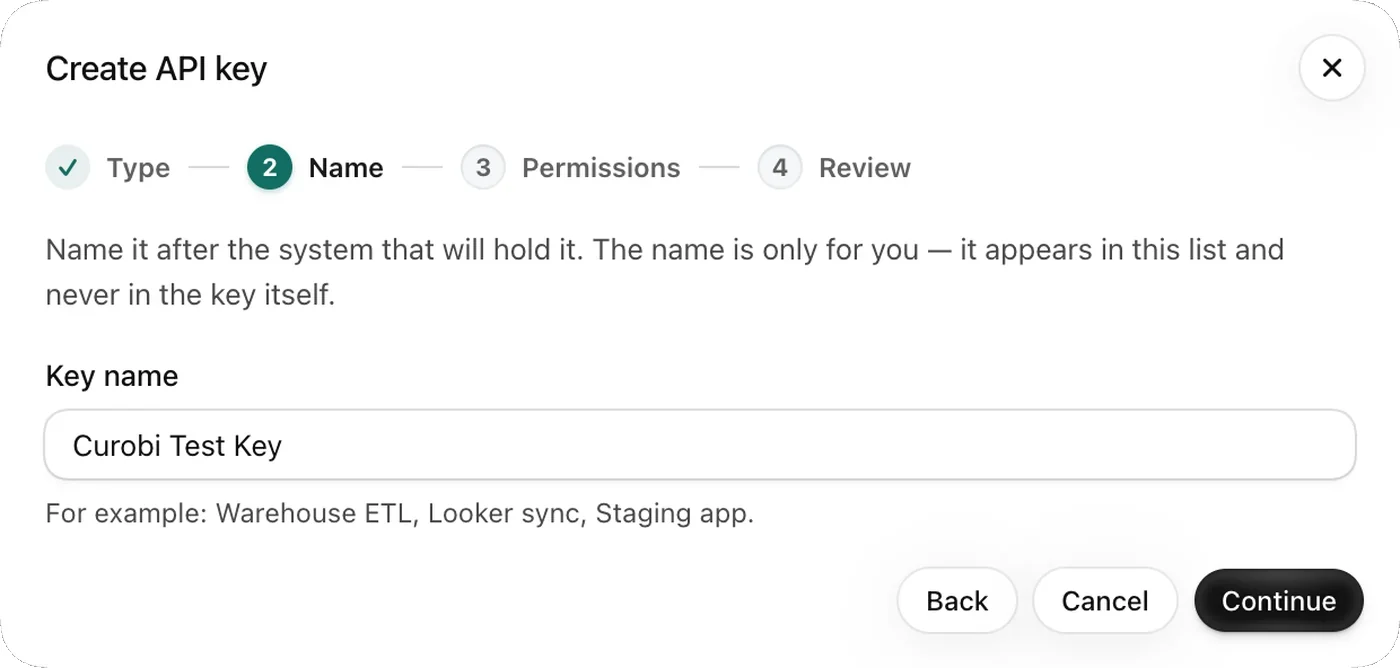
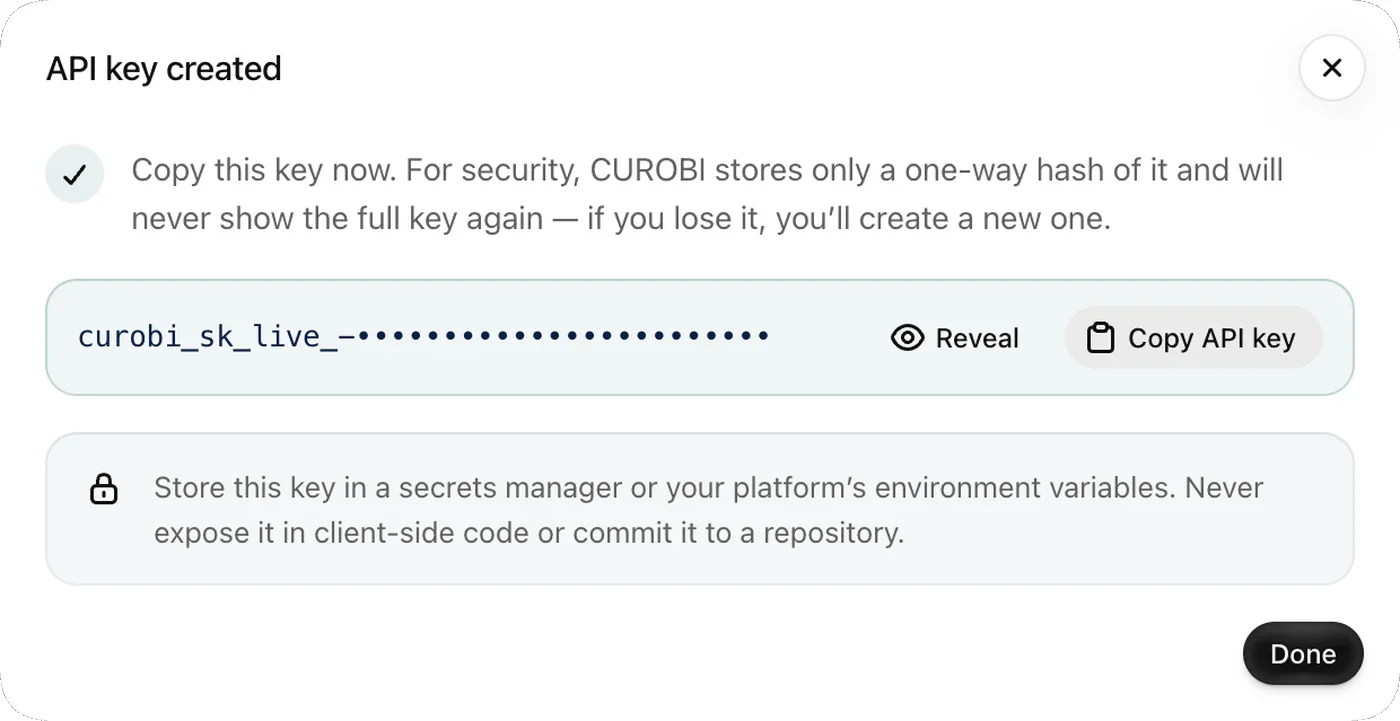
Creating an API key in Curobi
Data & API, then API keys, then Create API key. Four steps, and the key is shown once at the end.
What API gives you
- Built on Shopify Subscription Contracts and native checkout
- API keys with per-scope access, revocable at any time
- Subscription changes by API: pause, resume, skip, reschedule, cancel and edit
- Bulk exports as CSV or JSONL, and Storefront and Customer APIs for headless stores
- The API on every plan, including Free; 15 signed webhook events on Business and Pro
- Persists only Shopify identifiers (GIDs) and subscription status
- Reference and setup docs at docs.curobi.com
Related terms: Subscription Contract, Selling Plan.
Questions merchants ask
Does Curobi use Shopify's native checkout?
Yes. Curobi runs on Shopify Subscription Contracts and Shopify's native checkout. Subscriptions are created at Shopify's checkout and mirrored into Curobi for management — there is no third-party billing processor or redirect, and Curobi never touches or stores card data.
Who processes the recurring payments?
Shopify does. On each renewal date Curobi asks Shopify to charge the subscription contract, and Shopify charges the payment method the customer vaulted at checkout and settles it like any other order. Curobi never sees or stores the card, so there is no transaction fee for it to add, and each renewal charge is keyed to its subscription and due date, so a retried request is not charged twice.
Which Curobi plan do I need for Klaviyo, Gorgias, Shopify Flow or the API?
Any plan, including Free. Klaviyo, Gorgias, Shopify Flow and the developer API — API keys, subscription changes by API, bulk exports, and the Storefront and Customer APIs for headless stores — are on every Curobi plan, so none of them is a reason to upgrade and none needs the trial. Signed outbound webhooks, which push subscription events to your own ERP, 3PL or warehouse, start at Business. The API, webhooks and Gorgias need a store on a paid Shopify plan and stay off on development stores; Klaviyo and Shopify Flow work on development stores too.