

SolutionsSupplement brands
The Shopify subscription app for supplement brands.
Run refills timed to each bottle, prepaid 3- and 6-month courses and pick-your-own stacks from one app, on Shopify's own checkout. Customers skip or pause when bottles pile up, failed cards get retried, and every plan has 0% Curobi transaction fees.
- Free up to 50 active subscriptions
- Works on any paid Shopify plan
- 0% transaction fees
What makes supplement subscriptions hard to run
Three in four US adults take dietary supplements, according to CRN's 2024 consumer survey, and most products are a daily dose in a bottle. The bottle sets the cadence, and bottles differ: Thorne's Basic Nutrients 2/Day is 60 capsules at two a day, a 30-day supply, while Nature Made's 100-count fish oil at two softgels a day lasts 50 days. A supplement subscription has to match each bottle and keep customers taking it long enough to judge it.
Bottles don't all last a month
A 60-count multivitamin at two a day lasts 30 days. A 100-count fish oil at two a day lasts 50, and a customer who takes one a day doubles either. Ship everything monthly and the slower bottles pile up in a drawer. Ship too late and the customer runs out and breaks the routine you are selling.
What Curobi doesSet plans per product or per bottle size with the interval that matches the count and dose, every 30, 50 or 60 days if that's what the bottle needs, and offer more than one. Customers pick an interval in the widget at checkout, on every plan.
Missed doses make bottles pile up
Daily supplements depend on a habit, and habits slip. Every forgotten day pushes back the date a bottle runs out, so a customer who misses a few doses a week is soon a bottle ahead of their subscription. A shelf of unopened bottles makes cancelling look like the sensible fix.
What Curobi doesCustomers skip a delivery or pause from the self-service portal on every plan, without emailing you. From Starter they can also move their next order to a later date and change quantities, and anyone who goes to cancel is offered a skip or a pause first.
Results take weeks, cancellations come sooner
Many supplements are meant to be taken for weeks before anyone can tell whether they help. Lumity, for example, asks customers to take its supplement for at least 12 weeks. A customer billed month to month gets a cancel decision every 30 days, often before they have given the product the time its maker recommends.
What Curobi doesSell a 3- or 6-month course paid upfront as a prepaid subscription, on every plan, so the customer commits to the full course once. From Starter, a save offer suggests a pause or a skip when someone goes to cancel, and on Growth, Churn Insights shows why customers leave.
Customers take several at once
In CDC survey data for 2017–2018, 13.8% of US adults took four or more supplements in the past month, and 24.9% of those aged 60 and over. Run as separate subscriptions, a stack means several charges and parcels on different dates, and the customer cancels the whole lot when one product stops fitting.
What Curobi doesOn Business, Mix & Match lets customers build a stack into one recurring order, such as a base product plus add-ons from categories you define, with the price dropping as they add more. On Pro, Build-a-Box lets them change their picks each cycle from a menu you set.
A failed payment breaks the routine
A daily supplement runs out on a predictable day. If the renewal card fails and the next bottle doesn't ship, the customer misses days, then a week, and the habit you were paid to keep going stops. Some will buy a cheaper bottle at the pharmacy in the meantime and never come back.
What Curobi doesFrom Starter, Curobi retries a failed renewal on days 2, 4 and 7 and emails the customer a link to update their card. If every retry fails, the subscription pauses instead of cancelling. On Business, the Risk Center flags failing payments and cards about to expire.
Why Curobi suits supplement brands
- Refills, courses and stacks in one app
Bottle refills, prepaid courses, Mix & Match stacks and Build-a-Box all run in Curobi, so a growing supplement line doesn't need a second bundling app.
- A flat price on repeat orders
Plans run from $0 to $69.99 per 30 days with 0% Curobi transaction fees. Supplements earn their money on repeat orders, and a per-order percentage takes a cut of every one. See how the apps compare.
- Shopify's own checkout
Renewals are Shopify Subscription Contracts, so your email, reviews and loyalty apps see them as normal Shopify orders. There is no redirect, and Curobi never handles card data.
- See why customers leave
On Growth, Churn Insights shows why customers cancel, and cohort analytics show lifetime value by the month customers joined, so you can see whether people are leaving before a course has had time to work.
The formats supplement brands run
Each one is a Curobi format with a glossary entry that says exactly how it bills and ships.
Daily-dose refills
Subscribe & Save on each bottle, with an interval matched to its count and dose, and skip or pause for when bottles pile up.
In the glossarySelling PlanPrepaid courses
A 3- or 6-month course paid upfront, so the customer commits once to the time a product needs instead of deciding again every month.
In the glossaryPrepaid SubscriptionPick-your-own stacks
Customers choose several products into one recurring order, such as a base plus add-ons, and the price drops as they add more.
In the glossaryMix & MatchBuild-a-Box monthly stack
Customers pick their products each cycle from a menu you set, for stacks that change with their goals or the season.
In the glossaryBuild-Your-Own Box
Where Curobi fits in a supplement business
Find the row that matches what you sell. Each plan includes everything in the plans before it, and every plan has 0% Curobi transaction fees.
| If you sell | Run it with | Plan you need |
|---|---|---|
| One supplement taken daily, refilled as the bottle runs out | Subscribe & Save | Free$0 / 30 days |
| A 3- or 6-month course paid upfront | Prepaid subscription | Free$0 / 30 days |
| Refills where customers change quantity, swap products or move a delivery | Portal editing | Starter+$9.99 / 30 days |
| Stacks: a base product plus add-ons at a bundle price | Mix & Match | Business+$29.99 / 30 days |
| A monthly stack where customers change their picks each cycle | Build-a-Box | Pro$69.99 / 30 days |
Where it doesn't fit yet
- Curobi doesn't review or manage supplement claims. FDA rules on structure/function claims and FTC rules on substantiation apply to your product pages, widget text and emails, and checking them is up to you.
- Curobi doesn't send dose reminders, track whether customers take their supplements, or recommend products through a quiz. Customers can skip, pause or move their next order, but they can't switch to a different delivery frequency from the portal yet.
- Build-a-Box needs Pro. If customers pick their stack once and only occasionally change it, Mix & Match on Business plus portal swaps (Starter and up) may be all you need.
Already on another app?
Business and Pro include CSV migration from Recharge, Appstle, Loop, Bold or Seal, without interrupting active subscriptions. See the steps for Recharge, Appstle or Loop, or compare first: Curobi vs Recharge.
How a supplement refill runs each cycle
This is a Subscribe & Save refill in Curobi, with a 60-count bottle taken two a day as the example. You set the interval and the discount.
- Checkout
The customer picks an interval
On the product page they choose subscribe and an interval you matched to the bottle, here every 30 days, then check out on Shopify.
- Between refills
The customer adjusts
A few missed doses? They skip or pause from the portal. From Starter they can move the next order to a later date or change quantity.
- Renewal day
The next bottle bills and ships
Shopify charges the saved card at the Subscribe & Save price and creates a normal order. From Starter, a failed card is retried on days 2, 4 and 7.
- If they go to cancel
A save offer appears
From Starter, the customer is offered a pause or a skip first. On Growth, Churn Insights shows why customers cancel.
Setting up a supplement subscription
Install from the Shopify App Store, then work through these in the Curobi admin. Nothing moves to a separate checkout.
Match each plan to the bottle
Set an interval that fits each product's count and dose, add a Subscribe & Save discount (percentage, fixed or tiered), and offer a prepaid 3- or 6-month option where a course makes sense.
Add the widget to your product pages
The purchase-option widget sits on the product page in your theme and is styled in the theme editor, so customers choose one-time or subscribe and an interval with no separate checkout.
Build your stacks
Create a Mix & Match bundle with categories such as a base and add-ons, a minimum and maximum number of products and optional volume discounts (Business). For stacks that change each cycle, use Build-a-Box (Pro).
Turn on the portal, retries and save offers
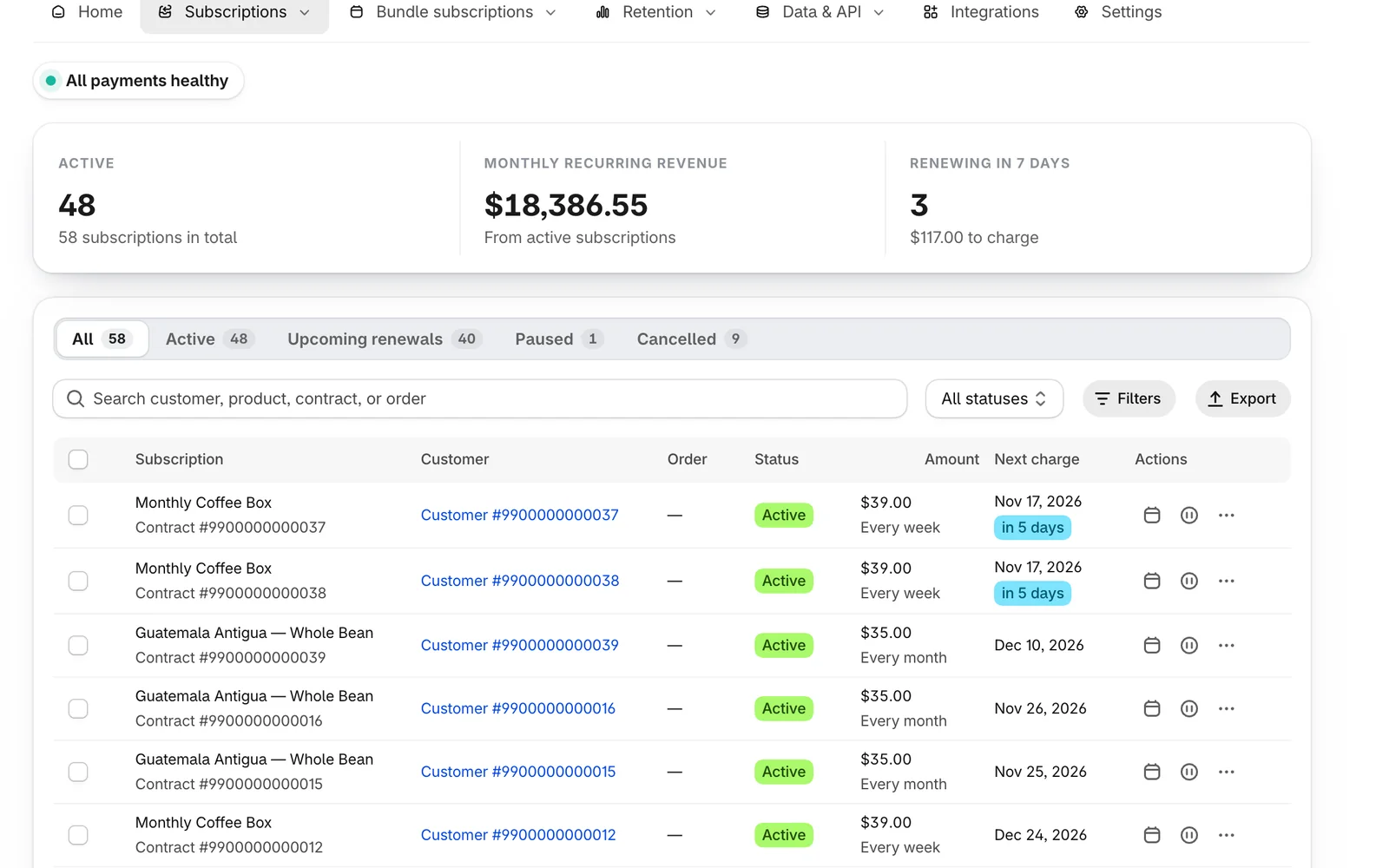
The portal (skip, pause, cancel, address, card) is on every plan. From Starter, add quantity and swap edits, rescheduling, failed-payment retries and cancellation save offers.
Supplements subscription questions
Anything else? The full FAQ covers pricing, setup and billing.
Is there a Shopify subscription app for supplement brands?
Yes. Curobi runs the formats supplement brands sell most: Subscribe & Save refills timed to each bottle, prepaid 3- and 6-month courses, Mix & Match stacks, and Build-a-Box stacks where customers change their picks each cycle. Renewals run on Shopify's own checkout, and every plan has 0% Curobi transaction fees.
Which Curobi plan does a supplement subscription need?
It depends on what you sell. Refills and prepaid courses run on the Free plan up to 50 active subscriptions, or Starter ($9.99 per 30 days) for up to 250 with portal editing, failed-payment retries and save offers. Churn Insights and cohort analytics are on Growth ($19.99). Mix & Match stacks need Business ($29.99), and Build-a-Box needs Pro ($69.99). Each plan includes everything in the plans before it.
Can customers subscribe to a stack of several supplements?
Yes. On the Business plan, Mix & Match lets customers pick several products into one recurring order, with the price dropping as they add more, and from Starter they can change quantities or swap products in the customer portal. On Pro, Build-a-Box lets them choose a new set of products each cycle from a menu you set.
Can I sell a 3-month supplement course paid upfront?
Yes. Prepaid subscriptions are on every plan, including Free. The customer pays once for a 3- or 6-month term and receives deliveries on the schedule you set, so they commit to the whole course at checkout instead of deciding again every month.
Does Curobi check my supplement claims for FDA or FTC compliance?
No. Curobi runs the subscription side: plans, billing on Shopify, the customer portal and payment recovery. The claims on your product pages and emails are covered by FDA rules on structure/function claims and FTC rules on substantiation, and reviewing them is up to you and your advisers.
Run your supplement subscriptions on Curobi.
Free up to 50 active subscriptions, flat plans after that, and 0% Curobi transaction fees on every one.
- No card required
- Billed through Shopify
- Cancel anytime