

SolutionsSkincare brands
The Shopify subscription app for skincare brands.
Run refills for each step of a routine, pick-your-own regimen sets, prepaid courses and gift subscriptions from one app, on Shopify's own checkout. Subscribers skip or move a delivery when a bottle is still half full, failed cards get retried, and every plan has 0% Curobi transaction fees.
- Free up to 50 active subscriptions
- Works on any paid Shopify plan
- 0% transaction fees
What makes skincare subscriptions hard to run
A skincare routine is several products that run out at different times, and the routine itself changes. Actives like retinoids are meant to be started gently and built up, many formulas have a limited life once opened, and results take weeks to show. A skincare subscription has to keep every step stocked without piling it up or locking the customer into one product.
Every step runs out at a different time
A cleanser, a serum, a moisturizer and an SPF are used in different amounts and sold in different sizes. Augustinus Bader estimates its 30 ml serum lasts about six weeks at twice a day, and its 50 ml about eight. Put the whole routine on one monthly order and some steps pile up while others run short.
What Curobi doesGive each product the Subscribe & Save cadences that fit its size, for example every 6 weeks for a 30 ml serum and every 2 months for a cleanser, and customers choose one at checkout. From Starter, they can move a next order to a later date and change quantities in the portal.
Opened products don't keep forever
Many skincare formulas have a limited life once opened. Under EU cosmetics rules, a product that keeps for more than 30 months must show its period after opening, the open-jar symbol marked in months. Vitamin C is a known case: The Inkey List says L-ascorbic acid serums tend to degrade noticeably within three to six months. A drawer of backups works against the customer.
What Curobi doesSubscribers skip a delivery or pause from the portal on every plan, so a new bottle doesn't arrive while the last one is still open. From Starter they can move the next order to a later date, and anyone who goes to cancel is offered a skip or a pause first.
Actives get introduced slowly
Strong actives are meant to be built up. The American Academy of Dermatology suggests starting with the least intense retinoid formula, every other night, and slowly building up. A customer on a gentle retinol may want the stronger one a few months in, or a milder one if their skin reacts. A subscription fixed to one product has no room for either.
What Curobi doesFrom Starter, subscribers replace an item from the customer portal, for example moving from your gentle retinol to the stronger one, and change quantities. Curobi doesn't recommend a strength or check what suits someone's skin; the customer chooses from the products you sell.
Results take weeks, cancellations come sooner
Skincare asks for patience. For acne treatments, the American Academy of Dermatology says it takes at least 6 to 8 weeks before people start to see fewer breakouts, and advises sticking to the plan. A customer who judges a routine on the first bottle may cancel before it has had a fair chance.
What Curobi doesSell the routine as a prepaid 3-month course, available on every plan, so it is paid for across the weeks it needs. From Starter, anyone who goes to cancel is offered a pause or a skip first, and on Growth, Churn Insights shows the reasons people give for leaving.
A regimen sells as a set, but skin types differ
Skincare brands often sell a regimen: a cleanser, a treatment and a moisturizer that work together, at a bundle price. Routines differ by skin type, though, and a fixed three-piece set makes some customers pay for a step they don't use. Separate subscriptions for each step mean more parcels and more postage.
What Curobi doesMix & Match lets customers build their own regimen from the products you include, such as any three steps, with the price dropping as they add more. Set a minimum and maximum and group items by category, such as cleanse, treat and moisturize. Subscribers can replace a product in the set from the portal.
Why Curobi suits skincare brands
- Each product on its own cadence
Every product can carry its own Subscribe & Save cadences and discount, so a 30 ml serum and a 200 ml cleanser don't have to share one delivery schedule.
- Regimens and refills in one app
Single-product refills, Mix & Match regimen sets, prepaid courses and Build-a-Box all run in Curobi, so a growing routine program doesn't need a second bundling app.
- See why people stop
On Growth, Churn Insights shows why subscribers cancel, and cohort analytics show LTV and NRR, so you can see whether customers leave before a routine has had time to work.
- Shopify's checkout, a flat price
Renewals are Shopify Subscription Contracts on your own checkout, and plans run from $0 to $69.99 per 30 days with 0% Curobi transaction fees. See how the apps compare.
The formats skincare brands run
Each one is a Curobi format with a glossary entry that says exactly how it bills and ships.
Step-by-step refills
Subscribe & Save on each product in the routine, with cadences you set to match its size, plus skip and pause for when a bottle is still half full.
In the glossarySelling PlanPick-your-own regimen sets
Customers choose their cleanser, treatment and moisturizer into one set, and the price drops as they add more. One parcel carries the whole routine.
In the glossaryMix & MatchPrepaid courses
A 3- or 6-month routine paid upfront, which covers the weeks a regimen needs before results show. Also the usual format for skincare gifts.
In the glossaryPrepaid SubscriptionSeasonal routine box
A box you curate by season, such as a winter barrier kit or a summer SPF edit. Curobi puts each box on every subscriber's renewal.
In the glossaryCurated Box
Where Curobi fits in a skincare business
Find the row that matches what you sell. Each plan includes everything in the plans before it, and every plan has 0% Curobi transaction fees.
| If you sell | Run it with | Plan you need |
|---|---|---|
| Refills of single products, each on the cadence that fits its size | Subscribe & Save | Free$0 / 30 days |
| A full routine paid upfront as a 3- or 6-month course | Prepaid subscriptions | Free$0 / 30 days |
| Refills where customers change strength, quantity or the next date | Portal editing | Starter+$9.99 / 30 days |
| Regimen sets: pick a cleanser, treatment and moisturizer for less per item | Mix & Match | Business+$29.99 / 30 days |
| Skincare given as a gift, for the holidays or a birthday | Gift subscriptions | Business+$29.99 / 30 days |
| A seasonal routine box you curate, such as a winter barrier kit | Curated box | Pro$69.99 / 30 days |
Where it doesn't fit yet
- Curobi doesn't track batch numbers, expiry dates or period-after-opening, and it has no skin quiz or product recommendations. Those stay on your labels and product pages.
- Subscribers can skip, pause or move their next order, but they can't switch to a different delivery frequency from the portal yet, so offer the cadences each product needs at checkout.
- In the US, sunscreens and acne treatments are regulated as drugs and must carry expiration dates. Curobi doesn't handle drug labeling or any other compliance work.
Already on another app?
Business and Pro include CSV migration from Recharge, Appstle, Loop, Bold or Seal, without interrupting active subscriptions. See the steps for Recharge, Appstle or Loop, or compare first: Curobi vs Recharge.
How a serum refill runs each cycle
This is a single-product refill in Curobi, with a 30 ml serum on a 6-week plan as the example. You set the cadences and the discount.
- At checkout
The customer subscribes
They choose Subscribe & Save on the serum's product page and pick a cadence you offer, such as every 6 weeks.
- Before renewal
They adjust if needed
If the bottle is still half full, they skip or pause. From Starter, they move it later, change quantity or replace the serum with another.
- Renewal day
The order bills and ships
The renewal is charged through Shopify and arrives as a normal Shopify order, so your fulfillment, email and review apps handle it like any other.
- If the card fails
Retries begin
From Starter, a failed renewal is retried on days 2, 4 and 7 with an update-card email. If every retry fails, the subscription pauses.
Setting up a skincare subscription
Install from the Shopify App Store, then work through these in the Curobi admin. Nothing moves to a separate checkout.
Set cadences for each product
Give each product the delivery intervals that match its size and use, for example every 6 weeks for a 30 ml serum, with a Subscribe & Save discount (percentage, fixed or tiered).
Add the widget to your product pages
The purchase-option widget sits on the product page in your theme and is styled in the theme editor, so shoppers choose one-time or subscribe with no separate checkout.
Build your regimen sets and courses
Add prepaid 3- or 6-month plans for courses on any plan. For regimen sets, create a Mix & Match bundle with steps grouped by category and a minimum and maximum number of items (Business).
Turn on the portal, retries and save offers
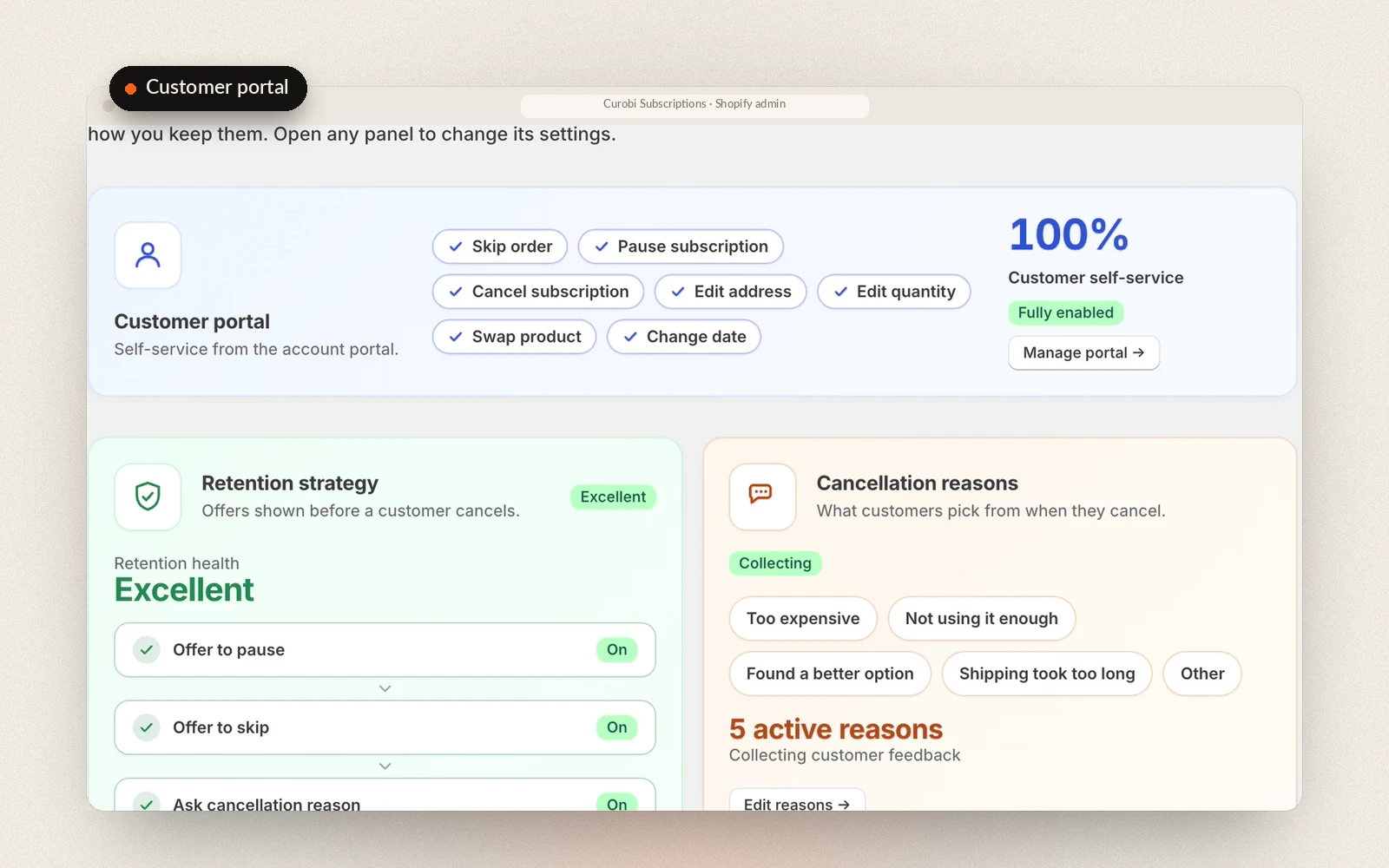
The portal (skip, pause, cancel, address, card) is on every plan. From Starter, add product replacement, quantity edits, rescheduling, failed-payment retries and cancellation save offers.
Skincare subscription questions
Anything else? The full FAQ covers pricing, setup and billing.
Is there a Shopify subscription app for skincare brands?
Yes. Curobi runs the formats skincare brands sell most: Subscribe & Save refills on each step of a routine, Mix & Match regimen sets, prepaid 3- or 6-month courses, gift subscriptions and curated seasonal boxes. Renewals run on Shopify's own checkout, and every plan has 0% Curobi transaction fees.
Which Curobi plan does a skincare subscription need?
It depends on what you sell. Refills and prepaid courses run on the Free plan up to 50 active subscriptions, or Starter ($9.99 per 30 days) for up to 250 with product and quantity changes in the portal and failed-payment retries. Churn Insights and cohort analytics are on Growth ($19.99). Mix & Match regimen sets and gift subscriptions need Business ($29.99), and a curated seasonal box needs Pro ($69.99). Each plan includes everything in the plans before it.
Can each product in a routine ship on its own schedule?
Yes, if you offer it that way. Each product can carry its own Subscribe & Save cadences, so a customer can choose a serum every 6 weeks and a cleanser every 2 months. From Starter, they can move any next order to a later date in the portal. They can't yet switch a subscription to a different delivery frequency from the portal.
Can a customer move to a stronger retinol without cancelling?
Yes, from the Starter plan. In the customer portal, a subscriber can replace an item on a regular subscription with another product you sell, such as a stronger retinol, and change the quantity. Curobi doesn't recommend products or check what suits someone's skin; that choice stays with the customer and your guidance.
Can I move my skincare subscribers from Recharge or another app?
Yes. The Business and Pro plans include CSV migration from Recharge, Appstle, Loop, Bold or Seal. Subscribers come across without their active subscriptions being interrupted.
Run your skincare subscriptions on Curobi.
Free up to 50 active subscriptions, flat plans after that, and 0% Curobi transaction fees on every one.
- No card required
- Billed through Shopify
- Cancel anytime