

Overview
Curobi's customer portal is a 24/7 self-service area where subscribers can pause, skip a delivery, or cancel on every plan, and — on the Starter plan and up — change quantities, swap products, and edit their own delivery dates without contacting support.
- JobControl
- AreaRetention
- PlanEvery plan, Free included
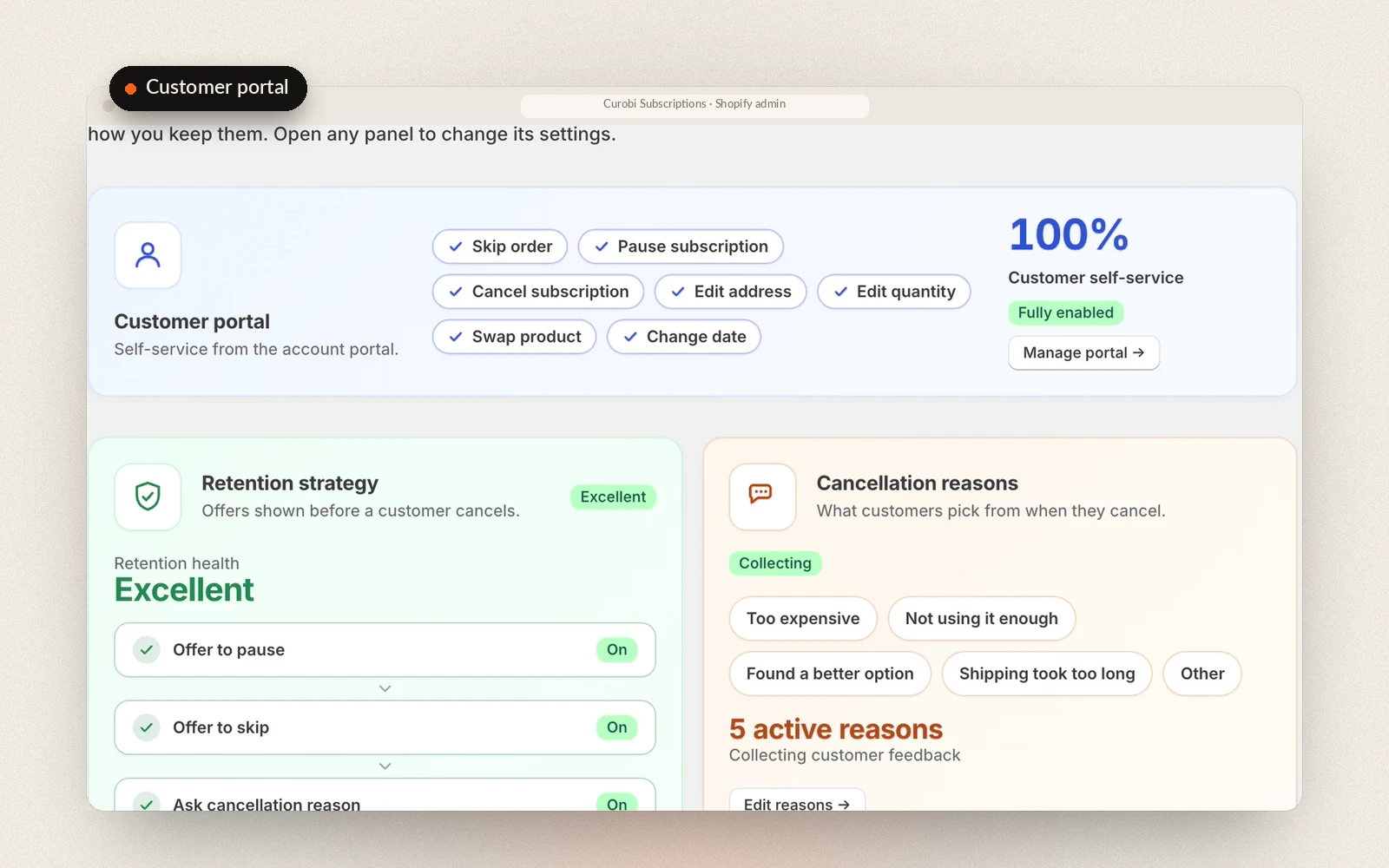
On every plan, subscribers can pause, skip an upcoming delivery, or cancel from the portal. On the Starter plan and up they can also change quantities, swap products between deliveries, and edit their own delivery dates — the deeper self-service that cuts support tickets as a program scales. On a plan that bills on a fixed calendar, a skip moves the subscriber to the next charge date on the calendar and a reschedule moves forward to the next charge date on or after the day they picked, and the confirmation quotes the date that was actually set.
The portal exists because most people who cancel are simply over-supplied for the moment, not gone for good. Giving them a way to skip or reschedule instead of cancelling keeps the subscriber and the revenue. It pairs with Curobi's cancellation save flows, which intercept the moment of cancellation with a pause or retention offer.
Subscribers open the portal from Manage subscriptions in their Shopify customer account. You add that menu link and the page in two Shopify admin steps, which Curobi walks you through in its settings, and the settings show whether customers are actually opening it. Curobi also ships a subscription portal link block for Shopify's Thank you and order status page, so a new subscriber sees where to manage their subscription straight after checkout; it works on every Shopify plan. When a customer writes to support instead, an agent on Gorgias can make the same skip, pause or cancel from the ticket.
Two rules come from you rather than the customer. If a plan has a minimum number of billing cycles, the portal won't open the cancel flow until the customer has had that many orders, and tells them how many are left. And if Curobi's fraud protection has put a subscription on hold, the portal shows "On hold. Contact the store to resume." in place of Resume.
Shopify draws the Manage subscriptions page, so its look can't be changed. If you want subscribers to manage their subscriptions in your own colors, font and logo, turn on Curobi's branded portal as well: a second subscription page on your own store, on every plan. On the Portal branding page you pick one of five themes (Classic, Harvest, Fresh, Midnight or Minimal), then set the color scheme, brand color, font, corners, your logo and optional custom CSS, and choose whether it sits inside your theme's header and footer or on a page of its own. A live preview shows the real portal on sample data, and Preview on store lets you try it in your theme before any customer can see it. Customers sign in with their normal store login. A customer with one subscription lands straight on it, with every action in one list: skip, change the order date, swap or change items or choose what's in a box, pause, the payment method and the delivery address, with cancel last. It follows the same self-service switches, plan limits and cancellation save flow as the account page, and checks each change again when it's submitted. The one difference for now: subscribers can't edit their delivery address there, so it offers a link to email you the new one. While it's on, the account page and Curobi's emails send customers to it, and Update my menu points your account menu's Manage subscriptions link straight at it.
The account page runs inside Shopify-hosted customer accounts. A headless storefront, for example on Hydrogen, builds its own subscription pages with two APIs: Shopify's Customer Account API for pause, resume, cancel, skip and the delivery address, which are the same Shopify calls Curobi's portal makes, and Curobi's Customer API for what Shopify doesn't keep, such as build-a-box picks, quantity changes and swaps, rescheduling, the card-update email, the cancellation reason and save offers, and email preferences. The Customer API is part of Curobi's developer API, so it's on every plan, Free included.
What Customer Portal gives you
- 24/7 self-service portal included on every plan
- Pause, skip a delivery, or cancel on every plan
- Change quantities, swap products, and edit delivery dates on Starter and up
- A portal link block for Shopify's Thank you and order status page
- A branded portal on your own store, on every plan: five themes, your colors, font and logo, and optional custom CSS
- A plan's minimum billing cycles enforced before the customer can cancel
- Headless storefronts build the same screens on Shopify's Customer Account API and Curobi's Customer API
- Fewer support tickets as your program scales
- Pairs with cancellation save flows at the moment of cancellation
Related terms: Cancellation Save Flow, Churn.
Questions merchants ask
Can customers manage their own subscriptions?
Yes. Every plan includes a 24/7 self-service customer portal where subscribers can pause, skip a delivery, cancel, change their address, and update their card. From the Starter plan they can also change quantities, swap products, and reschedule without contacting support.
Can subscribers skip a delivery or reschedule their next order?
Yes. Every Curobi plan includes a 24/7 self-service portal where subscribers can skip an upcoming delivery, pause, or cancel; from the Starter plan they can also change quantities, swap products, and reschedule their next order. Offering a skip or reschedule is the most effective single feature for reducing subscription churn, because most people who cancel are simply over-supplied for the moment, not gone for good.
Can I change how the customer portal looks?
Yes, with Curobi's branded portal. The Manage subscriptions page in the Shopify customer account is drawn by Shopify, so it takes no colors, fonts or CSS. The branded portal is a second subscription page on your own store, on every plan including Free, that you style on Curobi's Portal branding page: pick one of five themes, then set your brand color, font, corners, logo and optional custom CSS, inside your theme's header and footer or as a standalone page. Customers sign in with their normal store login and get the same actions and rules as the account page, except that a new delivery address comes to you by email for now. It's off until you switch it on, and one click can point your account menu's Manage subscriptions link at it.
Can I require a minimum number of orders before a subscriber can cancel?
Yes. Give a subscription plan a minimum number of billing cycles in Curobi, and a customer on that plan can't cancel from the customer portal until they've had that many orders. The portal tells them how many are left, for example: "This subscription has a minimum of 3 orders. You can cancel after 1 more order." The minimum applies to cancellations the customer makes in the portal; you can still cancel any subscription yourself from Curobi's admin.