CUROBI

The Shopify subscription app that builds a business, not just a subscribe button.

Curobi is a subscription app for Shopify: subscribe & save, curated and build-your-own boxes, a self-service portal and failed-payment recovery.

See the demos for a store that sells

Examples. Any subscription store fits. See every industry

A coffee roaster in a denim shirt and apron cupping freshly roasted beans in both hands over the cooling tray.
A woman at a low wooden table pouring tea from a small lidded bowl into a cup.
A smiling woman at home holding her Shiba Inu, who looks at the camera.
A woman smoothing moisturiser onto her cheek with her fingertips.
A woman in a knitted sweater tipping two capsules into her open palm.
Live widgetTry it
Ethiopia GujiLight roast
$16.00$14.40
Purchase option
Deliver every

Skip, pause or cancel anytime.

1
Working demo. Sample store, nothing is purchased. Any subscription store fits. See every industry

How Curobi is different

  • One widgetsells Subscribe & Save on any product, curated boxes, Build-a-Box and Mix & Match bundles
  • 4 monthsof curated boxes planned ahead, with a stock check before each one ships
  • 1 charge dayfor every subscriber on a fixed-calendar schedule, so orders ship in one batch. Pro plan
  • 3 retriesover 7 days, then a failed card pauses the subscription instead of cancelling it
  • NativeShopify checkout and Subscription Contracts. Works on any paid plan, no Plus needed

What Curobi does

One app for the whole life of a subscription.

Curobi covers how you sell a subscription, how customers manage it, and what happens when they try to cancel or their card fails.

01Launch

“I want Subscribe & Save and a box program without hiring a developer.”

Sell refills, boxes and bundles on subscription.

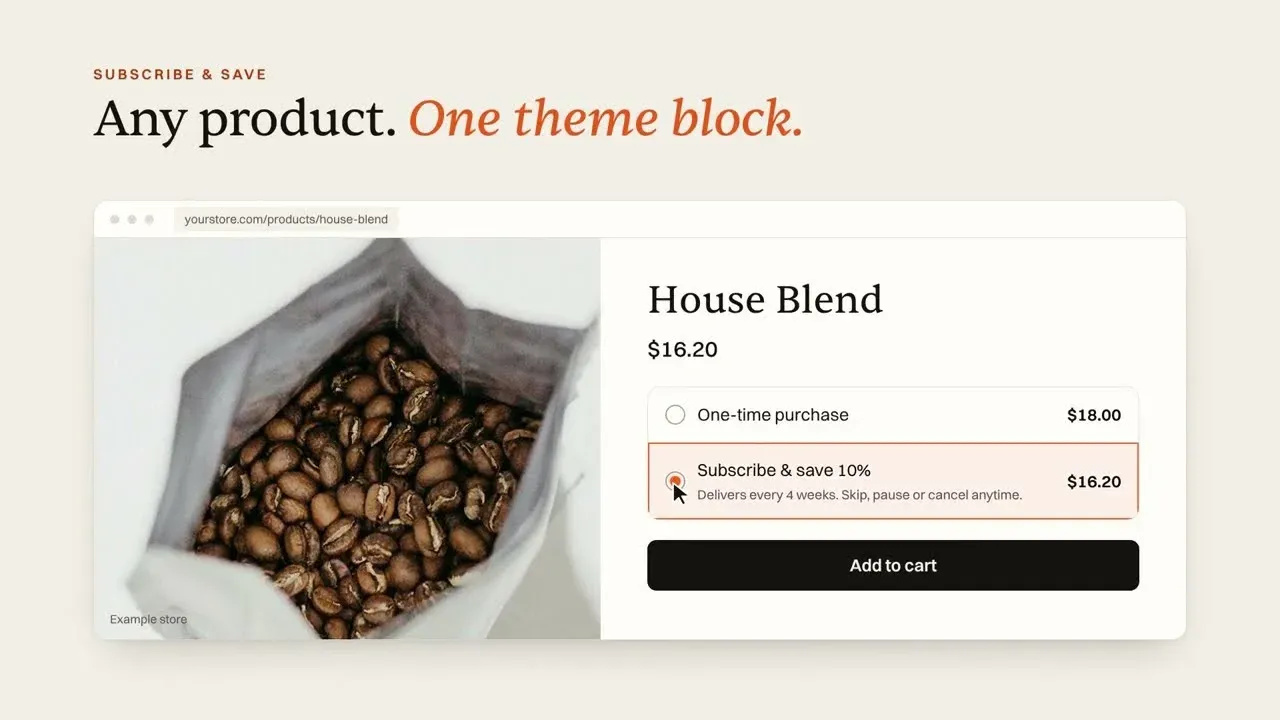
Put any product on Subscribe & Save, or sell a box you curate, a box your customers build, or a mix-and-match bundle with volume pricing. Every format shows through one theme block on your product page.

  • Subscribe & Save plans and discounts on any productFree
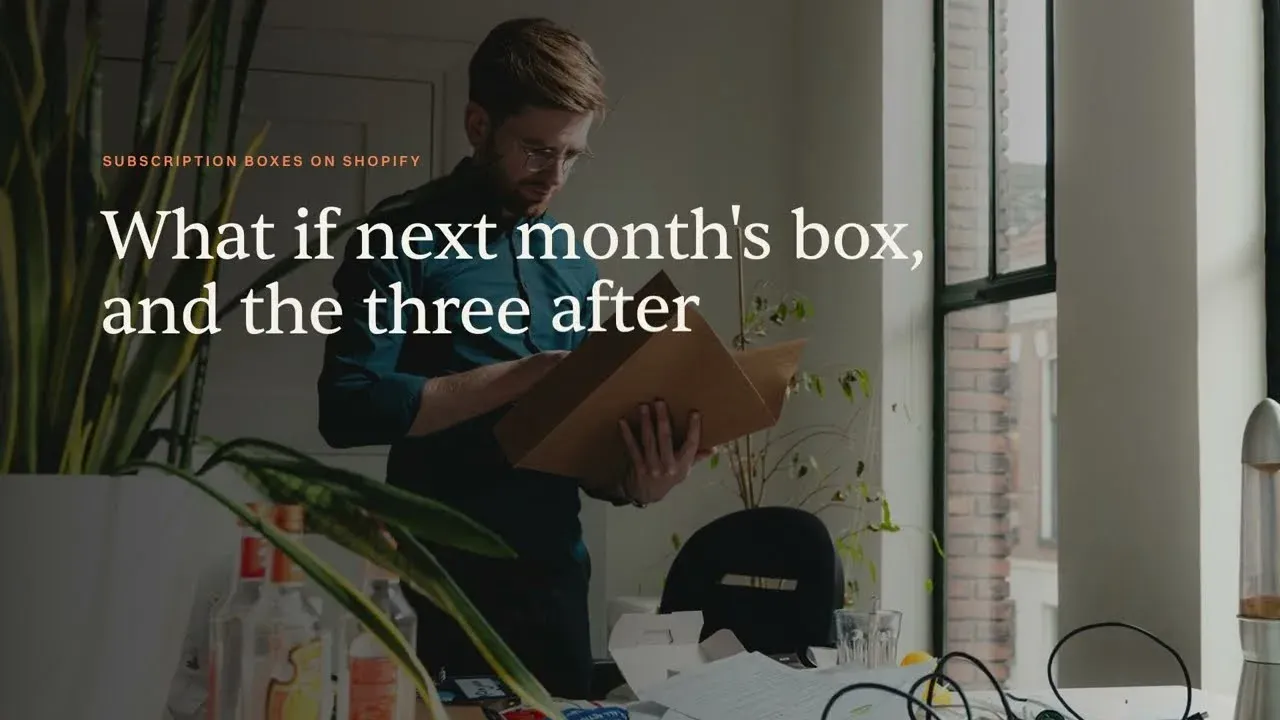
  • Curated Boxes: plan up to four months ahead, with a readiness check and stock forecast before each shipsPro
  • Build-a-Box: subscribers pick their own items within your rulesPro
  • Fixed-calendar schedules: charge every subscriber on the same date and ship in one batchPro
  • Mix & Match bundles with tier pricingBusiness+
See how boxes work

November box

  • Sumatra MandhelingDark roast
    × 1
  • Brazil CerradoMedium roast
    × 1
  • Guatemala AntiguaMedium roast
    × 1

Box readiness

Safe to send
  • Box published
  • Stock covers every box
  • Dry run: 312 receive it, 0 blocked

Sample data. The editor holds this month and the next three.

02Control

“Every skip, swap or date change turns into a support ticket.”

Hand subscribers the controls and get your inbox back.

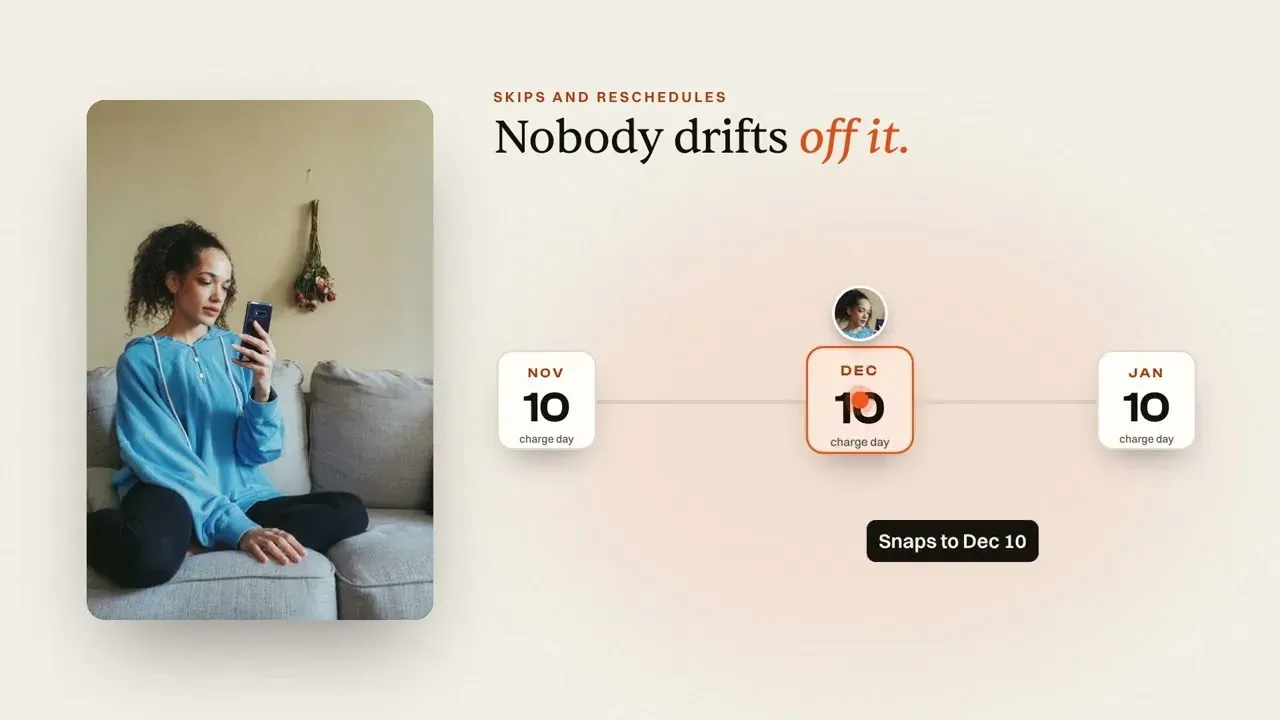
A self-service portal lets customers manage their own subscription at any hour. Most people who cancel are over-supplied for the moment, not gone for good, so a skip is often all they needed.

  • Skip, pause, cancel, change address and update cardFree
  • Change quantity, swap products and rescheduleStarter+
  • Branded receipts and reminder emailsFree
See the customer portal
Morning Roast ClubYour subscription
House Espresso2 bags, every month
Active
Next orderNov 28

Tap an action to try it.

03Retain

“Subscribers cancel after a box or two.”

Catch the cancellation before it happens.

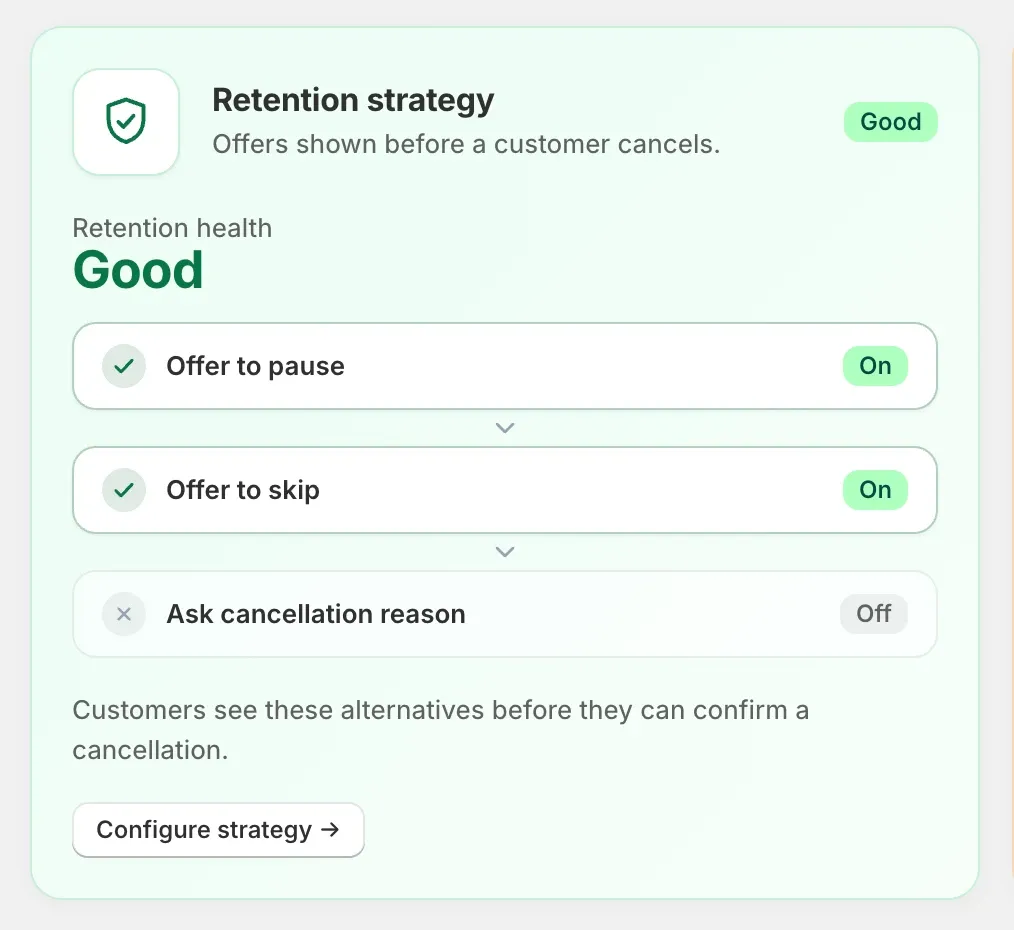
When a subscriber clicks cancel, Curobi offers a pause or a skip first. The ones who still leave tell you why, so your next fix is based on their reasons and not on a guess.

  • Cancel save offers: pause or skipStarter+
  • Churn Insights and cancel reasonsGrowth+
  • Cohort retention, LTV and NRRGrowth+
  • Win-back emails with discount codesBusiness+
See cancellation prevention

Before you cancel

Too much coffee right now?
Pause for a monthKeep your price and your plan.
Chosen
Skip the next boxWe'll see you the month after.
No thanks, cancel my subscription
Curobi's retention strategy settings: offer to pause and offer to skip are switched on, shown to customers before they can confirm a cancellation.
Screenshot: retention settings in Curobi.

04Recover

“A declined card cancels customers who never chose to leave.”

Recover failed payments before they cost you a subscriber.

Curobi retries a failed charge three times over seven days and emails the customer to update their card. If every retry fails, the subscription pauses instead of cancelling, so the customer is still yours to win back.

  • Automatic retries on days 2, 4 and 7Starter+
  • Update-your-card emails on failureStarter+
  • Auto-pause, not cancel, after retriesStarter+
  • Payment recovery dashboardGrowth+
See payment recovery
  1. Renewal declinedCard expired. Nobody chose to leave.
    Day 0
  2. Update-your-card email sentBranded, with a link to fix it.
    Day 0
  3. Retry 1Still declined. Curobi keeps going.
    Day 2
  4. Retry 2: payment recoveredSubscription stays active.
    Day 4

If the day 7 retry also fails, the subscription pauses. It doesn't cancel.

Start free

Free up to 50 active subscriptions. No card, no demo call.

Watch

See it running before you install it.

Three short videos. One walks through the whole app, one stays on the three ways to sell a box, and one puts every subscriber on the same charge day.More on YouTube.

  • Overview 2:10

    Where subscription revenue leaks

    Boxes, Subscribe & Save, the customer portal, failed-payment recovery and the move from another app, each shown in the app.

  • Fixed calendar 2:31

    One charge day for every subscriber

    Switch a plan from Rolling to Fixed calendar, set the charge day and ship day, bill only in the months you ship, and watch skips stay on the calendar. Pro plan.

  • Box demo 2:19

    Three ways to sell a box

    A curated box you plan this month and the next three, a Build-a-Box subscribers fill themselves, and Mix & Match with volume discounts.

Built into your storefront

Sold on your product pages, in your own theme

One theme block carries subscribe & save, boxes and bundles, and every order goes through Shopify's own checkout.

On the product page

The widget

Subscribe & save, curated boxes, Build-a-Box and Mix & Match, sold through one app block. Set the colours and corners in Shopify's theme editor and it reads as part of your theme, not as an add-on.

Explore the subscription widget
Morning Roast ClubCoffeeBoxesGiftsAbout

Ethiopia Guji

Light roast · Whole bean · 250 g

Appearance

Savings color#1F9D55
Text color#141210

Corner radius

Sample store. Accent colour, savings colour and corner radius are settings on the widget's block in Shopify's theme editor.

Integrations

Your subscriptions, inside Klaviyo, Gorgias and Shopify Flow.

On every plan, including Free, with no code to write. Subscription events start Klaviyo flows and Shopify Flow workflows, and your support team changes a subscription from the Gorgias ticket.

See all integrations
  • Klaviyo

    Email marketing

    Nine subscription events and four profile fields in your own Klaviyo account, to start flows and build segments. Hand any of eight Curobi emails to a Klaviyo flow and Curobi stops sending its copy.

    • Curobi Subscription Started
    • Curobi Payment Failed
    • Curobi Subscription Cancelled

    A Klaviyo private API key, about five minutes

  • Gorgias

    Customer support helpdesk

    Each customer's Curobi subscriptions on every Gorgias ticket, with buttons for your agents to skip the next order, pause, resume, reschedule or cancel without leaving it.

    • Skip next order
    • Pause
    • Resume
    • Reschedule
    • Cancel

    No code, about thirty minutes the first time

  • Shopify Flow

    Shopify's automation app

    Seven subscription triggers and four ready-made templates in Flow, to tag customers, alert your team or run any other Flow action when a subscription changes.

    • Subscription started
    • Payment failed
    • Subscription cancelled

    Nothing to connect in Curobi

Connecting something else? The developer API is on every plan, and fifteen signed webhook events start at Business.

Developer API

Every portal action, also an endpoint.

Pause, skip, reschedule and swap from your own code over a REST API, with keys you scope yourself, on every plan including Free. From Business, fifteen signed webhook events tell your systems about every renewal, failed payment and recovery as it happens.

Pricing in the open

The price is on the page. You don't have to book a call to see it.

Five flat plans, billed through Shopify every 30 days. Each one includes everything in the plans before it, and none of them takes a percentage.

Compare every plan feature

What the percentage costs you

Recharge and Loop charge a monthly plan and a cut of every renewal. Curobi charges the plan and nothing else, because the charge runs on Shopify's own billing and never passes through Curobi.

ComparedCurobiRechargeLoop
Free planUp to 50 active subscriptions60-day trial on StarterUp to 50 active subscriptions
First paid plan$9.99 / 30 days$99 / month$99 / month
Transaction fee on it0%1.49% + 19¢ per transaction1%
Top self-serve plan$69.99 / 30 days, 0% fees$499 / month + 1.34% + 19¢$399 / month + 0.75%

Published list prices from getrecharge.com/pricing and loopwork.co/pricing, checked October 7, 2026. Shopify's own payment processing fees apply with all three and aren't included. Full comparisons: Curobi vs Recharge, Curobi vs Loop.

Your monthly bill, estimated

Recharge$1,081.50
Loop$599.00
Curobi Pro$69.99
Against Recharge, you keep about$12,138 a year
Start free

Uses whichever published self-serve plan is cheaper for each app at your volume, and Curobi's highest plan.

Switching

Move in without losing a subscriber.

Bring existing subscriptions over by CSV. Nothing is created until the file passes a dry run, and Curobi never handles card numbers. Included on Business and Pro.

  1. 1
    Validate

    A dry run checks every row of your CSV and creates nothing. Fix what it flags and upload again.

  2. 2
    Vault

    Only if you bring card tokens from Stripe, Braintree or Authorize.Net, and email us before you start. Coming from an app on Shopify Payments, the customer's email is enough.

  3. 3
    Commit

    Curobi creates the live subscription contracts. Uploading the same file twice never creates duplicates.

  • Shopify's native checkout

    Subscriptions are created at Shopify's own checkout. There is no redirect and no third-party billing processor.

  • Never in the payment flow

    Charges run on Shopify Subscription Contracts, so Curobi never touches or stores card data.

  • Works with your stack

    The widget sits in your theme as an app block, and subscription orders look like any other Shopify order to your other apps.

  • Open when you need it

    The developer API and bulk exports on every plan, Free included, and fifteen signed webhook events from Business.

A straight answer

Is Curobi the right app for your store?

Curobi is newer and more focused than the big platforms. Here is where that helps and where it doesn't yet.

A good fit if

  • You sell products people reorder, or want to sell a curated box, a build-your-own box or a bundle
  • You're launching or growing a program on any paid Shopify plan
  • You'd rather pay a flat price than a percentage of every renewal
  • You want to install it today and set it up yourself

Not yet, if

  • You need SMS flows or A/B testing today
  • You run an enterprise program that needs custom contracts and bespoke builds
  • You sell B2B wholesale subscriptions

Selling in a specific category? See how it works for coffee, pet food, skincare, supplements, or browse all subscription categories.

Questions

Before you install

More in the full FAQ, or ask us directly.

What can I sell with Curobi?

Recurring product subscriptions, prepaid subscription terms, build-your-own boxes, merchant-curated subscription boxes, product bundles, and memberships. Plans apply to individual products, specific variants, or entire collections.

What makes Curobi different from Recharge, Appstle, or Loop?

Curobi is not another subscribe button. It was built around problems Shopify merchants have lived with for years: rebuilding next month's box on the 28th (in Curobi you curate this month and the next three in one sitting, and the right month ships itself), subscribers who cancel because they could not skip or pause (a self-service portal on every plan, with save offers from Starter), failed cards that quietly cancel customers (automatic retries, update-card emails and auto-pause from Starter), and box formats gated behind $299–$499/month plans plus a percentage of every order (curated, Build-a-Box and one-time boxes on the $69.99 Pro plan, with 0% Curobi transaction fees on every plan). Underneath sits a billing core built around idempotent, no-double-charge processing on Shopify's native checkout. If you need SMS flows, A/B testing, or enterprise-scale tooling, Curobi is not there yet; if you want a real subscription program without a transaction-fee tax, it is.

Do I need a subscription app if Shopify already has free native subscriptions?

Shopify's free native Subscriptions app is a fine place to start if you sell one or two products on a simple recurring schedule. Most stores outgrow it: there are no build-your-own or merchant-curated boxes, Shopify documents that bundles aren't compatible with it, its customer portal stops at skip, pause, resume, cancel and payment or address edits, and while it does run configurable failed-payment retries there is no recovery workflow around them and no cancellation save flows. Curobi runs on the same native Shopify Subscription Contracts — so you keep Shopify's checkout and billing — but adds the boxes, bundles, self-service portal, and churn recovery that growing stores need, without adding a per-transaction fee on top.

How does Curobi reduce churn?

A self-service customer portal lets subscribers pause, skip, and cancel on every plan, with quantity changes, product swaps, and rescheduling from Starter. From the Starter plan, cancellation save flows offer a pause or skip at the moment of cancellation, and failed-payment retries plus update-your-card emails reclaim charges that would otherwise lapse; Growth adds a recovery dashboard and churn insights to show what's working.

Does Curobi work with my theme and my other apps?

Yes. Curobi's purchase-option widget renders inside your existing Shopify theme via app blocks and app embeds — no theme swap and no separate checkout. Because subscriptions run on Shopify's native Subscription Contracts, the tools already in your stack — reviews, loyalty, email and SMS, analytics, and upsell or bundling apps — see subscription orders exactly the way they see any other Shopify order, with no proprietary billing layer to integrate around. Headless and heavily customized themes are supported through the same Shopify app-block placement. Curobi also connects directly to Klaviyo, Gorgias and Shopify Flow on every plan, including Free.

How much does Curobi cost?

Curobi has five plans, each billed every 30 days through Shopify and each including everything below it. Free ($0) covers up to 50 active subscriptions with Subscribe & Save plans, the product-page widget, a self-service portal, a dashboard, branded emails, the Klaviyo, Gorgias and Shopify Flow integrations, and the developer API. Starter ($9.99, up to 250) adds portal editing, automatic failed-payment retries, and cancellation save offers. Growth ($19.99, unlimited) adds the recovery dashboard, churn and cohort analytics, and revenue forecasts. Business ($29.99) adds Mix & Match bundles, gift subscriptions, win-back emails, the Subscription Risk Center, CSV migration, and outbound webhooks. Pro ($69.99) adds curated boxes, Build-a-Box, one-time box sales, and fixed-calendar billing schedules. Every plan charges 0% Curobi transaction fees, so your bill never rises with your subscription revenue.


Put your first product on subscription today.

Install from the Shopify App Store, run up to 50 active subscriptions on the Free plan, and move up only when you need the next set of tools.

  • No card required
  • Billed through Shopify
  • 0% transaction fees
  • Cancel anytime
Install from Shopify