CUROBI

FeaturesIntegrations

Klaviyo, Gorgias and Shopify Flow, connected on every Curobi plan.

Curobi connects to Klaviyo, Gorgias and Shopify Flow on every plan, including Free. Subscription events start Klaviyo flows and Shopify Flow workflows, and support agents skip, pause or cancel a subscription from the Gorgias ticket. For anything else, the developer API is on every plan and signed webhooks start at Business.

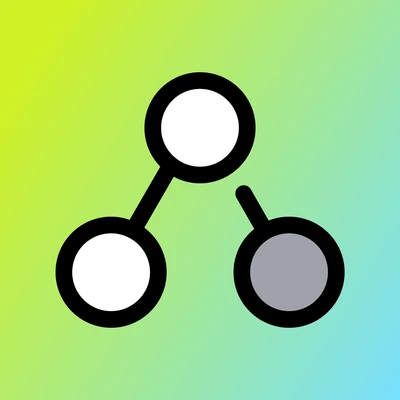
Illustration: Klaviyo and Shopify Flow receive events from Curobi; Gorgias asks Curobi when a ticket opens.

What each integration does.

Each one has a full page with the setup steps, and a guide on docs.curobi.com.

Klaviyo integration

Email marketing

Nine subscription events and four profile fields in your own Klaviyo account, to start flows and build segments. Hand any of eight Curobi emails to a Klaviyo flow and Curobi stops sending its copy.

  • Curobi Subscription Started
  • Curobi Payment Failed
  • Curobi Subscription Cancelled
  • and six more metrics
Setup
A Klaviyo private API key, about five minutes
How it connects
Curobi sends each subscription event to your Klaviyo account
What Curobi shares
The customer's email address and the subscription details. Never phone numbers, addresses or payment details, and never consent changes
Curobi plan
Every plan, Free included
Development stores
Yes

Gorgias integration

Customer support helpdesk

Each customer's Curobi subscriptions on every Gorgias ticket, with buttons for your agents to skip the next order, pause, resume, reschedule or cancel without leaving it.

  • Skip next order
  • Pause
  • Resume
  • Reschedule
  • Cancel
Setup
No code, about thirty minutes the first time
How it connects
Gorgias asks Curobi for the customer's subscriptions; Curobi never calls Gorgias
What Curobi shares
Subscription details only. No names, email addresses, postal addresses or payment details, and Curobi stores nothing from Gorgias
Curobi plan
Every plan, Free included
Development stores
Not until the store is on a paid Shopify plan

Shopify Flow integration

Shopify's automation app

Seven subscription triggers and four ready-made templates in Flow, to tag customers, alert your team or run any other Flow action when a subscription changes.

  • Subscription started
  • Payment failed
  • Subscription cancelled
  • and four more triggers
Setup
Nothing to connect in Curobi
How it connects
Curobi sends each subscription event to Flow as a trigger
What Curobi shares
Nothing leaves Shopify: Flow looks the customer and order up in your own store
Curobi plan
Every plan, Free included
Development stores
Yes

The three, side by side.

Curobi's Klaviyo, Gorgias and Shopify Flow integrations compared
KlaviyoGorgiasShopify Flow
What it isEmail marketingCustomer support helpdeskShopify's automation app
What you get9 subscription events5 subscription actions7 subscription triggers
How it connectsCurobi sends each subscription event to your Klaviyo accountGorgias asks Curobi for the customer's subscriptions; Curobi never calls GorgiasCurobi sends each subscription event to Flow as a trigger
SetupA Klaviyo private API key, about five minutesNo code, about thirty minutes the first timeNothing to connect in Curobi
What Curobi sharesThe customer's email address and the subscription details. Never phone numbers, addresses or payment details, and never consent changesSubscription details only. No names, email addresses, postal addresses or payment details, and Curobi stores nothing from GorgiasNothing leaves Shopify: Flow looks the customer and order up in your own store
Curobi planEvery plan, Free includedEvery plan, Free includedEvery plan, Free included
Development storesYesNot until the store is on a paid Shopify planYes

For every other tool, the API and webhooks.

The same Shopify data your other apps already read, plus ways in from your own code.

  • Developer API, every plan

    API keys with per-scope access, and subscription changes from your own tools: pause, resume, skip, reschedule, cancel and edit. Needs a store on a paid Shopify plan.

    How the API works
  • Exports and headless APIs

    Bulk exports of subscriptions as CSV or JSONL for a data warehouse, and Storefront and Customer APIs for headless stores. On every plan, Free included.

    Developer docs
  • Signed webhooks, from Business

    Fifteen subscription and gift events pushed to your own ERP, 3PL, CRM or warehouse as they happen.

    Compare plans
  • Apps that read Shopify orders

    Subscriptions run on Shopify Subscription Contracts, so reviews, loyalty, email and SMS, and analytics apps see subscription orders as ordinary Shopify orders.

    Built on Shopify's rails

Not connected yet: there's no native Mailchimp, Omnisend, Attentive or Postscript integration today. For those, Shopify Flow, the developer API and, from Business, signed webhooks are the way in.

Questions about integrations

More in the full FAQ, or ask us directly.

Does Curobi integrate with Klaviyo?

Yes, on every plan, including Free, and on development stores too. Curobi sends nine subscription events to your own Klaviyo account as metrics you can build flows on: subscription started, renewed, paused, cancelled and reactivated, upcoming charge, payment failed, payment recovered, and payment method updated. It also keeps four subscription fields current on each customer's Klaviyo profile for segments, and you can hand Curobi's own customer emails to a Klaviyo flow so customers don't get two. You connect it with a Klaviyo private API key in about five minutes. Curobi sends the customer's email address and the subscription details only — never phone numbers, addresses, or payment details — and never changes anyone's marketing consent.

Does Curobi integrate with Gorgias?

Yes, on every Curobi plan, including Free, as long as your store is on a paid Shopify plan. Every Gorgias ticket shows a card with the customer's Curobi subscriptions — status, products, how often each one bills, the next charge date, and the amount — with buttons to skip the next order, pause, resume, reschedule, or cancel without leaving the ticket. You set it up with a Curobi API key and Gorgias's own HTTP integration by copying and pasting a few URLs; there is no code and nothing to install in Gorgias. Gorgias sends Curobi the ticket's email address to look the customer up, and Curobi doesn't store it.

Does Curobi work with Shopify Flow?

Yes, on every plan, including Free. Curobi adds seven triggers to Shopify Flow: subscription started, renewed, payment failed, payment recovered, paused, cancelled, and reactivated. Each one passes Flow the full Shopify customer, so a workflow can check their tags or total spend, plus the product, frequency, amount, and currency, and the cancelled trigger carries the reason the customer gave. From there you can tag customers, alert your team, or run any other Flow action. There's nothing to set up in Curobi: open Flow in your Shopify admin and the triggers are there, along with four ready-made Curobi templates in Flow's template library for tagging new subscribers, tagging customers who cancel their last subscription, and flagging and clearing failed payments.

Which Curobi plan do I need for Klaviyo, Gorgias, Shopify Flow or the API?

Any plan, including Free. Klaviyo, Gorgias, Shopify Flow and the developer API — API keys, subscription changes by API, bulk exports, and the Storefront and Customer APIs for headless stores — are on every Curobi plan, so none of them is a reason to upgrade and none needs the trial. Signed outbound webhooks, which push subscription events to your own ERP, 3PL or warehouse, start at Business. The API, webhooks and Gorgias need a store on a paid Shopify plan and stay off on development stores; Klaviyo and Shopify Flow work on development stores too.

Does Curobi read my customers' email addresses?

Yes, but it doesn't keep them. Curobi reads a customer's email address from Shopify at the moment it sends one of its subscription emails, and, if you connect Klaviyo, to send that customer's subscription events to your own Klaviyo account so they land on the right profile. If you connect Gorgias, it works the other way round: Gorgias sends Curobi the email address on a ticket, and Curobi uses it to find that customer's subscriptions in Shopify. In each case the address isn't stored, and Curobi never sends phone numbers, postal addresses, or payment details to Klaviyo or Gorgias.

Does Curobi work with my theme and my other apps?

Yes. Curobi's purchase-option widget renders inside your existing Shopify theme via app blocks and app embeds — no theme swap and no separate checkout. Because subscriptions run on Shopify's native Subscription Contracts, the tools already in your stack — reviews, loyalty, email and SMS, analytics, and upsell or bundling apps — see subscription orders exactly the way they see any other Shopify order, with no proprietary billing layer to integrate around. Headless and heavily customized themes are supported through the same Shopify app-block placement. Curobi also connects directly to Klaviyo, Gorgias and Shopify Flow on every plan, including Free.


Connect your stack on the Free plan.

Klaviyo, Gorgias, Shopify Flow and the developer API come with every Curobi plan. Free up to 50 active subscriptions, with 0% transaction fees.

  • No card required
  • Billed through Shopify
  • Cancel anytime
Install from Shopify