Build-your-own vs curated subscription boxes: which to run
By Gautham·
The subscription box is the umbrella model, and its two big design choices are who assembles the box and how billing is timed relative to a cutoff. Here's how build-your-own and curated boxes differ, and when to run each.
4sections
4 minto read
2screens from the app
On this pageBuild-your-own vs curated subscription boxes: which to run
Run a build-your-own box when subscriber choice and personalization drive retention, and a merchant-curated box when discovery and operational simplicity matter — both are subscription boxes, differing only in who assembles the contents.
Build-your-own: the customer assembles
A build-your-own box (BYOB) lets a customer assemble their own recurring box from a set of eligible products each cycle — for example, choosing which coffee bags go in this month's shipment. It gives subscribers agency, which is one of the strongest levers against churn from 'I got bored of it'.
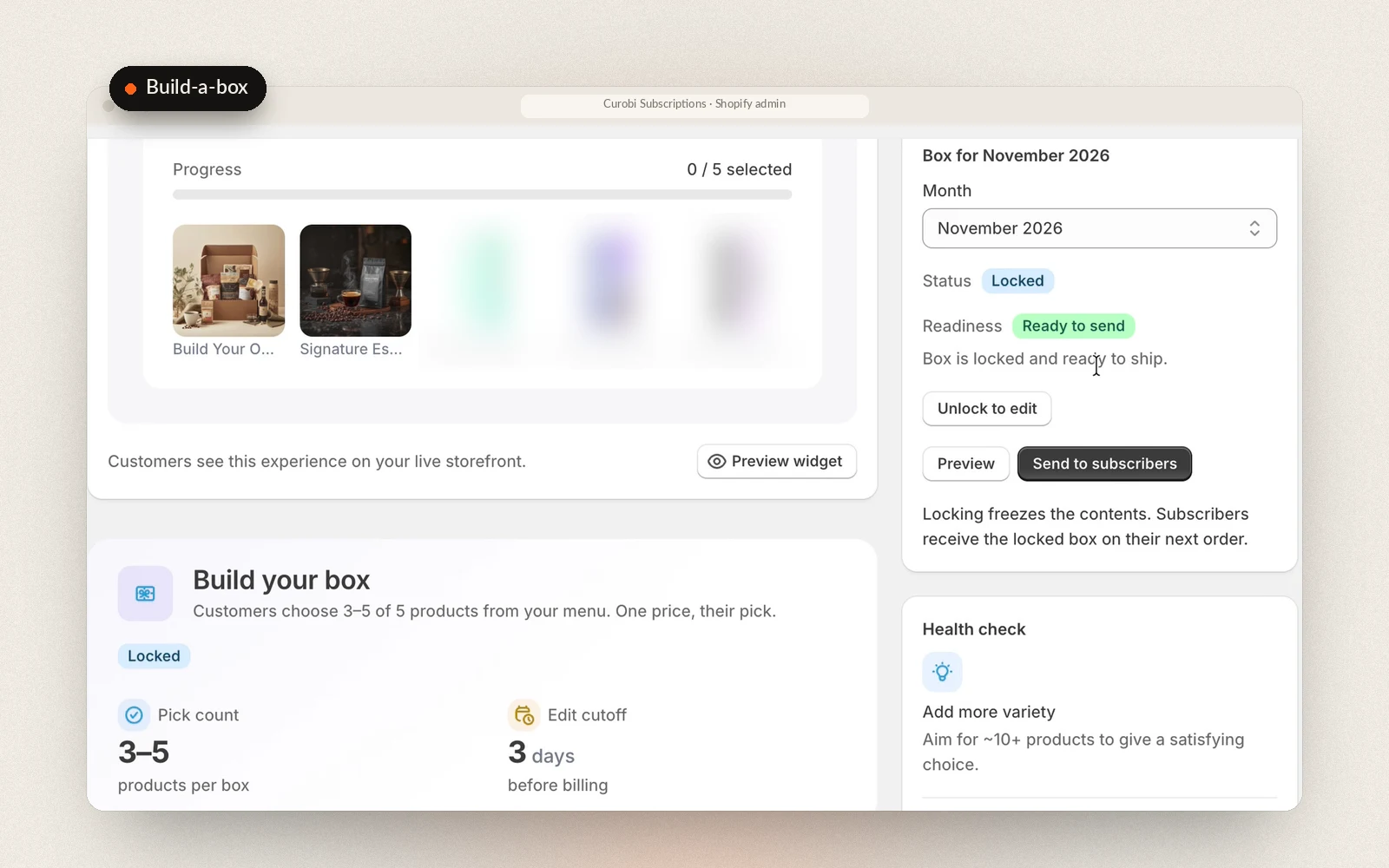
The mechanics that make it work are a per-item limit (choose any 3 of these 12) and a cutoff — the point before the recurring charge is created when the selection is locked in. Without a cutoff, you can't reliably fulfill what was ordered.
The menu is the other decision. A stable menu never expires and suits a roaster with a settled range; a rotating monthly menu suits seasonal programs. In Curobi a rotating menu is published in the same editor that curates boxes, this month and the next three, so four months of menus can be lined up at once while subscribers still pick their own items for their next box before the cutoff.
Curated: the merchant assembles
A curated box is one whose contents the merchant selects and rotates on a schedule the customer subscribes to the experience and trusts the brand to surprise and delight them each period. It's operationally simpler than build-your-own because the merchant controls the contents, and it showcases range.
Curated boxes are the classic subscription-box model — coffee-of-the-month, a seasonal sampler — and rotation plus a clear cutoff for assembling each shipment are what make them work.
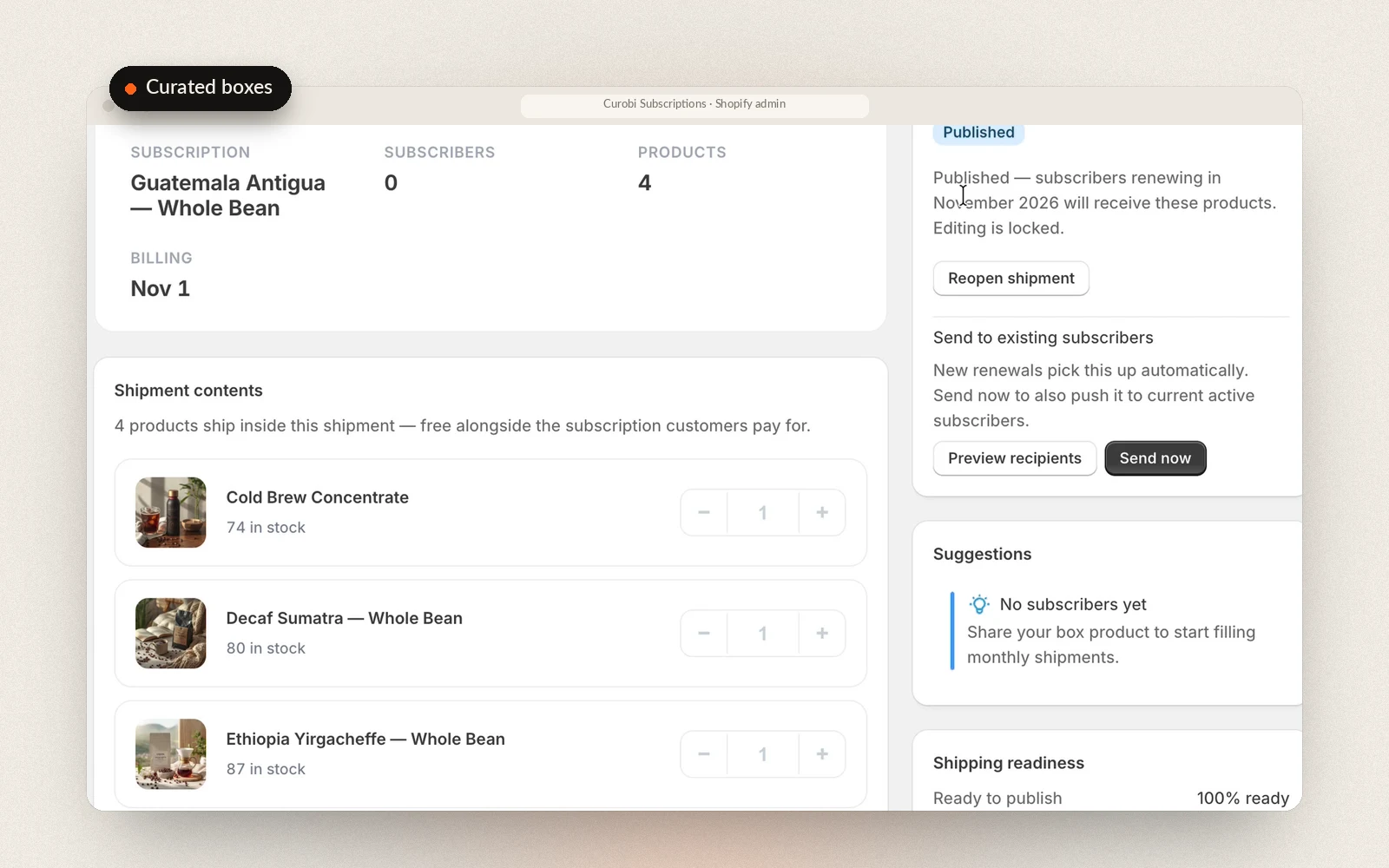
The long-standing problem with curated boxes is the deadline: most tools make you rebuild the box every month, on the month. Curobi's editor covers this month and the next three, so up to four months of boxes can be curated in one sitting, each month its own box. Curobi applies the right month's contents to every subscriber's renewal before it bills, a missed month falls back to the latest published box rather than an empty order, and a future month is never filled with an old one.
When everyone is billed: rolling or fixed calendar
Either kind of box has a second timing decision underneath the cutoff: whether each subscriber is billed from their own signup date or everyone is billed on the same day. A rolling schedule is the normal subscription — someone who joins on the 8th is charged on the 8th of every month — and it suits a box that each customer uses at their own pace. A fixed calendar charges every subscriber on the same date no matter when they joined, which is what a box that ships the same thing to everyone at once needs: one buying decision, one packing day, one batch out of the door instead of orders trickling out all month.
In Curobi every plan bills on a rolling schedule, and the Pro plan adds fixed-calendar and seasonal schedules in the same Schedule section of the plan and box editors: a charge day from the 1st to the 28th, the months to bill in for a quarterly or seasonal box, an order cutoff so late orders roll into the next batch, an optional ship day, and whether a new subscriber's first box ships right away or waits for the next charge day. It runs on Shopify's own selling-plan anchor dates, so Shopify still creates every charge.
Which to run
Run build-your-own when personalization and subscriber control drive retention in your category — common in coffee, snacks, beauty, and pet. Run curated when discovery is the appeal and you'd rather control contents for operational simplicity. Many programs offer both. In Curobi, both are native features on the Pro plan, with an enforced per-item limit and billing cutoff, both can be planned up to four months ahead, and every plan carries 0% Curobi transaction fees, so a growing box program never pays a percentage of what it ships.
In Curobi: The Build-a-Box editor in Curobi: the storefront preview shoppers see, the pick count and edit cutoff, and the month's box locked and ready to send to subscribers.
In Curobi: A curated box shipment in Curobi: the December box published and locked, its subscribers, products and revenue, the billing date, and the shipment contents with stock counts.
Frequently asked
What is a build-your-own subscription box?
A build-your-own box lets a customer assemble their own recurring box from a set of eligible products — for example, choosing which coffee bags go in this month's shipment. Curobi enforces per-item limits and a billing cutoff, so the box is locked in before the recurring charge is created. Merchants can also ship a curated box they assemble themselves that rotates on a schedule.
Can I plan subscription boxes months ahead in Curobi?
Yes. The box editor covers this month and the next three, so you can build up to four months of curated boxes in one sitting. Each month is its own box with its own products and quantities, and Curobi applies the right month's contents to every subscriber's renewal before it bills, so the box ships itself when its month arrives. If you skip curating a month, subscribers keep receiving your latest published box rather than an empty order, and a future month is never filled with an old box. Build-a-Box works the same way when you choose a rotating monthly menu, or you can keep one stable menu that never expires; subscribers still pick their own items for their next box before the cutoff. Mix & Match bundles draw from a live catalog of categories you define, so there is nothing to plan month by month.