
Build-Your-Own-Box on Shopify: letting customers pick their own coffee

Ask a roaster which subscriber complaint they hear most and you will usually get some version of the same two sentences: “can I choose my coffee?” and “the same beans again.” Both are asking for the same thing. The customer liked the idea of a subscription enough to sign up, and has now discovered that the thing arriving every month is not quite the thing they wanted.
A build-your-own box is the direct answer to that complaint. It is also one of the few subscription features that Shopify cannot do for you at all — not partially, not with a workaround that mostly holds. This piece covers what a build-your-own box actually is, where the native platform stops, the four decisions that define one, and the part almost nobody writes about: what ships when the subscriber never gets around to picking.
Quick answer: how do you let customers build their own box on Shopify?
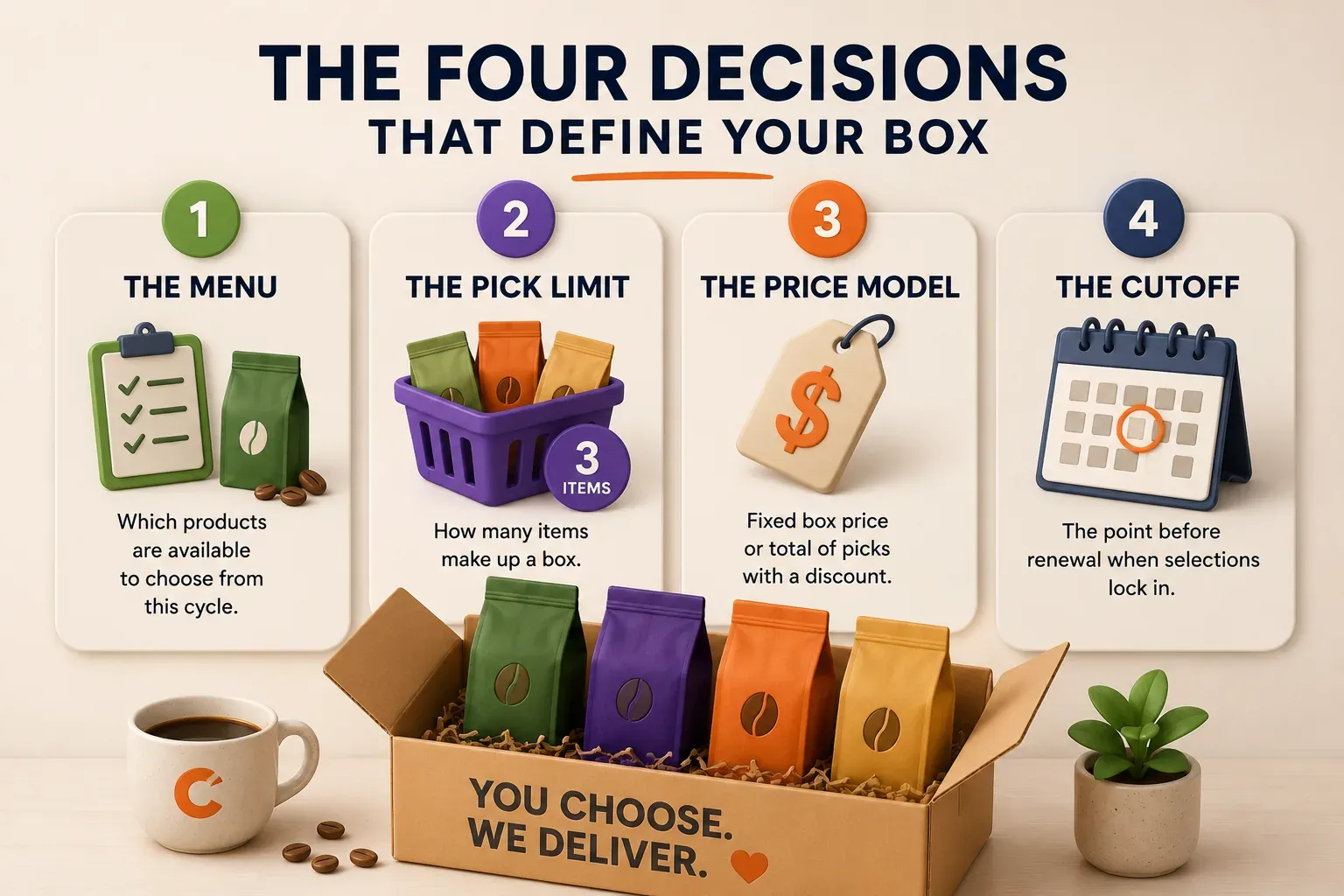
You need a subscription app with a box builder, because Shopify has no native customer-filled box. Setting one up comes down to four decisions:
- The menu — which products a subscriber is allowed to choose from this cycle.
- The pick limit — how many items make up a box (any 3 of 12, or a 3–6 range).
- The price model — a fixed box price, or the sum of the picks with a quantity break.
- The cutoff — the point before the recurring charge when the selection locks.
The app publishes a box product to your storefront, the customer assembles it and subscribes, and the selection rides onto the subscription contract so it can be changed again before each renewal. Everything difficult about build-your-own boxes is downstream of decisions 3 and 4.
Why the customer complaint is worth building for
The case for giving subscribers control is not that choice is inherently good. It is that a specific, measurable share of cancellations are choice problems wearing other clothes.
The only public breakdown that circulates for Shopify brands is second-hand. LoopWork quotes price (31%), too much product (16%), wanting something different (15%) and no longer needing it (15%), but attributes the figures to Chargebee’s 2024 retention benchmarks — and Chargebee’s own page labels those same shares pricing, not enough time, missing features and no longer needed, across thousands of subscription businesses of every kind, not DTC boxes. Treat the split as an illustration of the shape, not a Shopify benchmark, and read your own cancellation reasons instead. The pattern it illustrates still holds in practice: a share of cancellations are choice problems — people accumulate the bags they did not want, not the ones they did — and that is the share a box builder speaks to directly.
This is the same underlying failure as the month-3 churn cliff: a subscriber who cannot see themselves in what arrives eventually stops paying for it. Where skip and pause fix the timing version of that problem, a build-your-own box fixes the contents version.
What it is not is a guaranteed retention win. Giving customers a box to configure means they now expect to keep configuring it, and a program that collects a pick at signup and then never lets anyone change it again is worse than a well-run curated box. Choice creates an obligation.
Three models people call “a box”, and how they differ
Merchants use “box”, “bundle”, and “mix and match” interchangeably. They are three different products with three different operational profiles, and picking the wrong one is the most common early mistake.
| Model | Who chooses the contents | Typical pricing | Main operational cost | Best when |
|---|---|---|---|---|
| Curated box | The merchant, rotating per cycle | One fixed box price | Planning and sourcing each rotation | Your taste and discovery are the product |
| Build-your-own box | The customer, from a menu you set | Usually one fixed box price | Collecting, validating, and locking per-subscriber picks | Customers have settled preferences |
| Mix & match bundle | The customer, from a category | Sum of the picks, less a quantity break | Discount and pricing correctness at checkout | You want a larger order, not a personalised one |
The distinction that matters most is the middle column. A curated box and a build-your-own box are usually the same kind of object — one fixed-price product that happens to contain different things — while a mix-and-match bundle is a fundamentally different pricing model, because the price is computed from the selection at checkout.
That has consequences you feel later. A fixed-price box shows the customer one line and one price, which keeps invoices, refunds, and the subscription contract simple. A mix-and-match bundle puts the real products on the order as real lines, which makes inventory and portal editing straightforward but means the recurring discount has to be recalculated correctly on every renewal, forever. Neither is better. They fail differently, and you should choose which failure you would rather manage.
For a full treatment of the merchant-chosen side, see variety rotation is the hardest part of a coffee subscription.
Where Shopify’s native tools stop
Shopify’s own bundles documentation splits bundles into two classes: fixed bundles, described as the default implementation for basic use cases that fit inside Shopify’s variant limits, and customized bundles, the class for “more complex use cases, particularly when offering more choices to customers” — mix-and-match explicitly among them. Customized bundles are something an app builds using Shopify’s APIs and extensions. Shopify provides the plumbing; it does not provide the box builder.
The native Shopify Subscriptions app sits on the same line. It handles subscribe-and-save and simple recurring boxes well, and it is a reasonable place to start. It does not offer a customer-filled box, and it does not offer per-cycle selection editing, which is the feature a build-your-own box lives or dies on.
There is a workaround, and it is worth knowing precisely how far it goes. You can build something box-shaped with a Shopify collection plus an automatic discount that triggers at a minimum quantity — “buy any 3 from this collection, get 10% off”. It is free and it works for one-time purchases. What it cannot do is cap how many items the customer picks, charge one flat box price, show a real builder interface, or let a subscriber change next month’s contents. For a one-off promotion, fine. For a subscription, the missing piece is exactly the piece that retains people.
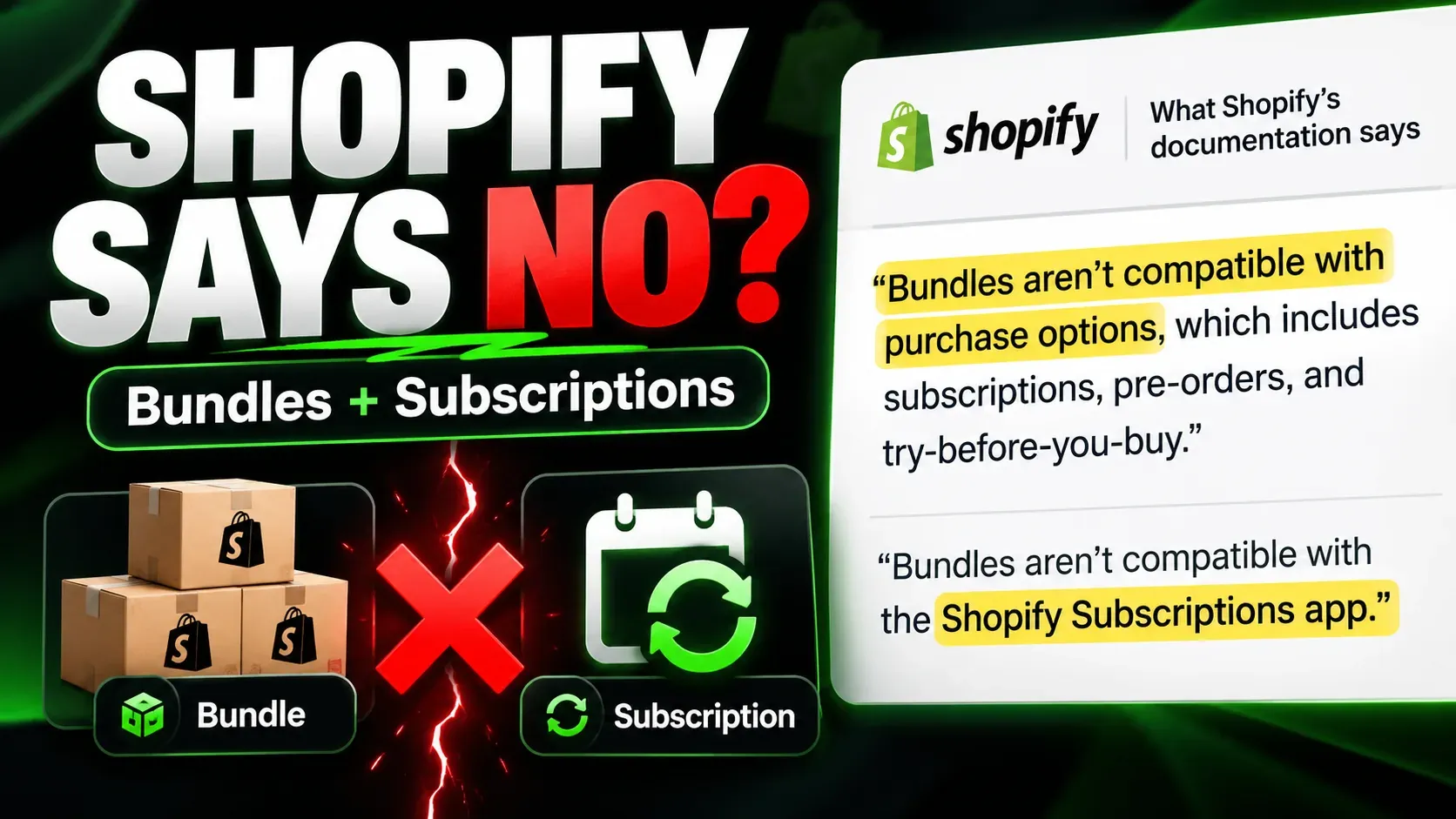
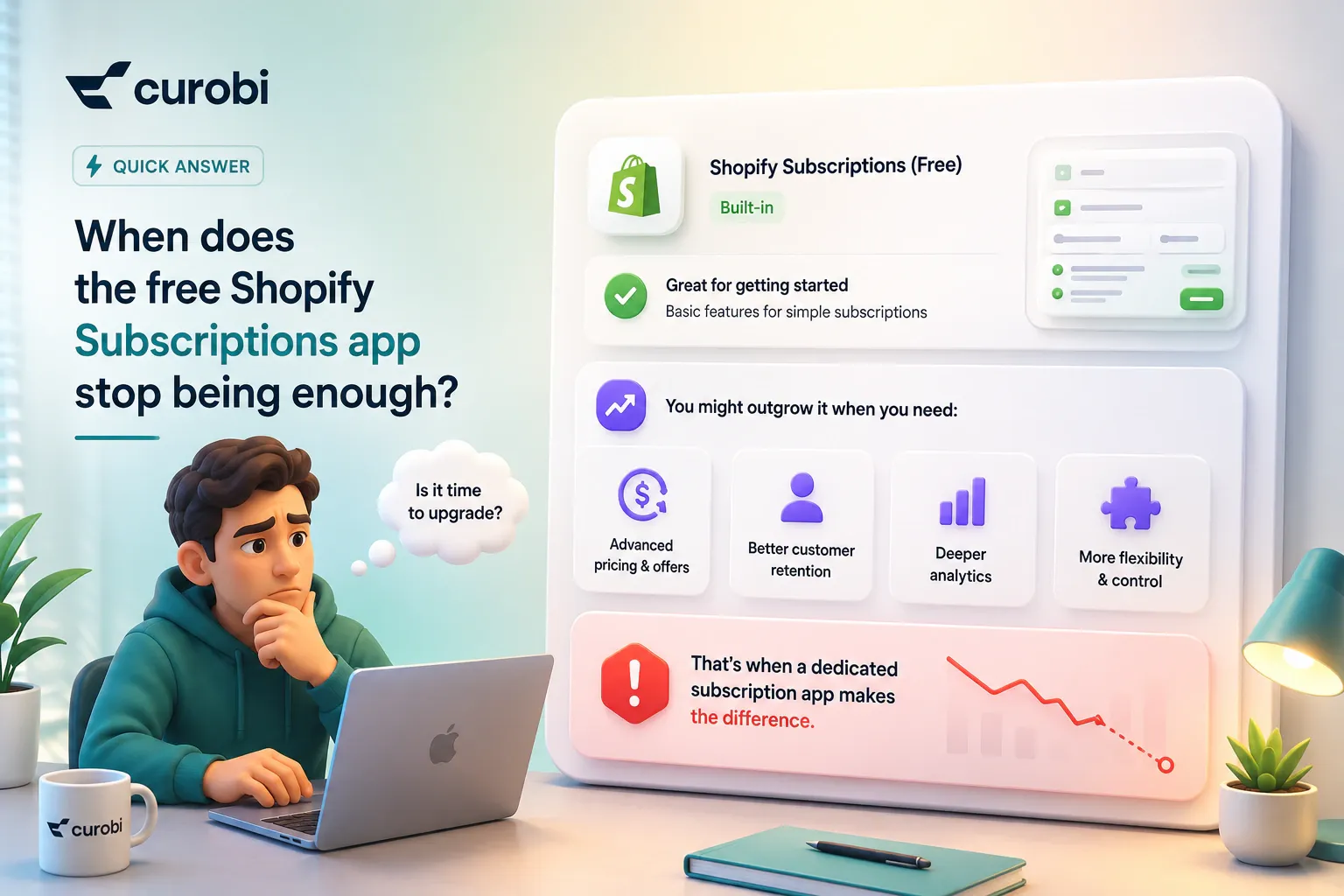
This is one of the clearer entries on the list of reasons merchants outgrow the free Shopify Subscriptions app — Shopify documents that bundles are not compatible with it at all.
The four decisions that define your box
1. The menu: keep it tight
The instinct is to put everything eligible on the menu. Resist it. A twelve-item menu reads as a choice; a forty-item menu reads as homework, and the subscriber who finds picking tiring is the subscriber who stops picking.
For a roaster, the menu is also where you protect your operation. Finite micro-lots do not belong on an open menu unless you are prepared for every subscriber to choose the one you have eighteen kilos of. Put the reliably available coffees on the menu and use a curated slot or a limited-run announcement for the scarce ones.
2. The pick limit: set it from packing, not generosity
A fixed count — any 3 of 12 — is the easiest thing in the world to operate. Every box has the same weight, the same footprint, the same shipping cost, and the same price. A range — 3 to 6 items — is friendlier to customers and immediately means either variable pricing or variable margin, which is why ranges pair naturally with a mix-and-match quantity break and awkwardly with a fixed box price.
If you sell coffee in more than one size, decide early whether a 1kg bag counts as one pick or three. The answer is a margin decision disguised as a UI decision.
3. The price model: fixed box or computed total
This is the structural fork described above, and the honest way to choose is to ask what you want the customer to feel. A fixed box price makes the subscription legible — “my coffee box is £32 a month” — and makes your revenue predictable. A computed total with a quantity break makes the box an upsell surface — the customer sees that adding a fourth bag moves them to a better rate — at the cost of a variable monthly charge, which is a thing some subscribers dislike enough to cancel over.
Fixed pricing suits retention programs. Computed pricing suits average-order-value programs. Trying to have both usually produces a box that is confusing to buy.
4. The cutoff: the decision everything else depends on
The cutoff is the point, some number of days before the renewal charge, when a subscriber’s selection is frozen so you can actually pack and ship it. Without one you cannot promise fulfilment, because the customer can change their box after you have roasted it.
Setting it is a real trade-off. A long cutoff — say seven days — gives you a comfortable production window and a clean pick list, and it annoys the customer who remembers on Thursday that they wanted the Ethiopian. A short cutoff feels responsive and compresses your roasting schedule into a scramble. Coffee pushes toward the longer end, because roast-day scheduling is the constraint that does not bend.
Whatever you choose, tell subscribers about it twice: once when they subscribe, and once in the reminder a few days before it lands.
The hardest part: what ships when nobody picks
Here is the problem that separates a build-your-own box that works from one that generates support tickets. Most subscribers, most months, will not log in and choose. They liked the box, they set it once, and life happened. The cutoff arrives and the system has to bill someone and ship something.
A build-your-own subscription must never bill for an empty box. In Curobi’s implementation the resolution runs in a fixed order of precedence, and it is a pattern we would recommend to any merchant evaluating an app, whichever one they choose:
- This cycle’s saved selection, if the subscriber made one.
- Carry forward last cycle’s selection, filtered down to the items still on this cycle’s menu — so a discontinued coffee silently drops out rather than blocking the renewal.
- A merchant-set default box, if steps 1 and 2 leave nothing valid.
The rule underneath all three is that the result is never empty. That sounds obvious until you watch what the alternatives do in production: an app that errors out at the cutoff produces a failed renewal that looks to the customer exactly like a cancellation, and an app that ships whatever was picked six months ago produces a box containing two coffees you no longer sell.
Two practical implications follow. First, your default box is a real merchandising decision, not a config field — it is what a meaningful share of your subscribers actually receive. Give it the same thought you would give a curated box. Second, the pre-cutoff reminder is the highest-value email in the whole program. It is the one that converts a passive subscriber into an engaged one, and it is the last chance to catch “actually, I’m away next month” before it becomes a cancellation rather than a skip.
Editing has to keep working after the sale
A build-your-own box is not finished when the customer checks out. From that point the box is a standing instruction that the subscriber will want to change — and every change they cannot make themselves becomes an email, and a share of those emails become cancellations instead.
At minimum, the customer portal has to let a subscriber:
- see what is going to ship next, and by when they can still change it
- swap one item for another within the menu
- change quantities within the pick limit
- skip or pause without losing their saved selection
- change grind, roast preference, or whatever your category’s equivalent is
That last one is category-specific and easy to forget. For coffee it is not optional — grind and brew method are where subscribers actually defect, and a box builder that lets someone choose the bean but not how it is ground has solved half the problem.
Which model should you run?
Run a curated box when your palate is the product, your subscribers signed up to be introduced to things, and your buying is unpredictable enough that you need the freedom to ship what you actually have. It is also simply easier to operate.
Run a build-your-own box when you hear “can I choose?” more often than “surprise me”, when you have a stable core range you can guarantee availability on, and when you have the portal and the reminder emails to support ongoing editing. Do not launch one without those last two.
Run a mix-and-match bundle when the goal is a bigger order rather than a more personal one — you want the customer taking four bags instead of two, and a quantity break is the lever.
The three questions above are framed around a taste-led catalogue. Categories where the product is consumed on a protocol rather than chosen by preference weigh them differently, and prepaid terms enter the picture — the model comparison for health and wellness brands sets out that version of the same decision.
Run both a curated and a build-your-own box when you can, which many roasters can. The pattern that tends to work is a curated box as the acquisition product, because it is easier to sell and easier to fulfil, with the build-your-own box held back as the save offer at the moment someone tries to cancel over the coffee they keep receiving. That converts your most expensive cancellation reason into a plan change.
How Curobi handles this
Curobi ships build-your-own boxes and curated boxes as native features on the Pro plan, alongside bundles and mix-and-match, rather than as three separate apps stitched together.
Concretely, that means: you define the eligible-product menu and a pick limit (any N of M); you set a billing cutoff in days, after which each subscriber’s selection is locked before the recurring charge is created; you set a default box for the subscribers who never pick; and the selection resolves through the saved → carry-forward → default order described above, so a renewal never produces an empty box. Subscribers edit the next box’s contents, quantities, and schedule from the portal until the cutoff. Mix-and-match is a separate model in the same app for the quantity-break case, priced from the actual selection at checkout.
The menu itself can be one stable pool that never expires, or a rotating monthly menu. In the rotating mode you publish each month’s menu in the same editor that curates boxes, this month and the next three, so a seasonal roaster can line up four months of menus at once instead of rebuilding one on the last day of each month. Curated boxes use the same four-month window; mix-and-match, drawing from a live catalog, needs no monthly plan at all.
Billing runs on Shopify’s native subscription contracts at a flat monthly price with 0% transaction fees. That last point matters more for box programs than for plain subscribe-and-save: box subscriptions tend to carry a higher order value, and a percentage transaction fee is charged against every one of those orders, every cycle.
The takeaway
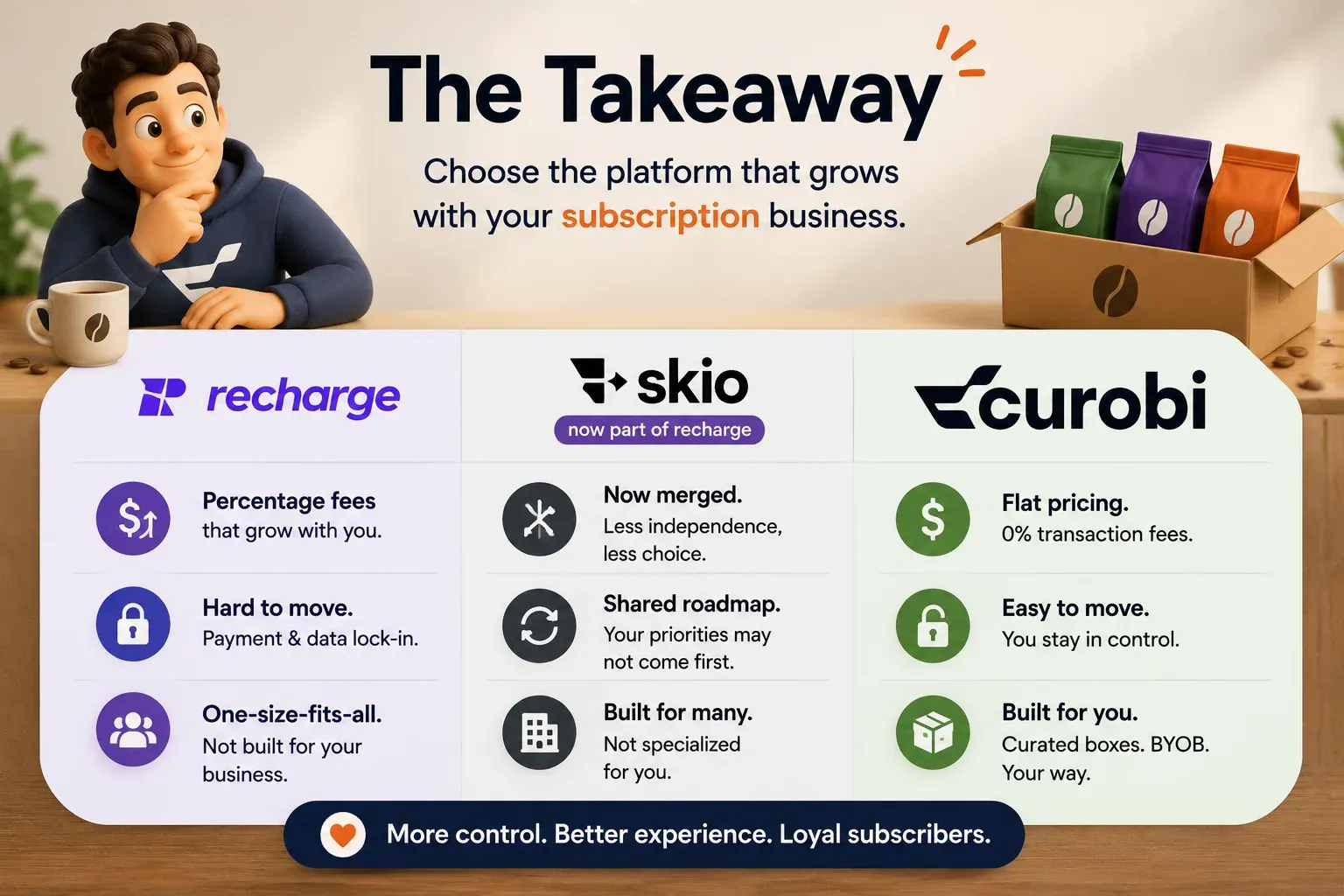
A build-your-own box is the answer to a specific, common, and expensive complaint — subscribers who cancel because they cannot influence what arrives. Shopify will not give you one natively; its own documentation puts customer-choice compositions in the class that apps have to build, and the native Subscriptions app has no per-cycle selection editing at all.
If you build one, the four decisions — menu, pick limit, price model, cutoff — are worth making deliberately, and the fourth is worth making first, because a box program without a cutoff cannot promise fulfilment. Then solve the case nobody demos: most subscribers will not pick, most months. Decide what ships for them, make that default good, and remind them before it locks. Get that right and the box quietly runs itself. Get it wrong and you have built a feature that generates support tickets on a schedule. If you are a roaster, the same four decisions with coffee’s constraints applied — grind, roast, and the freshness window — are covered in subscriptions for coffee roasters.
Frequently asked questions
How do I let customers build their own subscription box on Shopify?
You need a subscription app with a build-your-own-box builder, because Shopify has no native customer-filled box. The setup has four parts: a menu of eligible products the subscriber can choose from, a pick limit such as any 3 of 12, a price model that is either a fixed box price or the sum of the chosen items with a quantity break, and a selection cutoff that locks the choice before the recurring charge is created. The app publishes a box product to your storefront, the customer assembles their box and subscribes to it, and their selection is carried onto the subscription so it can be edited again before each renewal.
Can Shopify’s native Subscriptions app do a build-your-own box?
No. Shopify’s native Subscriptions app handles subscribe-and-save and simple recurring boxes, but it has no customer-filled box builder and no per-cycle selection editing. Shopify’s own bundles documentation draws the same line: fixed bundles are the default implementation for basic cases, while mix-and-match and other customer-choice compositions are classed as customized bundles that an app has to build. You can approximate a box with a collection and a quantity-based automatic discount, but that route cannot cap how many items a customer picks, cannot set one flat box price, and gives the subscriber no way to change next month’s contents.
What is the difference between a build-your-own box and a curated subscription box?
In a curated box the merchant chooses the contents and rotates them on a schedule, so the customer is buying discovery and the operational burden sits with the roastery. In a build-your-own box the customer chooses the contents from a menu you define, so the customer is buying control and the operational burden shifts to selection handling — collecting picks, locking them before the charge, and packing a different box per subscriber. Curated boxes are simpler to run and better when your taste is the product. Build-your-own boxes suit customers with settled preferences who would otherwise cancel over receiving something they did not want.
What is a mix-and-match bundle, and how is it different from a build-your-own box?
A mix-and-match bundle prices itself from what the customer picks — the total is the sum of the selected items, less a quantity-break discount that grows as they add more, such as 5% off any 3 bags and 10% off any 6. A build-your-own box is usually a fixed-price product: the box costs one advertised price regardless of which items fill it. The difference is structural rather than cosmetic, because it determines what appears on the order, how the discount is applied at checkout, and how the subscription contract is edited later. Mix-and-match is an average-order-value lever; build-your-own is a retention and personalization lever.
What happens if a subscriber doesn’t choose their items before the next charge?
A build-your-own subscription must never bill for an empty box, so the app needs a defined fallback order. The practical rule is to use the subscriber’s saved selection for this cycle first; if there is none, carry forward what they picked last cycle, filtered down to the items still on this cycle’s menu; and if that leaves nothing valid, fall back to a merchant-set default box. Whichever applies, it should be resolved and locked at the cutoff, and the subscriber should be told what is about to ship with enough time to change it. Programs that skip this step end up shipping the wrong thing or charging for nothing, and both produce cancellations.
How many items should a build-your-own box let customers pick?
Set the pick count from your packing and shipping reality rather than from a desire to offer choice. A fixed count such as any 3 of 12 is the easiest to operate because every box has the same weight, footprint, and price, which keeps fulfilment and shipping predictable. A range such as 3 to 6 items gives customers more freedom but means variable pricing or variable margin, so it pairs better with a mix-and-match quantity break than with a fixed box price. Keep the menu itself tight: a long menu makes the pick feel like work, and an unchosen box is the one that churns.
Is build-your-own better than curated for a coffee subscription?
Neither is better in general — they answer different customer complaints. Build-your-own suits subscribers with settled preferences, a specific brew method, or a strong dislike of certain roasts, and it directly addresses the cancellation reason of wanting more variety or control. Curated suits subscribers who subscribed because they trust the roaster’s palate and want to be introduced to coffees they would not have picked, and it is far easier to forecast and pack. Many roasters run both, using a curated box to acquire and a build-your-own box as the save offer for a subscriber who is about to cancel over the coffee they keep receiving.
Sources
- Shopify — About product bundles (fixed vs. customized bundles; mix-and-match classification)
- PushBundle — Shopify Native Bundles Limitations (no native customer-filled box builder; the collection-plus-discount workaround and its limits)
- LoopWork — Why subscribers cancel (quotes the 31/16/15/15 cancellation-reason split, attributing it to Chargebee)
- Chargebee — Navigating Retention 2024 (the original benchmarks, with different reason labels and a cross-industry sample)