
How to recover failed subscription payments on Shopify
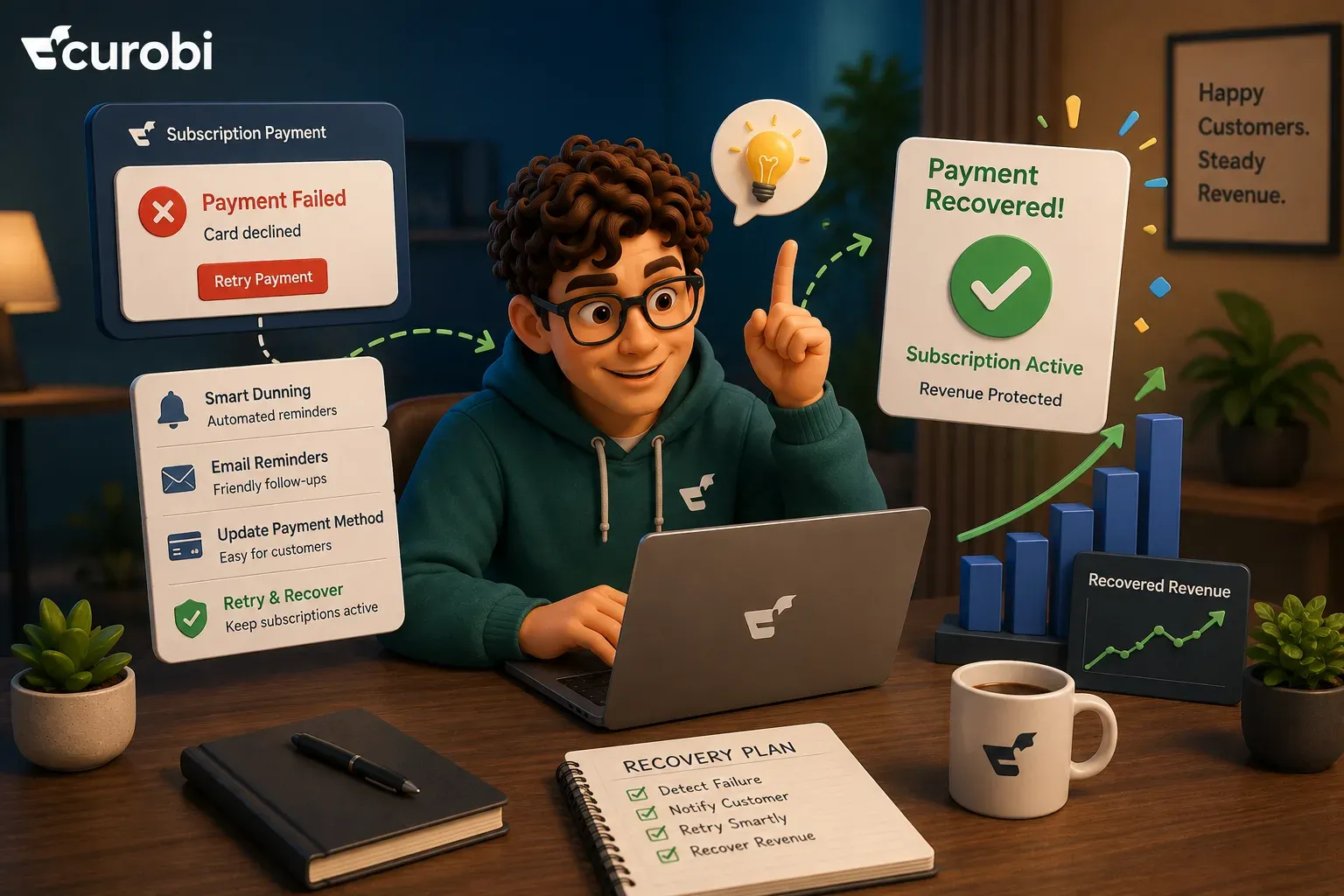
Recovering a failed subscription payment on Shopify comes down to three decisions: which declines to retry, when to retry them, and when to stop and ask the customer to fix their card instead. Getting those wrong in either direction is expensive — retry too little and you lose subscribers who never chose to leave, retry too aggressively and Shopify revokes the payment method you were trying to charge.
This is the part of subscription revenue that leaks quietly. A customer who cancels tells you something. A customer whose card expires tells you nothing: the charge fails, an email may or may not land, and a paying subscriber becomes a former subscriber without a single person making a decision. Across the Recurly network in July 2026, involuntary churn ran at 1.25% of subscribers (figures Recurly’s page labels median annual rates, not monthly) against 2.34% voluntary — roughly a third of all churn, with no product problem behind it.
What follows is the mechanical version of the fix, specific to how Shopify actually processes recurring charges. It covers the decline codes Shopify returns and what each one means for your retry policy, the three hard limits your schedule has to fit inside, what the native app does and where it stops, and how to measure your recovery rate without accidentally inflating it.
Quick answer: what failed-payment recovery on Shopify actually involves
A recurring charge on Shopify runs as a billing attempt against a stored payment method on a subscription contract. When it fails, it returns one of roughly sixty specific error codes rather than a generic failure. Recovery is the process — usually called dunning — of responding to that code correctly:
- Classify the decline.
INSUFFICIENT_FUNDSandEXPIRED_CARDare both failures, but only one of them can be fixed by trying again. - Retry the recoverable ones on a schedule, spaced far enough apart that the underlying condition can change.
- Ask the customer to fix the unrecoverable ones, with a payment-method update link — noting that Shopify expires those links after 48 hours.
- Decide what happens when the sequence ends — skip, pause, or cancel the subscription.
- Measure the outcome per contract, not per attempt, or your recovery rate will flatter you.
Shopify’s own instruction to app developers is the compressed version of steps 1 and 2: “Only rebill payment attempts that failed with error codes that make sense to retry, such as insufficient_funds.”
How much is your failed-payment leak actually worth?
Before building a recovery sequence, size the problem, because it determines how much of one is worth building. The number that matters is not the value of the failed order — it is the value of the subscription that ends because of it.
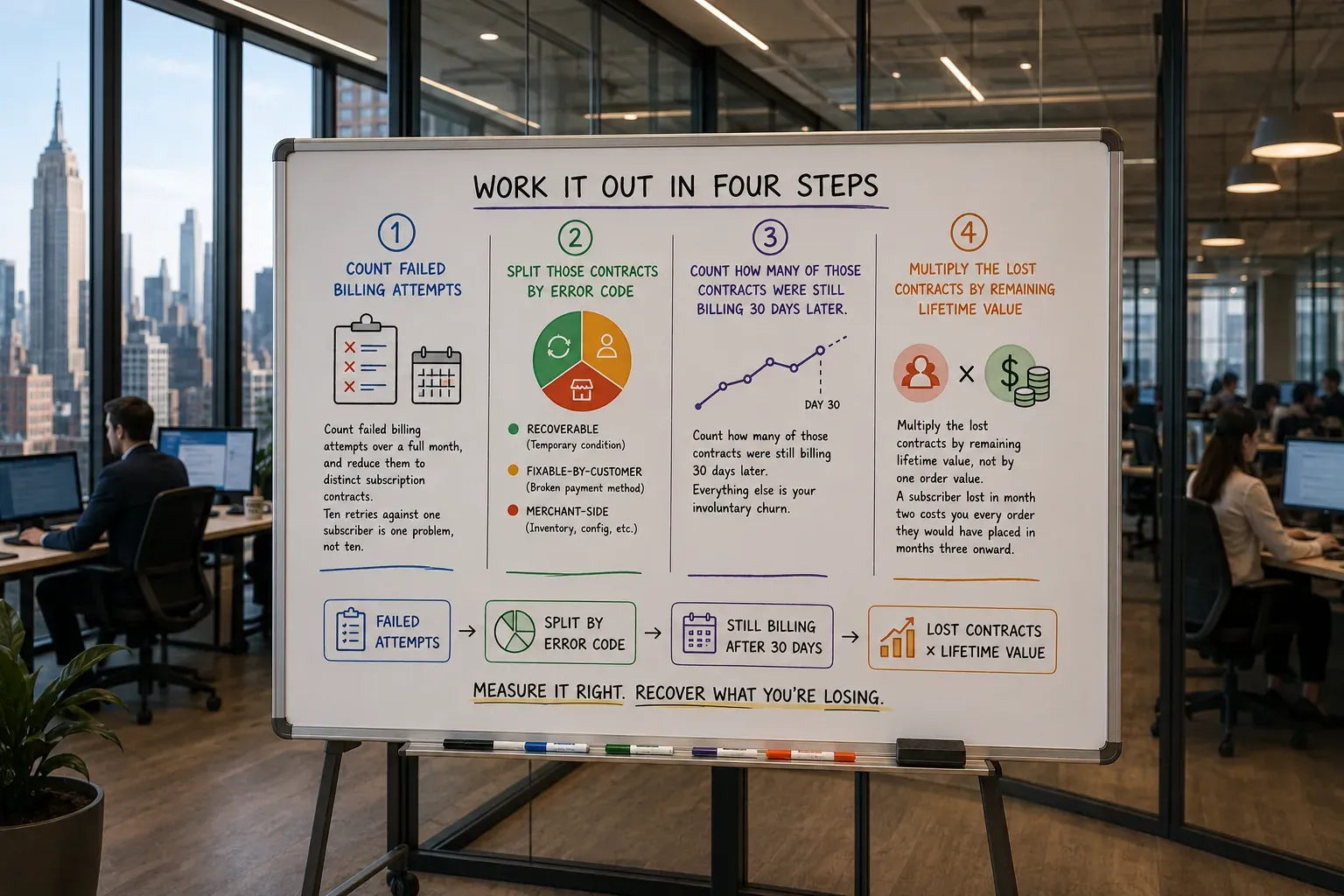
Work it out in four steps:
- Count failed billing attempts over a full month, and reduce them to distinct subscription contracts. Ten retries against one subscriber is one problem, not ten.
- Split those contracts by error code into recoverable (temporary condition), fixable-by-customer (broken payment method), and merchant-side (inventory).
- Count how many of those contracts were still billing 30 days later. Everything else is your involuntary churn.
- Multiply the lost contracts by remaining lifetime value, not by one order value. A subscriber lost in month two costs you every order they would have placed in months three onward.
Example (illustrative model, not benchmark data). A store with 1,000 active subscribers, an average recurring order of $40, and involuntary churn at an assumed 1.25% a month (Recurly’s cross-industry involuntary figure, used as a placeholder — its page labels it an annual median) loses about 13 subscribers a month to payment failures. If those subscribers would each have placed six more orders, the forward revenue attached to a single month’s failures is roughly $3,100 — and about 150 subscribers a year, which for most stores is a larger number than any single retention campaign will produce. Substitute your own subscriber count, order value, and average remaining lifetime; the structure of the calculation is the point, not the figures.
The reason this is worth attention ahead of most other retention work is that the customer in question has not decided anything. They still want the product. The lift you are chasing is the gap between a good recovery process and a poor one, and on the Recurly network optimised retry strategies improved recovery rates by 10 to 20 percentage points over single-merchant retry logic.
Which Shopify decline codes are worth retrying?
This is where most recovery setups go wrong, because a retry policy that ignores the error code either wastes attempts or burns through Shopify’s rebilling limit against cards that were never going to work.
Shopify’s Admin API returns a specific value from the SubscriptionBillingAttemptErrorCode enum on every failed billing attempt. Grouped by what you should actually do about them:
| Category | Representative Shopify error codes | What it means | Correct response |
|---|---|---|---|
| Temporary — retry | INSUFFICIENT_FUNDS, TRANSIENT_ERROR, PROCESSING_ERROR, PAYMENT_PROVIDER_ERROR, GENERIC_ERROR | The card is valid; the condition blocking the charge can change on its own | Retry on a spaced schedule |
| Broken payment method — customer must act | EXPIRED_CARD, EXPIRED_PAYMENT_METHOD, INVALID_PAYMENT_METHOD, CARD_NUMBER_INCORRECT, INCORRECT_CVC, INCORRECT_NUMBER, PAYMENT_METHOD_NOT_FOUND | Nothing changes between attempts, so every retry produces the same decline | Send a payment-method update link; do not burn retries |
| Issuer decision — retry once, then escalate | CARD_DECLINED, DO_NOT_HONOR, CALL_ISSUER, TRANSACTION_LIMIT_EXCEEDED, PAYMENT_METHOD_DECLINED | The issuer refused this charge, sometimes for a reason the cardholder can clear | One spaced retry, then ask the customer to contact their bank or use another card |
| Authentication required | AUTHENTICATION_REQUIRED, AUTHENTICATION_FAILED, OFF_SESSION_REJECTED, EXPIRED_BUYER_ACTION | The charge needs the cardholder present, which an off-session recurring charge cannot provide | Route the customer to a flow where they can authenticate; retrying off-session will not help |
| Do not retry | FRAUD_SUSPECTED, BUYER_CANCELED_PAYMENT_METHOD, CANCELLED_PAYMENT | Retrying is either useless or actively harmful to your account standing | Stop, and handle as a lost payment method |
| Not a payment problem at all | INSUFFICIENT_INVENTORY, INVENTORY_ALLOCATIONS_NOT_FOUND | The charge failed because you could not fulfil it, not because the customer could not pay | Fix stock or location settings, then rebill — no customer contact needed |
Error codes and descriptions from Shopify’s SubscriptionBillingAttemptErrorCode reference, retrieved 13 August 2026. The grouping and recommended responses are Curobi’s, not Shopify’s.
Three of those rows deserve emphasis because they are the ones merchants most often miss.
The inventory row is a Shopify-specific trap. Billing attempts fail if the product variants on the contract do not have enough stock and are not set to continue selling when out of stock. It arrives in the same failed-billing bucket as a declined card and can be counted as churn, but no amount of dunning will fix it and no email should ever be sent to the customer about it. If your failed-payment report has never been split by error code, this is usually the first surprise in it — and for anyone running a curated box against finite lots, it is a recurring one. We cover the operational side of that in variety rotation is the hardest part of a coffee subscription.
The expired-card row is where retries do the most damage. An expired card produces exactly the same decline on attempt one and attempt fifteen. Every retry spent on it is a retry that counts toward Shopify’s rebilling limit while doing nothing, when the only thing that resolves it is the customer entering new details.
The transient row usually arrives in a cluster. TRANSIENT_ERROR, PROCESSING_ERROR and PAYMENT_PROVIDER_ERROR normally turn up one at a time, but when a provider upstream of you is having an incident they arrive together, inside a window, on a morning when nothing in your store changed. Reading that cluster as churn is the expensive mistake, and retrying harder into it is the one that makes the incident worse — the lesson in GitHub’s seven-and-a-half-hour outage is exactly this failure mode, in infrastructure rather than in billing.
The three limits your retry schedule has to fit inside
A retry schedule is not a matter of taste. On Shopify it is bounded by three concrete constraints, and a good sequence is the one that respects all three at once.
1. Thirty rebills in 35 days, or the payment method is revoked. Shopify’s developer documentation is explicit: “Avoid re-billing failed payments with the same customer payment method more than 30 times in 35 days. These requests will be failed and the payment method will be revoked.” This is a platform limit rather than a target — a schedule that approaches it has already failed at its job — but it is the hard edge, and any custom automation retrying on a tight loop can reach it.
2. Recovery decays fast: ten days is most of the window. Recurly’s network data shows 90% of recovered transactions occur within the first 10 days of a failed payment. A six-week dunning sequence is not ten times better than a ten-day one; it is a ten-day sequence with a long tail of low-yield attempts and an increasingly annoyed customer. Concentrate effort at the front.
3. Payment-method update links expire after 48 hours. Shopify expires these links two days after they are sent, deliberately, as a security measure. The consequence for sequence design is precise and easy to get wrong: a customer who opens your dunning email on day three gets a dead link. Each contact point in the sequence needs to issue a fresh link, not repeat the first one.
Putting those together gives a sequence shaped like this — a starting point to adapt, not a benchmark:
| Day | Action | Why |
|---|---|---|
| 0 | Billing attempt fails; classify by error code | Determines whether anything below applies |
| 0 | Notify the customer, with a fresh update link if the payment method is broken | The first 48 hours are the highest-response window |
| 2–3 | First retry (temporary-condition codes only) | Long enough for a balance to change; avoids same-day repeat declines |
| 4–5 | Second contact, new update link | The day-0 link has now expired |
| 7 | Second retry | Catches the next pay cycle for many subscribers |
| 10–12 | Final contact, final link, and state what happens next | Past this point recovery is largely flat |
| 14 | Terminal action: skip, pause, or cancel | Decided by policy, not by drift |
Three to five retries across roughly two weeks sits comfortably inside the platform limit while covering the period in which nearly all recovery happens. If a code is in the “customer must act” group, drop the retries from the sequence entirely and keep only the contact points — the retries can only reproduce the same decline.
What Shopify’s native tools give you, and where they stop
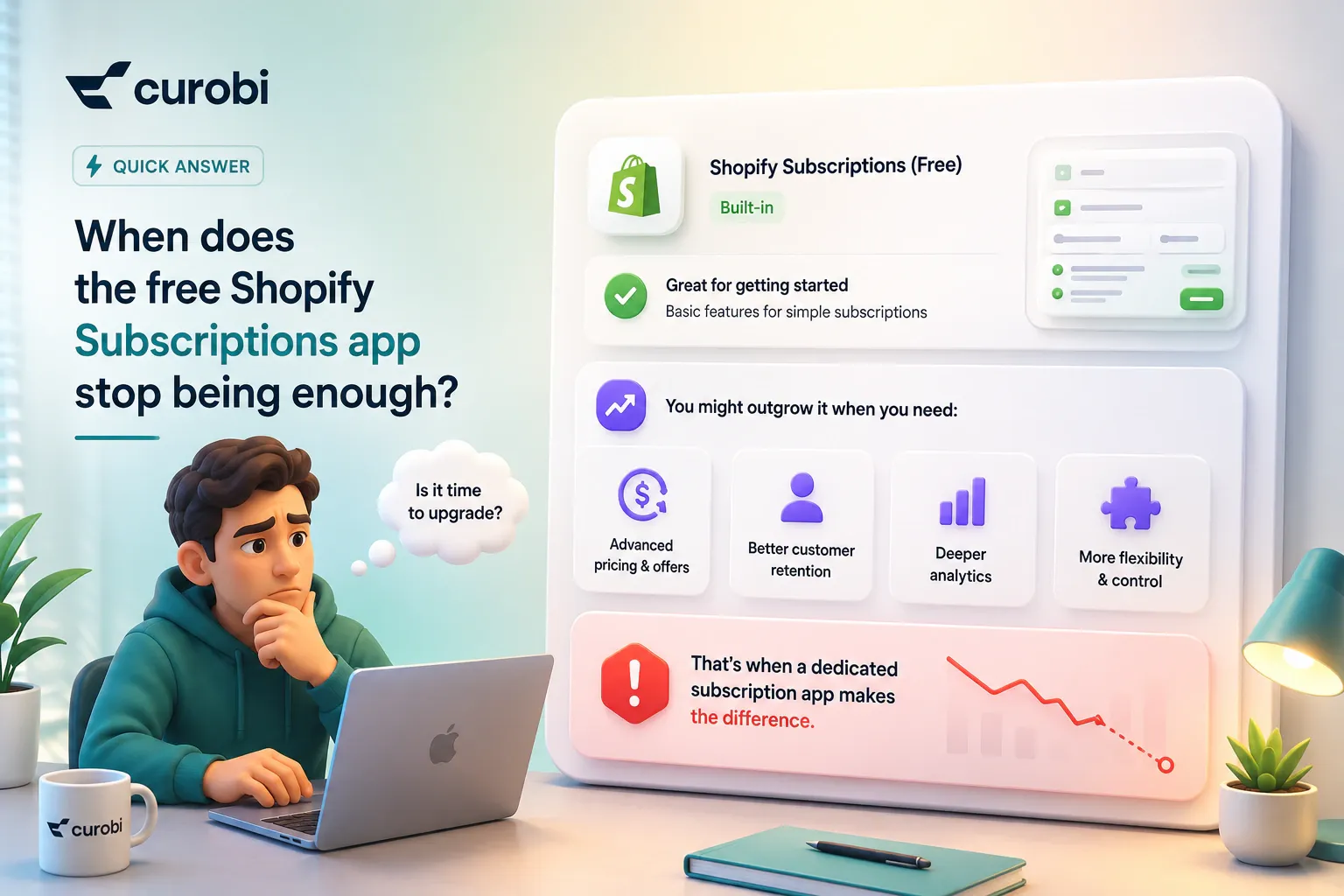
Shopify’s own Subscriptions app includes a Billing attempts section in its settings where you can adjust the number of retry attempts, the days between payment retry attempts, and the action taken when all retry attempts have failed — skip, pause, or cancel the subscription — with separate settings for payment-method failures and insufficient-inventory failures. Customer email notifications are activated by default.
That covers the mechanical minimum, and for a straightforward replenishment program it may be all you need. Three gaps show up as a program grows:
- The retry schedule is uniform, not code-aware. One retry count and one interval apply to every failure, so expired cards consume the same attempts as insufficient funds even though only one of them can succeed.
- Recovery is not reported as its own metric. Involuntary churn is not separated from voluntary churn, which makes it hard to tell whether a churn problem is a product problem or a billing problem. That distinction is the whole basis of the reduce subscription churn playbook.
- There is no save flow attached to the end of the sequence. When retries are exhausted, the contract is skipped, paused, or cancelled by rule — there is no attempt to keep the subscriber on different terms.
Two native tools partly fill the gap and are worth knowing about. Shopify Flow exposes a subscription billing attempt failure trigger, which gives you the failed billing attempt and the subscription contract, so you can build custom automations — tagging the customer, alerting staff, branching on high-value subscribers — without an app. And on the prevention side, Shopify Payments collaborates with major card networks to automatically update saved card details when customers receive new cards, which Shopify describes as widely supported in the United States, with international support varying. If you bill subscriptions through PayPal Express, Authorize.net, Adyen, or Stripe instead, Shopify’s guidance is to confirm with your gateway whether you receive updated card details from the networks.
Automatic card updates are the highest-leverage item in this entire article, because the cheapest failed payment is the one that never happens. But the coverage caveat is real: treat it as a reduction in expired-card declines, not their elimination, and keep a proactive email that reaches subscribers whose stored card is due to expire next month, before the charge fails at all.
How to measure recovery honestly
There is a specific way to get your own recovery rate wrong, and Shopify documents it. Failed billing attempts that are retries of the same underlying charge share a payment_session_id and a payment_group_id, and Shopify’s guidance is that when reporting success metrics you should count only the last billing attempt in a group that shares the same payment_session_id and payment_group_id.
Ignore that and a subscriber who failed four times and then succeeded reads as four failures and one success — an 80% failure rate on a customer you actually kept. Every retry you add makes the reported rate look worse while the business gets better, which is exactly the wrong incentive to build into a dashboard.
Three metrics are worth tracking, all measured per contract rather than per attempt:
- Recovery rate — of the subscription contracts that had a failed billing attempt this month, what share were billing successfully 30 days later.
- Involuntary churn rate — contracts ended by payment failure, as a share of active contracts, tracked separately from voluntary cancellations.
- Recovery latency — how long recovery takes. If most of yours lands after day ten, your sequence is back-loaded relative to where recovery actually occurs.
The terminal decision: skip, pause, or cancel
Every recovery sequence ends somewhere, and the ending is a policy choice worth making deliberately rather than leaving on a default.
- Skip when the failure was about this cycle rather than the customer — an inventory problem on your side, or a one-off decline where charging twice later would be worse than missing one delivery.
- Pause when the payment method is broken but the relationship is not. A paused contract keeps the subscriber, their cadence, and their history intact, and gives them something to return to. If you are unsure, this is the setting to prefer.
- Cancel only after a complete sequence with no response. A cancelled subscription contract cannot be resumed by the customer; you have converted a billing problem into a re-acquisition problem, at full acquisition cost.
The related judgement is what the customer sees at that moment. A subscriber who receives “your subscription has been cancelled” after a card problem they never knew about is a support ticket and, quite often, a dispute. A subscriber who receives “we’ve paused your subscription — update your card to restart it” has a path back. This is the same logic as a cancellation save flow, applied to the involuntary side of churn, and it pairs with the voluntary-side lever covered in the skip button is your best retention tool.
How Curobi handles failed-payment recovery
Curobi is a Shopify subscription app, so treat this section as what our product does rather than as neutral advice — everything above works the same way whichever app you use.
Curobi’s failed-payment recovery runs the retry sequence and the customer emails automatically, and reports involuntary churn separately from voluntary churn in subscription analytics so a billing problem is not mistaken for a product problem. Recovery sits alongside cancellation save flows and a customer portal where subscribers can update a payment method themselves, which is what removes most of the expired-card cases from the dunning sequence in the first place. Automatic retries, the update-card email and save offers start on the Starter plan ($9.99 a month), and the payment recovery dashboard on Growth ($19.99). Every plan is flat with 0% transaction fees, so recovered revenue is not partly taxed back on the way in.
Honestly stated: recovery is not a reason to switch apps on its own. Most established subscription apps have a competent version of it, and if yours retries on a schedule, emails the customer, and lets them update a card in a portal, the gains available to you are in configuration rather than in migration. The apps differ far more on box building, save flows, and fee model — which is the comparison in best Shopify subscription app.
Frequently asked questions
How do I recover a failed subscription payment on Shopify?
Recovering a failed subscription payment on Shopify means doing three things in the right order: classify the decline, retry only the declines that are worth retrying, and give the customer a way to fix the ones that are not. A subscription charge on Shopify runs as a billing attempt against a stored payment method, and when it fails it returns a specific error code such as INSUFFICIENT_FUNDS, EXPIRED_CARD, or INSUFFICIENT_INVENTORY. Codes that reflect a temporary condition, like insufficient funds, are worth retrying on a schedule. Codes that reflect a broken payment method, like an expired card, will fail identically on every retry and need the customer to update their card instead. Codes that reflect an inventory problem are not payment failures at all and are fixed in your store, not by the customer. Shopify’s own guidance to app developers is to only rebill payment attempts that failed with error codes that make sense to retry.
How many times should I retry a failed subscription payment?
Shopify sets a hard ceiling rather than a recommended number: its developer documentation tells apps to avoid re-billing failed payments with the same customer payment method more than 30 times in 35 days, because those requests will be failed and the payment method will be revoked. That is a platform limit, not a best practice, and running anywhere near it is counterproductive. The practical figure is far lower, because recovery decays quickly — Recurly’s network data shows 90% of recovered transactions occur within the first 10 days of a failed payment. Three to five spaced retries inside a 10-to-14-day window, paired with emails asking the customer to update their card, captures most of what is recoverable without risking revocation of the payment method you are trying to charge.
Which subscription payment errors are worth retrying?
Retry the errors that describe a temporary state and leave the ones that describe a permanent one. On Shopify, INSUFFICIENT_FUNDS, TRANSIENT_ERROR, PROCESSING_ERROR, PAYMENT_PROVIDER_ERROR, and GENERIC_ERROR are the codes where a later attempt can plausibly succeed, because the underlying condition — an empty balance, a provider timeout — can change on its own. EXPIRED_CARD, INVALID_PAYMENT_METHOD, CARD_NUMBER_INCORRECT, INCORRECT_CVC, and PAYMENT_METHOD_NOT_FOUND will fail identically on every retry, because nothing about the stored card changes between attempts; these need a payment-method update from the customer. FRAUD_SUSPECTED and BUYER_CANCELED_PAYMENT_METHOD should not be retried at all. INSUFFICIENT_INVENTORY and INVENTORY_ALLOCATIONS_NOT_FOUND are merchant-side problems that a retry will only reproduce until the stock or location setup is fixed.
Why do subscription payments fail more often than one-time payments?
Subscription payments fail more often than one-time payments because the card is charged repeatedly over months or years without the customer ever re-entering it, and because the charge happens off-session with nobody present to fix a problem. Cards expire on a fixed schedule while subscribers do not think to update them, balances run low at particular points in the month, and issuers apply extra scrutiny to recurring charges they do not recognise. A one-time payment that declines is usually retried immediately by a customer who is watching the checkout; a subscription payment that declines is silent, which is why it turns into a cancellation nobody chose.
How long do I have to recover a failed subscription payment?
The practical recovery window is roughly the first ten days after the failure. Recurly’s network data shows 90% of recovered transactions occur within the first 10 days of a failed payment, so a dunning sequence that stretches over six weeks is mostly spending its effort on the flat part of the curve. Two Shopify-specific deadlines sit inside that window: payment method update links expire 48 hours after they are sent, so a single card-update email is not enough and links have to be re-issued rather than resent once; and the same payment method must not be re-billed more than 30 times in 35 days or Shopify revokes it.
Should a failed subscription be skipped, paused, or cancelled?
Skip when the failure was about this cycle rather than the customer — an inventory problem on your side, or a one-off decline you do not want to charge twice for. Pause when the payment method is broken but the relationship is not, because a paused contract keeps the subscriber, the cadence, and the history intact while they update their card, and it is the setting to prefer if you are unsure. Cancel only when a subscriber has stopped responding through a complete dunning sequence, because a cancelled subscription contract cannot be resumed by the customer and turns a payment problem into a re-acquisition problem. Shopify’s native Subscriptions app lets you choose skip, pause, or cancel as the action when all retry attempts have failed, and a notification is sent to your customer in each case.
Does Shopify update expired cards automatically?
Partly, and only on some setups. Shopify Payments collaborates with major card networks to automatically update saved card details when customers receive new cards, which reduces the likelihood of payment failures or declines. Shopify describes this as widely supported in the United States for major card networks, with international support varying, so it should be treated as a reduction in expired-card failures rather than as a solution to them. If you use a different payment gateway for subscriptions — PayPal Express, Authorize.net, Adyen, or Stripe are the other supported options — Shopify’s guidance is to confirm with your gateway whether you can automatically receive updated payment details from major card networks.
The takeaway
Failed-payment recovery is the rare retention lever where the customer has already decided in your favour. The work is not persuasion; it is making sure a temporary problem does not become a permanent one through neglect.
The version of this that works on Shopify is narrower than generic dunning advice suggests. Read the error code before deciding anything, because a third of your “failed payments” may be expired cards that no retry can fix and some may be inventory problems that are not payments at all. Concentrate the sequence into the ten days where nearly all recovery happens. Issue a fresh update link at every contact, because the last one expired after 48 hours. Stay far away from 30 rebills in 35 days. Pause rather than cancel when the sequence runs out. And measure per contract, not per attempt, so the dashboard rewards you for the retries that work.
Sources: Shopify SubscriptionBillingAttemptErrorCode reference, Shopify: build a subscription contract, Shopify Help Center: managing Shopify Subscriptions app settings, Shopify Help Center: viewing and managing customers’ subscriptions, Shopify Help Center: considerations and payment gateways for subscription products, Recurly churn rate benchmarks and Recurly: failed payment recovery data. All retrieved 13 August 2026.
Related reading: failed payments are quietly costing you subscription revenue for the short version of why this matters, how to reduce subscription churn for the voluntary side, and the month-3 churn cliff for where these losses cluster.