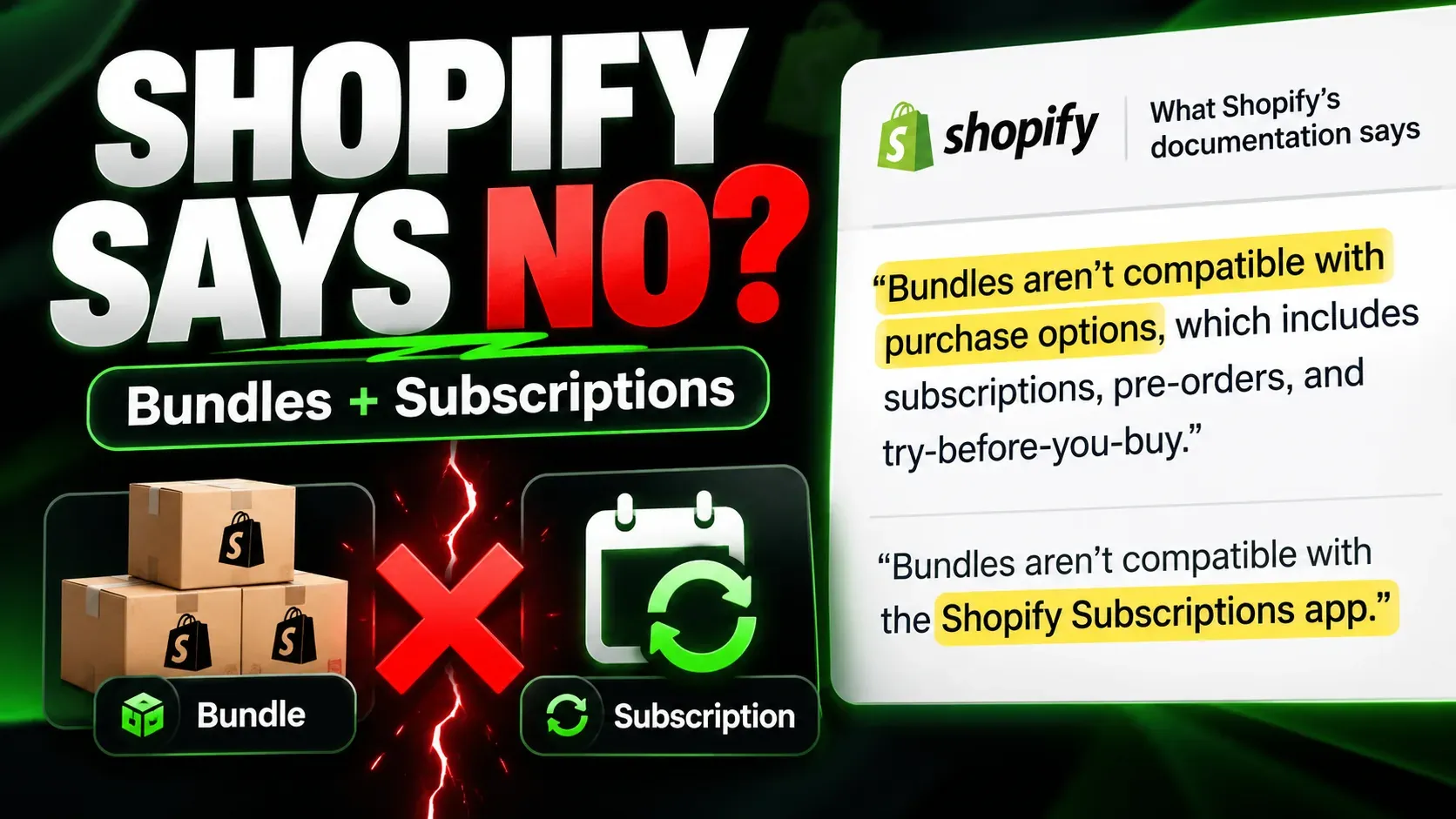

Black Friday discount codes on Shopify subscriptions: first order or every renewal?
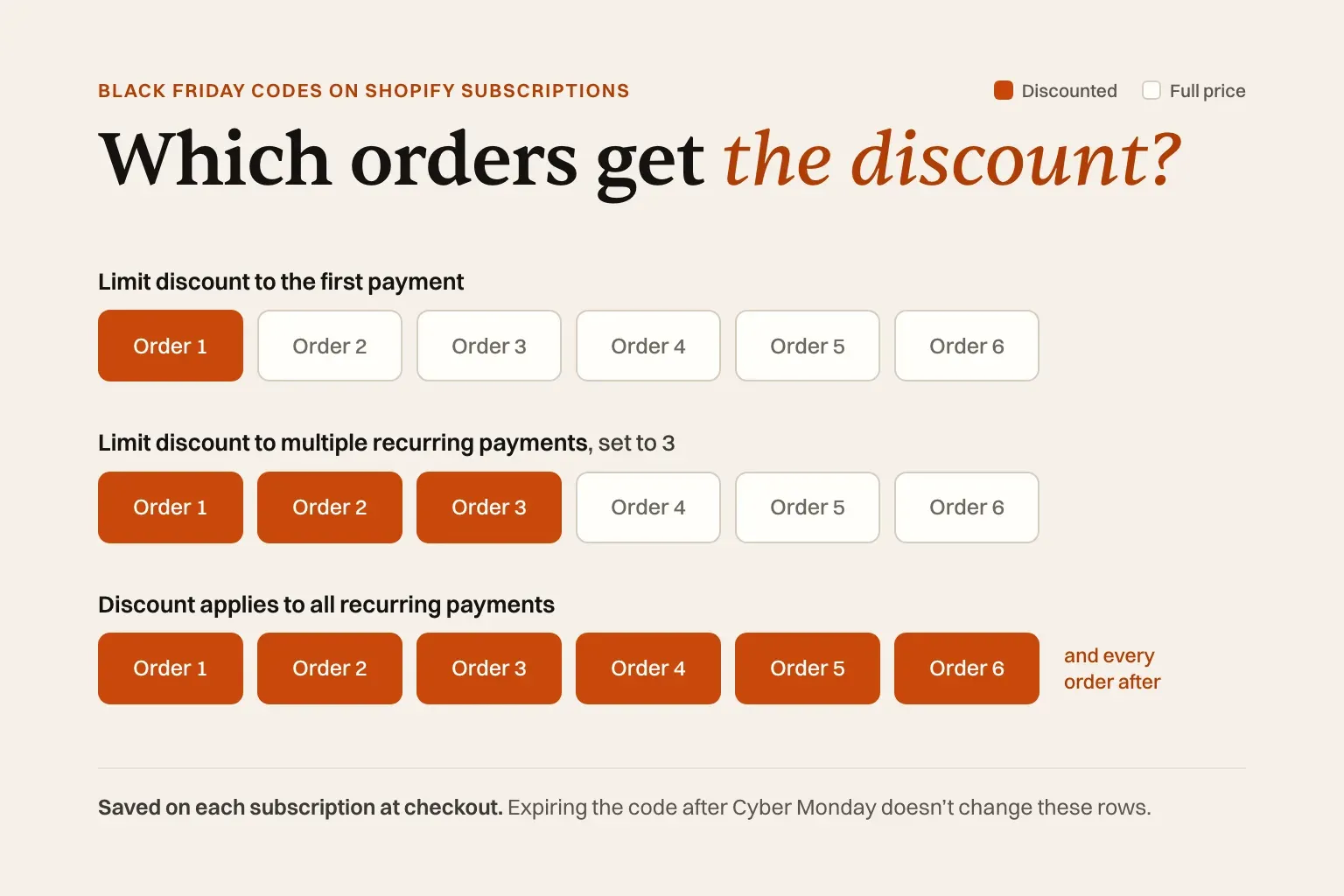
On Shopify, a Black Friday discount code applies to a subscription’s first order only, to a set number of orders, or to every renewal, depending on the code’s Recurring payments for subscriptions setting. The discount and its limit are saved on each subscription at checkout, so expiring the code after Cyber Monday doesn’t stop it discounting the renewals its limit covers.
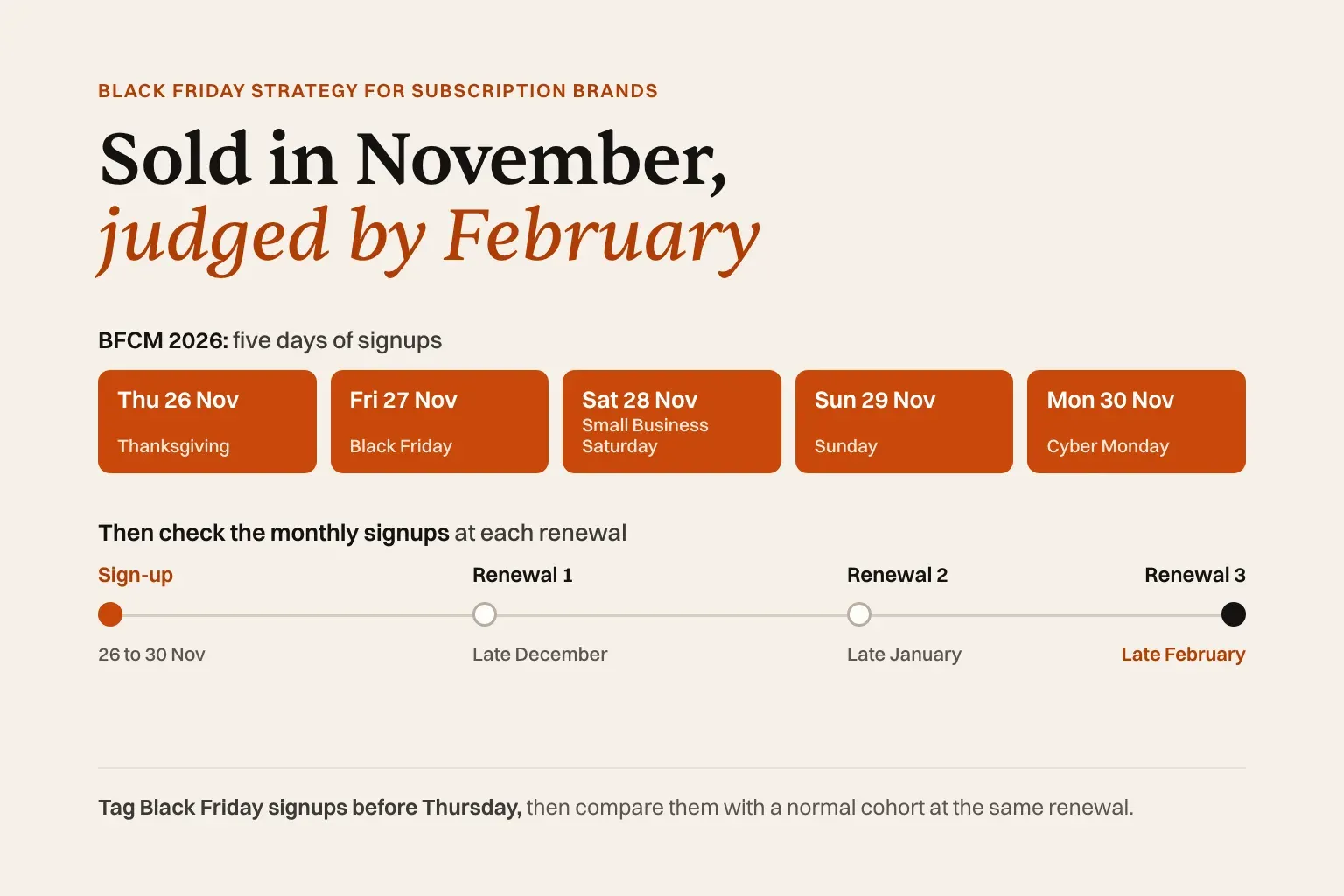
Every Shopify rule below was checked against Shopify’s Help Center and developer documentation on 8 November 2026. In 2026, Black Friday is 27 November and Cyber Monday is 30 November. Whether to run a sale at all, and what to offer, is covered in our Black Friday strategy guide for subscription brands.
Quick answer: first order, some orders, or every renewal?
- Purchase type comes first. A code set to one-time purchases won’t discount a subscription. Set it to Subscription or Both.
- “Limit discount to the first payment” discounts the order placed at checkout only.
- “Limit discount to multiple recurring payments” discounts the number of payments you enter, counting the first order.
- “Discount applies to all recurring payments” discounts every renewal for the life of the subscription.
- Expiring the code later doesn’t touch subscriptions that already used it. Shopify saves a snapshot of the discount on each subscription contract, the record Shopify keeps of a subscriber’s products, price and schedule.
- Automatic discounts follow the same rules. An automatic Black Friday discount that covers subscriptions can carry the same recurring-payments limit, and Shopify doesn’t recheck its conditions after checkout.
- Changing a plan’s subscribe-and-save discount affects new checkouts only, and people who subscribe at a raised sale rate keep it unless your app edits their contracts.
- An introductory rate that steps down can be built into the plan, but your subscription app has to change the price at the step.
What does Shopify’s “Recurring payments for subscriptions” setting do?
The Recurring payments for subscriptions setting decides how many of a subscriber’s payments a Shopify discount covers: the first payment only, a number of payments you choose, or every payment for the life of the subscription. Shopify’s Help Center calls it “the only way to automatically limit how many billing cycles a discount applies to” (Subscription discounts). Its walkthrough uses a free-shipping discount: set the purchase type to Subscription, then choose the limit under Recurring payments for subscriptions. The Admin API carries the same limit, called recurringCycleLimit, on amount-off and free-shipping discounts (codes and automatic discounts alike): “if you set this field to 3, then the discount only applies to the first three billing cycles of a subscription. If you specify 0, then the discount applies indefinitely” (DiscountCodeBasicInput).
| Option | What it discounts | Fits |
|---|---|---|
| Limit discount to the first payment | The order placed at checkout | A one-off sign-up deal |
| Limit discount to multiple recurring payments | The number of payments you enter, counting the first order | An introductory period, such as the first three boxes |
| Discount applies to all recurring payments | Every payment, for as long as the subscription lasts | A permanent lower price for everyone who used the code |
The labels, and the helper text “Includes payment on first order.”, come from Shopify’s open-source discount components, which app developers use to match the Shopify admin. The same file notes that “A subscription with many payments will count as one use,” so a code capped at 500 uses can start 500 subscriptions. The limit counts payments, not deliveries: on a prepaid subscription that charges once for three deliveries, the first payment covers all three.
Which kinds of Shopify discount does the setting cover?
In Shopify’s Admin API, amount-off discounts (a percentage or a fixed amount) and free-shipping discounts carry it. The Help Center shows the admin steps only for free shipping, so open your amount-off code and confirm the section is there. Free shipping on the first box and free shipping on every box are very different costs over a year, so choose on purpose.
Buy X get Y works differently. Shopify’s Help Center says the “buy X” product can be a subscription, but “The added product, or ‘get Y’ part of the discount, must be a one-time purchase.” A free gift with a subscription therefore ships once, with the first order.
Automatic discounts “can be applied to subscription orders,” according to Shopify’s Help Center page for its Subscriptions app. Shopify’s developer documentation on subscription contracts adds that once an automatic discount is applied at checkout, “it doesn’t evaluate the conditions that were used in its first application again. Other conditions, such as recurring cycle limit, still apply.”
What about discounts created by apps?
Shopify’s Help Center says: “For recurring payments, Shopify reuses discounts from apps that use functions instead of running the app’s function again. The app sets how many payments its discounts apply to. By default, discounts apply only to the first payment” (Shopify Subscriptions considerations). Shopify’s developer references describe the default for app discounts inconsistently, so ask the app what it sets. Since June 2026, apps can offer the choice in their own discount settings. Shopify’s changelog gives the example that “a value of 4 applies the discount on the first 4 orders, then stops. A value of 0 means unlimited.” Bundle discounts that apps build as discount Functions are reused on renewals in the same way; selling bundles on subscription covers how bundles work with subscriptions.
What changed for Plus stores that used Shopify Scripts?
Shopify’s developer changelog scheduled all Scripts to “cease to execute entirely” on 30 June 2026 (changelog). Discount logic that ran as a Script has to move to a Shopify discount or an app discount built on Functions, and on subscriptions the app discount is reused on renewals, as above.
What a subscriber pays on orders 1 to 6: a worked example
Example: arithmetic only, not customer data. A coffee subscription costs $40 a month. The Black Friday offer is 30% off, so a discounted order costs $28. Every percentage is taken off $40, and each row is one subscriber who signs up during the sale.
| Setup | Order 1 | Order 2 | Order 3 | Order 4 | Order 5 | Order 6 | Paid over 6 orders | Order 7 onward |
|---|---|---|---|---|---|---|---|---|
| No Black Friday offer | $40 | $40 | $40 | $40 | $40 | $40 | $240 | $40 |
| Code: limit to the first payment | $28 | $40 | $40 | $40 | $40 | $40 | $228 | $40 |
| Code: limit to multiple recurring payments, set to 3 | $28 | $28 | $28 | $40 | $40 | $40 | $204 | $40 |
| Code: applies to all recurring payments | $28 | $28 | $28 | $28 | $28 | $28 | $168 | $28 |
| Step-down plan: 30% off orders 1–3, then 10% off | $28 | $28 | $28 | $36 | $36 | $36 | $192 | $36 |
| Plan price cut to $28 for the sale, then put back | $28 | $28 | $28 | $28 | $28 | $28 | $168 | $28 |
Over six orders the first-payment code gives away $12 per subscriber, the three-payment code $36 and the step-down plan $48, then $4 a month after. The all-payments code and the sale plan price each give away $72, then $12 every month after. Subscribers who joined before the sale keep paying $40 in every row.
These rows show what Shopify documents; the step-down row also assumes your app changes the price at order 4. Your subscription app builds each renewal from the contract, so confirm the result on a test subscription. The code rows also assume the 30% comes off the $40 the subscriber would otherwise pay, which is the stacking question below. To judge whether a permanently lower price still pays, use the break-even arithmetic for a subscription price change.
Why does the discount keep applying after the code expires?
Once checkout is complete, the subscription no longer depends on the code. Shopify’s Help Center says: “When a discount code is applied to a subscription, a snapshot of the discount is saved to the subscription contract.” It adds that “This snapshot is independent of the original discount code” and “If you expire or deactivate a discount code, the discount will continue to apply on existing subscription contracts.”
Shopify’s contracts documentation explains what gets checked: “A code discount is only verified when the code discount is first applied, either at checkout or when adding the discount to an existing subscription contract. After a code discount is successfully applied, it doesn’t evaluate the conditions that were used in its first application again. Other conditions, such as recurring cycle limit, still apply.”
So the end date, minimum purchase and customer eligibility are checked once, at checkout. The recurring-payments limit is the exception: Shopify’s documentation says it still applies, and the discount saved on the contract records both the limit and how many times it has been applied (SubscriptionManualDiscount). We found no Shopify page or staff reply that shows a renewal after the limit runs out, so before launch, check the first renewal of a test subscription placed with a first-payment code.
A code set to all recurring payments and expired the night after Cyber Monday keeps discounting every subscription that used it. Deleting the code doesn’t help: in an October 2026 thread on Shopify’s developer forum, a Shopify staff account confirmed a developer’s tests showing that deleted, expired and deactivated codes keep being applied until the app removes them. That is a forum reply, not documentation, but it matches the Help Center.
Does raising the subscribe-and-save discount for the sale change existing subscribers?
No. A subscribe-and-save discount lives on a selling plan, and Shopify’s documentation says: “Subscription contracts are detached from the original selling plan. Updates to the original selling plan don’t modify pre-existing subscription contracts” (About selling plans).
Existing subscribers don’t get the sale rate, because their contracts predate the change. Everyone who subscribes during the sale keeps the raised rate after you lower the plan, because that is another update their contracts ignore. Giving current subscribers the sale price takes a contract edit for each one, and only your subscription app can make it. Editing existing contracts works the same way as for a price rise. Other ways to treat existing subscribers, and how to make cancelling and rejoining at the sale price less attractive, are in what to offer existing subscribers on Black Friday.
How do you give a bigger discount for the first few orders, then a smaller one?
Shopify offers two ways to run an introductory rate, such as 30% off the first three orders and 10% after. One is a selling plan with two pricing policies, which your subscription app has to apply at the step. The other is your normal plan plus a discount code limited to a set number of payments. Either way, show the later price before checkout.
Route 1: one plan with two pricing policies. A selling plan can hold an initial pricing policy and a recurring one that takes over later. Shopify’s selling-plans documentation gives the example that “the first billing cycle might have a 20% discount and the recurring cycles after might be discounted by 15%.” A plan can have “a maximum of 2 pricing policies” (SellingPlanInput), and the recurring policy’s afterCycle field sets “the cycle when the recurring pricing policy comes into effect” (SellingPlanRecurringPricingPolicy). The step-down row in the table is this route with afterCycle set to 3.
Shopify doesn’t change the price at the step, though. Its contracts documentation calls the pricing policy “a guide for apps to modify the contract’s price in accordance with the billing cycle. It’s important to understand that the price of the line item does not update automatically.” Whether order 4 bills at $36 depends on your app. Shopify’s own Subscriptions app documents plans priced by “Percentage off, Amount off, or Fixed price” and nothing about a second price after a number of orders (Create and edit subscription plans). The other limits to check before relying on the free app are in Shopify Subscriptions vs a subscription app.
Route 2: a code on top of the normal plan. Keep the plan at its usual discount and give sale signups a code set to “Limit discount to multiple recurring payments.” While the code lasts, they get the code’s discount taken off the plan price (see the stacking question below), then the plan price alone. It needs nothing from your app beyond support for Shopify codes on subscriptions, but confirm on a test subscription that the code stops after the third payment.
Either way, show the later price before the customer subscribes. Shopify’s subscription UX guidelines say: “If an initial price incentive is applied to a subscription, then explain the current payment and how payments will change in the future,” and warn that “Certain states and countries have laws around price clarity.” New York’s automatic renewal law, for example, requires a temporary price to come with a clear explanation of how and when it will change and what will be charged after (N.Y. Gen. Bus. Law §527-a). This is a summary of published rules, not legal advice. Our Black Friday strategy guide sets out what to disclose next to a promo-priced subscription.
Can a Black Friday code stack with the subscribe-and-save discount?
Shopify doesn’t document whether a discount code stacks with a selling plan’s subscribe-and-save price, and none of the Shopify pages cited here covers it. The plan discount is a price on the plan rather than one of the product, order or shipping discounts that Shopify’s combination settings govern. So the expected result is that the code applies to the already-reduced subscription price. That is our reading; Shopify doesn’t state it. Apps that build subscribe-and-save as their own discount Function fall under the combination settings instead.
What Shopify documents. “Multiple discounts are applied to an order only when the setting on each discount allows the combination” (Discount combinations). That governs codes and automatic discounts, so a Black Friday code and an automatic sale discount combine only if both allow it. The same page says that combining product discounts on the same line item needs Shopify Plus (as of November 2026).
Example: a $40 product on a 10%-off plan costs $36. A 30% code taken off the plan price gives $25.20. Adding the two discounts (40% off $40) would give $24.00. If the app’s discount and the code can’t combine, only one applies. Place a test subscription order with the code and see which total you get.
How do you remove a discount from existing subscriptions?
Shopify’s Help Center says: “To remove a discount from an existing subscription contract, use your subscription app.” The help pages for managing contracts in Shopify’s own Subscriptions app cover products, frequency, billing dates, skips, pauses, addresses and payment methods; as of 8 November 2026 they don’t describe removing a discount or changing a price.
For developers, Admin API version 2026-10 deprecates the draft discount mutations, including subscriptionDraftDiscountRemove, in favour of the SubscriptionContractCalculation API. There, codes an app applies “are resolved into manual discounts on the resulting contract,” and “The manualDiscounts array replaces all existing manual discounts on the contract,” so a manual discount left out of the array is removed (migration guide). The guide doesn’t say how a code saved at checkout is stored on the contract, so check that before you build on it.
Removing a code doesn’t give its use back. Shopify’s contracts documentation says: “The usage count doesn’t decrease when removed from a subscription contract.”
If the subscriber was sold the discount as lasting, removing it raises their price, so treat it as a price increase. New York, for example, requires notice of a material change, including a price increase, at least five business days and no more than 30 days before it takes effect (N.Y. Gen. Bus. Law §527-a). If your app can’t remove discounts, the limit you set before launch is your only control.
Which setting should you choose for a Black Friday offer?
Our verdict: for most Black Friday offers, choose “Limit discount to the first payment”. Use a limit of several payments only when you can afford the discount on each of those orders, and “all recurring payments” only for a price you would keep for good.
- Choose “Limit discount to the first payment” when the deal is a thank-you for signing up and your normal price is where subscribers should stay. Discounting only the first order is the common pattern: Recharge reports, from brands on its own platform, that just under half of new subscriptions in 2025 arrived with a discount and “roughly 85% of those subscribers pay full price on their second order” (Recharge, 2026).
- Choose “Limit discount to multiple recurring payments” when you want the discount to cover the first renewals, where early cancellations tend to gather (see why subscribers quit around month three), and you can afford the discount on each of those orders.
- Choose “Discount applies to all recurring payments” only if you would sell to these subscribers at that price indefinitely. It creates a permanent second price tier. A standing discount is also a weak way to keep people, as our guide to reducing subscription churn explains.
- Choose a step-down plan when you want one plan that carries both prices and your app confirms it changes the contract price at the step.
- Avoid raising the plan discount for the weekend unless the sale price is meant to be permanent for everyone who signs up during it.
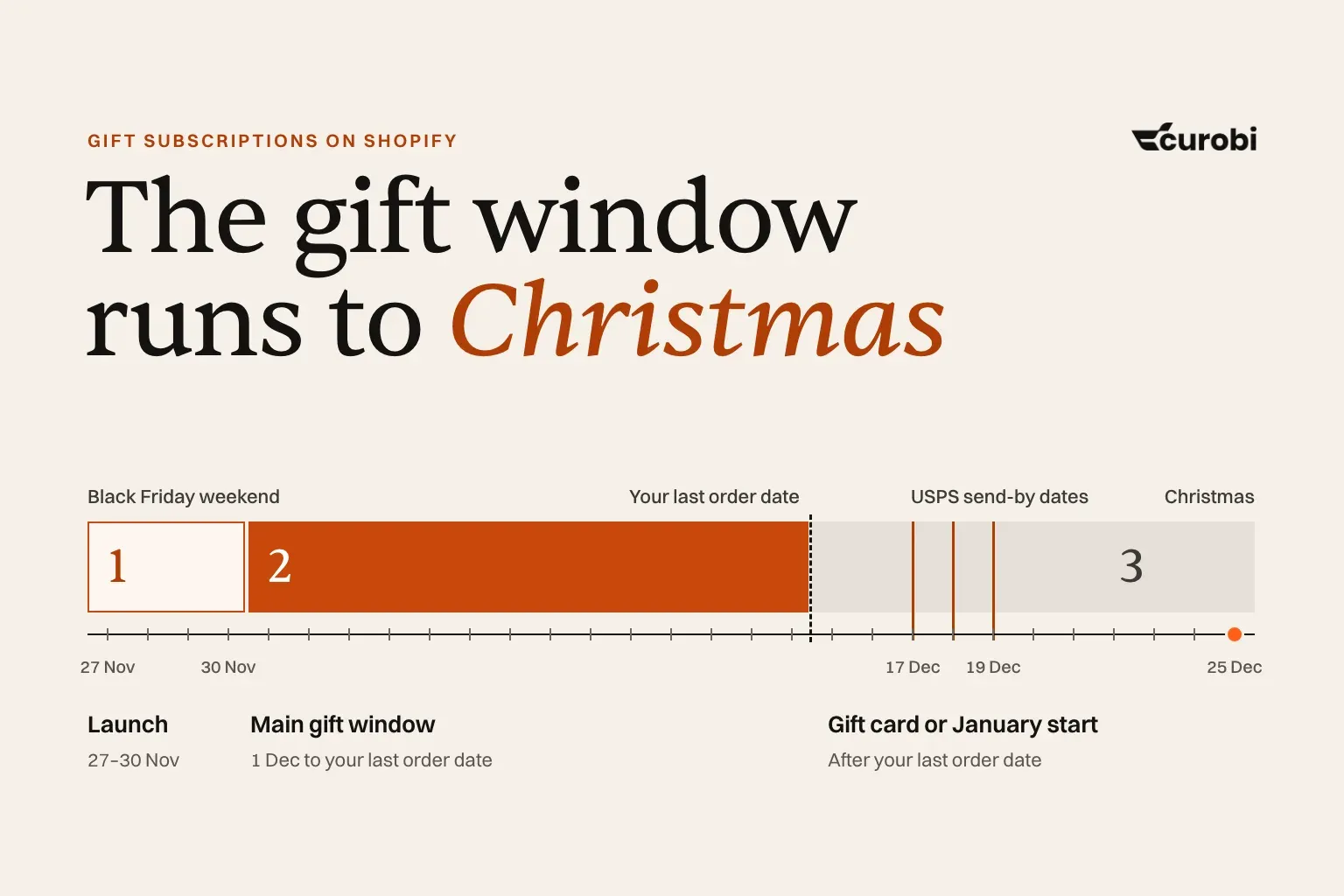
If the goal is December revenue rather than a cheaper first order, a gift subscription is a different offer, covered in how to sell gift subscriptions on Shopify.
Before you publish the code: a pre-launch checklist
- Purchase type is Subscription or Both. If the code has a minimum purchase amount and applies to only one purchase type, only that type counts toward the minimum (Shopify’s amount-off discount instructions).
- Recurring payments for subscriptions shows the option you chose. Open the discount and check rather than trusting a default.
- Usage limits account for each subscription counting as one use.
- Combinations with your other discounts, including any automatic Black Friday discount, are set on purpose.
- The end date is set, knowing it stops new checkouts only.
- The product page and checkout state the first-order price, the later price and when it changes.
- A test subscription placed with the code on a development store shows the discount with the limit you expect.
- Existing subscribers are accounted for. One who cancels and re-subscribes with a first-payment code costs one discounted order; with an all-payments code, every order after. A code limited to one use per customer blocks that second checkout, because Shopify checks the customer’s previous orders.
What to check in your subscription app
Shopify sets the rules, but your subscription app builds every renewal. Ask any app, Curobi included:
- Does a renewal honour a Shopify code’s recurring-payments limit? Ask to see order 2 of a test subscription that used a first-payment code.
- Can it remove a discount from an existing subscription, singly and in bulk?
- Can it add a discount to existing subscriptions, such as one discounted order?
- Is its subscribe-and-save discount a selling-plan price or a discount Function, and does a Shopify code combine with it?
- Does it support a plan with two pricing policies, and change the contract price at the step?
- Does the product page show both prices of such a plan, or only the first saving?
- If it creates discounts itself, how many payments do they cover?
- Do plan edits change anything for existing subscribers, and can a sale price be scheduled?
How this works in Curobi
Curobi is a Shopify subscription app, so this section describes our own product.
- Black Friday codes are Shopify’s. The code, its purchase type and its recurring-payments limit are set in Shopify’s discount editor. Curobi doesn’t add a separate code setting.
- Plan discounts can be a percentage off, a fixed amount off, or tiered: one rate for the first N cycles and a different rate after, both as percentages. All three are on the Free plan. Curobi plans don’t use Shopify’s fixed-price option, so express a sale price as an amount off.
- The storefront label shows the first rate. Curobi’s product-page widget labels a tiered plan with its first saving, such as “Save 30%”. Put the later rate in the plan name or product description.
- Plan edits apply to new signups. Curobi’s documentation says: “Edits to a plan apply going forward; existing subscribers keep the terms they originally signed up under.” Plan discounts have no start or end date. For a sale-only rate, create a separate plan and archive it after Cyber Monday; archiving removes it from the storefront widget without affecting anyone already subscribed. Those subscribers keep the plan’s terms, including its discount, after you archive it. If the sale rate should end, a tiered discount stores the later rate on the plan; as with any app, check a test subscription billed past the step before you rely on it. Preview the product page with both plans first.
- Curobi can’t currently add a discount to, remove one from, or change the price of an existing subscription, in the admin, the customer portal or the API. Set the code’s limit before launch and test it. For current subscribers, a Shopify code limited to one-time purchases lets them stock up at the sale price without touching their subscription. Curobi can’t add a one-time item to a subscriber’s next order, so that purchase ships as its own order.
- Plan limits. Free covers 50 active subscriptions and Starter 250. At the limit only new subscription checkouts stop; the limit doesn’t apply to renewals or one-time purchases. See pricing for the other plans.
Frequently asked questions
Does a Shopify discount code apply to subscription renewals?
It can. The code’s purchase type has to include subscriptions, and its Recurring payments for subscriptions setting decides how many payments it covers: the first payment, a number you choose, or all of them. Discounts that apps build with Shopify Functions are reused on renewals rather than run again, and Shopify’s Help Center says that by default they apply only to the first payment.
Why is a subscription still discounted after the Black Friday code expired?
When a code is applied, Shopify saves a snapshot of the discount on the subscription contract, independent of the code. Shopify’s Help Center says an expired or deactivated code keeps applying on existing contracts. The end date only stops new checkouts. Shopify’s documentation says the recurring-payments limit still applies, so that limit is what ends the discount. To take it off an existing subscription, Shopify says to use your subscription app.
If I raise my subscribe-and-save discount for Black Friday, do existing subscribers get it?
No. Shopify’s developer documentation says subscription contracts are detached from the selling plan, and updates to the plan don’t modify existing contracts. Existing subscribers keep their old price. Anyone who subscribes while the discount is raised keeps the sale rate after you lower it again, unless your subscription app edits their contracts. Giving current subscribers the sale price takes a contract edit for each one, made by your subscription app.
Can I give 30% off the first three orders and 10% after that on Shopify?
Yes, if your subscription app supports it. A selling plan can carry two pricing policies, the second starting after a set cycle, but your subscription app has to change the price at the step; Shopify doesn’t. The alternative is a 10%-off plan plus a code limited to three payments: if the code comes off the plan price, a 22% code gives about 30% off in total. Either way, show the later price before checkout. Curobi’s tiered discount, on every plan including Free, stores one rate for the first N cycles and another after; check a test subscription billed past the step before you rely on it.
How do I remove a discount code from existing subscriptions?
Through your subscription app, as Shopify’s Help Center says. In Admin API version 2026-10, apps make that change with the SubscriptionContractCalculation API, which replaces the deprecated draft discount mutations. Removing a discount the subscriber was sold as lasting is a price increase for them, so give notice first.
Does the recurring-payments limit count deliveries or payments?
Payments, which Shopify’s API calls billing cycles. On a prepaid plan that charges once for three deliveries, a code limited to the first payment discounts that whole first charge, so all three deliveries. On a plan that charges for each delivery, the two counts are the same.
Can customers stack a Black Friday code with the subscribe-and-save discount?
Shopify doesn’t say directly. Its combination settings govern codes and automatic discounts, and a selling plan’s subscribe-and-save price isn’t one of those, so the code is expected to apply to the already-reduced price. That is a reading of the documentation, not a Shopify statement, and apps that price subscriptions with their own discount Function can behave differently. Test a subscription order with the code.
Sources
- Shopify Help Center: Subscription discounts (purchase types; the Recurring payments for subscriptions setting; the contract snapshot; expired codes; removal through the subscription app; Buy X get Y), Shopify Subscriptions considerations (automatic discounts on subscription orders; app discounts reused on renewals), Amount off discounts (purchase type and minimum purchase amounts), Create and edit subscription plans (plan discount types), Managing subscription contracts (contract actions), Discount combinations (combination settings; same-line product discounts on Plus)
- Shopify developer documentation: Subscription contracts (when code and automatic discounts are verified; usage counts; pricing policies don’t update the price), About selling plans (contracts detached from plans; fixed and recurring pricing policies), DiscountCodeBasicInput (recurringCycleLimit), SubscriptionManualDiscount (the limit and usage count stored on a contract discount), SellingPlanInput (two pricing policies at most), SellingPlanRecurringPricingPolicy (afterCycle), Migrate to the subscription calculation API (manual discounts; API version 2026-10), Subscription UX guidelines (explaining an initial price incentive)
- Shopify developer changelog: purchaseType and recurringCycleLimit in discount UI extensions (June 2026), Shopify Scripts deprecation (April 2026)
- Shopify on GitHub: discount-app-components locale file (option labels and usage-limit helper text)
- Shopify developer forum: Discount codes on subscriptions thread (staff replies, October 2026)
- Recharge: 2026 Black Friday marketing strategy for subscription brands (platform data from Recharge brands on Shopify)
- New York State Senate: General Business Law §527-a
- Curobi documentation: Subscription plans
Shopify’s discount and subscription documentation changes. Every Shopify claim above was checked against the linked pages on 8 November 2026; recheck them before you set up next year’s offer.