
How to run a subscription box on one billing date, with an order cutoff and a ship day

To run a subscription box on one billing date, work back from the day the box ships: set a charge day early enough to pack the batch and retry failed payments before it leaves, set an order cutoff a few days before the charge day so late sign-ups roll into the next cycle, name which month’s box each charge pays for, freeze the contents and count the units at the cutoff, then bill, pack and ship the whole batch together.
Whether Shopify can bill every subscriber on the same date at all is a separate question, answered on the page about fixed-calendar billing for Shopify subscriptions. Shopify’s free Subscriptions app now documents a specific billing day, and several subscription apps document fixed dates too. This page is the operating procedure that sits on top of a fixed date: the dates in one box cycle, how they depend on each other, and what to test before the first live batch. The decisions that come before the calendar, such as the kind of box, its per-box costs and how to launch it, are in how to start a subscription box business on Shopify.
Quick answer: how do you run a box on one billing date?
- Work backwards from the ship day. The ship day, the charge day and the cutoff are one chain; set them in that order.
- Leave room between the charge day and the ship day for packing at full volume and for retrying the payments that fail.
- Put the order cutoff a few days before the charge day. Orders after it belong to the next cycle.
- Decide what a new subscriber’s first box does: ship now and join the calendar, or pay now and wait for the next batch. Never let the checkout payment and the next charge day pay for the same box.
- Name the box month a charge pays for, and use that name everywhere.
- Count at the cutoff and again before packing, because skips, pauses and failed payments move the number.
- Pick a charge day from the 1st to the 28th, and check where the ship day falls on weekends.
Why do box operators bill everyone on one date?
On a rolling schedule each subscriber is billed on the anniversary of their own sign-up date, so 400 subscribers become 400 renewal orders spread across the month, and stock is bought and boxes packed every few days. On one billing date the same 400 orders arrive together, so the month’s stock is bought once and the box is packed and shipped as one batch. The trade-off is the wait: someone who subscribes just after the cutoff waits for the next batch, or receives a first box outside it.
Merchants running boxes and clubs describe the same need, and the same difficulty. Four App Store reviews written between August and October 2026, and one Shopify Community thread from April 2026, show it:
- A wine club asked for every member to be charged on the same date (App Store review, 12 September 2026).
- Two operators, a kimchi club and a business selling an annual calendar, said they needed their app’s support team to walk them through billing dates and cutoff settings (review, 11 October 2026; review, 15 August 2026).
- A quarterly illustrated-letter subscription found fixed anchor dates and late joiners “surprisingly difficult” to handle (review, 5 October 2026).
- A merchant launching a curated box set out the whole model in one post: an order cutoff on the 20th, every subscriber billed on the 20th for a fixed shipping list, shipping on the 28th, and late sign-ups moved to the following month. A reply warned that someone who signs up on the 21st pays straight away and waits 37 days for a box, so the product page has to say so (Shopify Community, 7 April 2026).
Five examples are not a trend. What they have in common is that the questions are about how the dates interact, not about any single setting.
What are the dates in a one-date box cycle?
A one-date box cycle has five dates, and each is defined by the one after it.
| Date | What it is | What it depends on |
|---|---|---|
| Order cutoff | The last day an order joins this cycle; later orders go into the next one | The charge day, minus a buffer |
| Edit cutoff (build-your-own boxes only) | The last day a subscriber can change their picks for this cycle | Packing: picks must be final before you pick and pack |
| Charge day | The day every subscriber in the batch is billed | The ship day, minus packing and retry time |
| Box month | The name of the box that a charge pays for, such as “the January box” | Which month’s contents you apply to the charge |
| Ship day | The day the batch leaves | Packing capacity and carrier collection days |
The order cutoff and the edit cutoff are different things that can fall on the same day. The order cutoff controls who is in the batch; the edit cutoff controls what is in each box. A curated box, where you choose the contents, needs only the first. The edit cutoff for build-your-own boxes is covered in how to run build-your-own-box subscriptions on Shopify, including what ships when a subscriber never picks.
On Shopify, an app sets a fixed date up on the selling plan. An anchor fixes the day of the cycle, and Shopify’s API reference describes the plan’s cutoff as the “number of days which represent a buffer period for orders to be included in a cycle” (Shopify, SellingPlanRecurringDeliveryPolicy). Shopify accepts a monthly anchor day from 1 to 31, and its reference does not say what happens in a month without that day (Shopify, SellingPlanAnchor). That is the reason to keep the charge day between the 1st and the 28th.
How do you set up a one-date box cycle, step by step?
These steps apply whichever app runs the billing. The settings each app gives you are compared further down.
- Fix the ship day first. Pick the day of the month the batch leaves, based on how long packing takes at full volume and which days your carrier collects. Every other date in the cycle is counted back from it.
- Set the charge day before the ship day. Leave enough days between the two to pack the whole batch and to retry the payments that fail on the charge day. Choose a day from the 1st to the 28th, so the date exists in every month, February included.
- Set the order cutoff before the charge day. Choose how many days before the charge day the batch closes. Orders placed after the cutoff go into the next cycle, so the number of boxes you buy stock for does not change after you have bought it.
- Decide what a new subscriber’s first box does. Either ship the first box straight away and bill the subscriber on the shared charge day from then on, or take payment at checkout and send the first box with the next batch. Whichever you choose, make sure the checkout payment and the next charge day cannot both pay for the same box.
- Name the box month each charge pays for. Write down which month’s box a charge on the charge day buys, and use that name everywhere: on the product page, in emails, in the box editor and on the packing list.
- Freeze the contents and count the batch at the cutoff. Lock what goes in the box and, for a build-your-own box, each subscriber’s picks. Count the units of each product as the subscribers due multiplied by the quantity per box, then count again just before packing, because skips, pauses and failed payments change the number.
- Bill on the charge day and settle failures before packing. Pack only orders that are paid, and decide in advance whether an order whose payment is recovered after the ship day ships on its own or waits for the next cycle.
- Ship the batch, then check skips land on the next charge date. Ship on the ship day and send tracking. Check that a skip or a date change moves the subscriber to the next charge date on the calendar, not to one month after the day they acted.

What does one cycle look like on the calendar?
Take a monthly box with a ship day on the 28th, a charge day on the 20th, eight days between them for packing and payment retries, and an order cutoff three days before the charge day. Each box is named for the month in which it is charged and shipped.
| January 2027 box | February 2027 box | March 2027 box | |
|---|---|---|---|
| Order cutoff | Sunday 17 January | Wednesday 17 February | Wednesday 17 March |
| Charge day | Wednesday 20 January | Saturday 20 February | Saturday 20 March |
| Packing | 21 to 27 January | 21 to 27 February | 21 to 27 March |
| Ship day | Thursday 28 January | Sunday 28 February | Sunday 28 March |
Three sign-ups show how the dates interact:
- Someone who subscribes on Monday 11 January, before the cutoff, is in the January batch. Their box ships on 28 January and their next charge is 20 February.
- Someone who subscribes on Monday 18 January, after the cutoff, is in the February batch. If first boxes ship straight away, they receive one that week and are next charged on 20 February.
- The same subscriber, if first boxes wait for the batch, pays on 18 January and receives the February box on 28 February, 41 days later. Their checkout payment has paid for the February box, so their first renewal should be 20 March. If they are also charged on 20 February, they have paid twice for one box.
The table shows a second problem. A ship day set as a date of the month lands on a weekend in some months: here the 28th is a Sunday in both February and March 2027. Decide before launch whether those batches go out on the Friday before or the Monday after, and say so in the shipping email.
Which month’s box does each charge pay for?
On a rolling schedule this question answers itself awkwardly, because subscribers billed on different days of the month are billing into different months’ boxes at once. On one date everyone bills into the same month, but you still have to say which. The simple rule is that a charge pays for the box of the month it falls in. It needs care in two cases:
- When the ship day falls in the following month. A charge on the 25th with shipping on the 3rd is charged in January and delivered in February. Pick one name for that box, either “January” or “February”, and use it on the product page, in the charge reminder and on the packing list, because subscribers read the name as a promise.
- When a month is never planned. Decide in advance what ships if a month’s contents were never set: the most recent box, a default box, or nothing. Shipping nothing is the worst of the three: the subscriber has been charged and receives no box.
If you sell the same box one-time as well as on subscription, decide which month’s box a one-time order placed between the cutoff and the ship day receives, so a gift buyer knows what arrives.
How do you count and pack the batch?
The count is a calculation, not a guess: the subscribers due in this cycle, multiplied by the quantity of each product per box, plus any one-time box orders in the same batch, set against the stock you have. For a build-your-own box it is the sum of each subscriber’s locked picks instead.

Count twice. The first count at the cutoff is the one you order stock from. The second, just before packing, is the one you pack from, because between the two, subscribers skip, pause and cancel, and some charges fail and some recover. A count taken at the cutoff and never refreshed packs boxes for subscribers who are no longer due one.
Then decide the failed-payment rule. On the charge day some cards decline, and an app’s retries recover some of them over the following days. If the retries finish before the ship day, recovered orders can join the batch. If they run past it, choose in advance whether a recovered order ships on its own or rolls into the next cycle, and set the gap between the charge day and the ship day with that choice in mind. How retries and card-update emails are best scheduled is covered in how to recover failed subscription payments on Shopify.
What should shoppers be told, and when?
Three messages carry most of the load:
- On the product page, before checkout: when the next order cutoff is and when the next box ships, and, if first boxes wait for the batch, when a subscriber’s first box will arrive. A line in the form “Order by 17 January, ships 28 January” answers both.
- A few days before each charge day: the date of the charge, the box month it pays for, and how to skip or pause before it. This is also the moment a build-your-own subscriber needs to hear the edit cutoff.
- On the ship day: tracking, and a note if a weekend moved the date.
Skips need one more check. On one date, a skip should move the subscriber to the next charge date on the calendar. If your app counts a skip as one month from the day the subscriber clicked, that subscriber leaves the shared calendar without anyone noticing, and the batch is no longer one batch. Why skips matter for retention is covered in the skip button is your best retention tool.
What should you test before the first live cycle?
Run a full cycle on a test or development store with test payments before switching a live box to one billing date:
- A subscription placed one day before the cutoff joins this cycle and is charged once in it.
- A subscription placed one day after the cutoff joins the next cycle and is not charged twice for one box.
- A first box set to ship straight away does so, and the next charge falls on the shared charge day.
- A skip moves the subscriber to the next charge date on the calendar.
- A declined test card is retried, and a recovered order lands in the batch or the next cycle as you decided.
- The product page, the charge reminder and the packing list all use the same box month.
- A February charge falls on the date you expect.
- Existing subscribers stay on the schedule you intend when the plan changes: in some apps a schedule change applies to new sign-ups only.
Which apps document a billing date, a cutoff and a box month?
This table covers only the date settings in this procedure, from each vendor’s own documentation and pricing pages read on 13 and 14 November 2026. It is not a full comparison of box features; that is in Shopify subscription box apps, compared by the kind of box you run.
| App | One billing date for every subscriber | Order cutoff | Box contents set by calendar month | Plan carrying the date setting, price read 13 November 2026 |
|---|---|---|---|---|
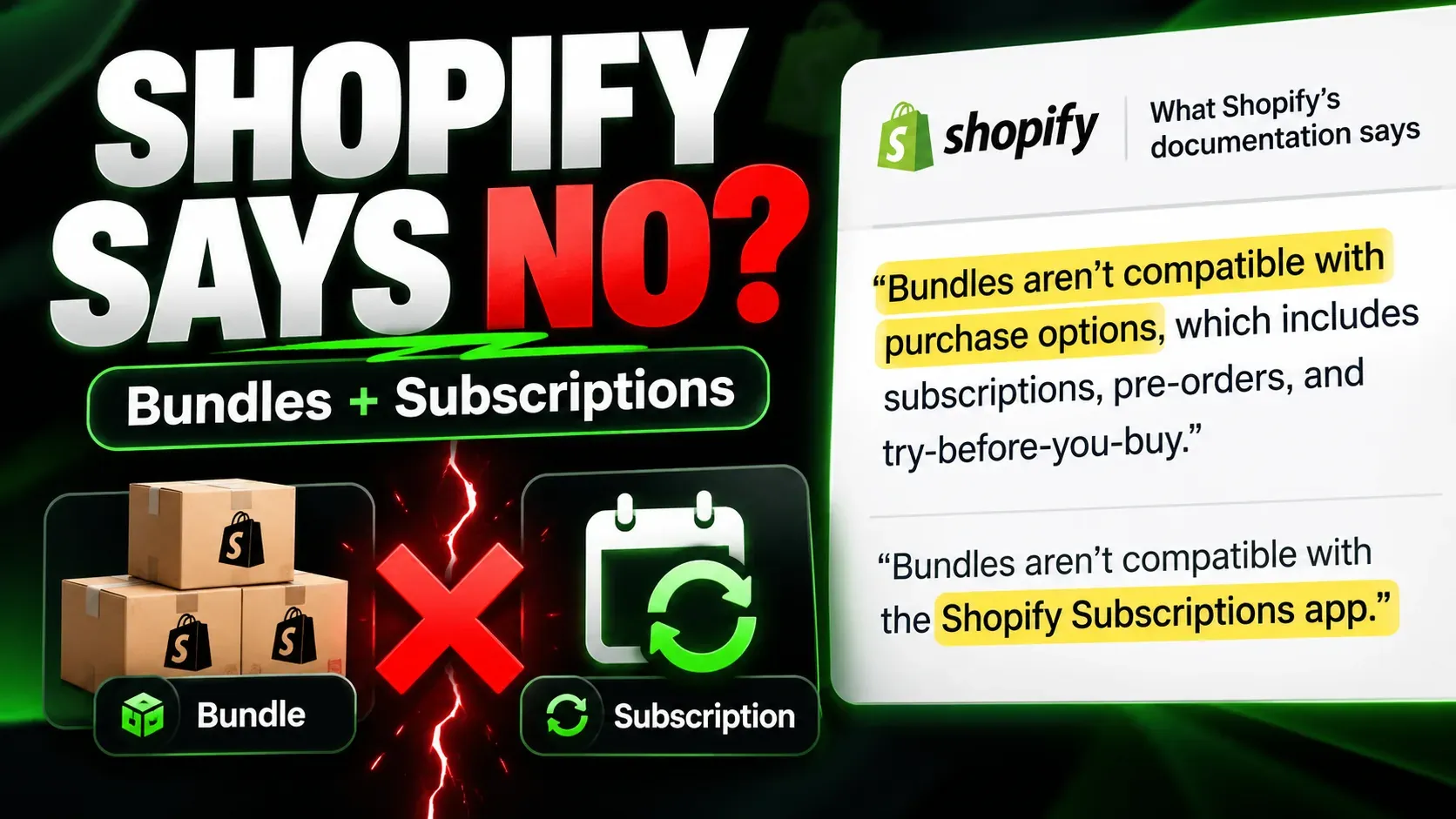
| Shopify Subscriptions | “Set a specific billing day” for weekly, monthly and annual plans | Not in the documentation read on 13 November 2026 | No: Shopify says bundles are not compatible with the app | Free |
| Seal | Fixed Schedules: the same billing dates for every subscriber | Yes: new subscriptions created close to a billing date are not billed straight away | Rotation is a per-subscriber product chain; build-your-own boxes need the Bundler app | Legend, $24.95 a month (up to 500 subscriptions) |
| Bold | Billing on a set day of the month | Yes: cutoff days set a minimum gap between the first and second order | Not in the documentation read on 13 November 2026 | Plan not checked |
| Supr | A fixed renewal day | Not in its subscription-box article | Yes: boxes set ahead by week or month, and an order gets the box of the week or month it is billed in | Every plan: free to $1,000 of monthly Supr revenue, then $19 to $399 |
| Easy Subscriptions | A billing day from 1 to 31 on series plans | Not on its series-subscription page | Yes: a time-based (“calendar swap”) series assigns a product to each delivery by calendar date | Enterprise, $399 a month |
| Appstle | A renewal day set to a specific day or to fixed calendar dates | Yes: an order cutoff decides whether the next renewal is skipped, and never holds the first order | Rotation by per-subscriber swap rules, on Business Premium ($100) | Plan not stated in its cutoff article (read 14 November 2026) |
| Subbly (its own platform, not a Shopify app) | Synchronised cycles that follow the plan’s schedule | Yes: set per plan in days before the first shipment | Not in the documentation read on 13 November 2026 | Not verified |
| Curobi | Fixed calendar: a charge day from the 1st to the 28th, monthly plans only | Yes: in days before the charge day | Yes: the current month and the next three in the box editor | Pro, $69.99 every 30 days |
On cost, the answer depends on size. For a store that runs a monthly box on one billing date with 125 subscribers at $40 a box (about $5,000 a month) or 375 subscribers (about $15,000 a month), Curobi Pro at $69.99 every 30 days costs more than Supr ($29 or $49), Seal on the Legend plan that carries fixed schedules ($24.95, or $34.94 with Bundler Premium for a build-your-own box) and Appstle, whose box plans start at $30, on list prices read on 13 November 2026. Above about $15,000 a month, or 500 subscribers on Seal, those apps’ banded prices pass $69.99 (Supr $99 up to $50,000 of monthly Supr revenue, Appstle $100, Seal’s next plan $89.95), while Curobi’s plan price does not change with revenue or subscriber count. Shopify’s own payment processing fees apply on top with every app. Easy Subscriptions’ calendar series costs $399 at any size, and Shopify’s free app costs nothing but documents no box. The wider question of what each app costs at four store sizes is worked through in the best Shopify subscription apps, with real costs.
What Curobi documents for each step
Curobi documents a fixed-calendar schedule for this procedure on its Pro plan, at $69.99 every 30 days. It is not part of the one-time 14-day trial on the Free plan, and every plan below Pro bills each subscriber from their own sign-up date, which Curobi calls Rolling.
The schedule’s settings follow the steps above: a charge day from the 1st to the 28th; an optional ship day, where a ship day on or before the charge day means the following month; an order cutoff set in days before the charge day, after which new orders roll into the next batch; and a choice for a new subscriber’s first box, either waiting for the next charge day’s batch or shipping right away and then renewing on the charge day, with payment taken at checkout either way. A plan can also bill only in chosen months, for a quarterly or seasonal box. The schedule is built on Shopify’s selling-plan anchors.
Once a plan is on a fixed calendar, its plan page shows a Next charge day card; a skip moves the subscriber to the next charge date on the calendar; a reschedule from the customer portal or the API moves forward to the next charge date on or after the day chosen; and the product-page widget shows a line such as “Order by Nov 15 · ships Dec 1”. The Curated Boxes and Build-a-Box editors carry the same Schedule section (Mix & Match does not), the period picker lists the next four charge days with their ship dates, and a one-time box order gets the box for the season it joins.
For the box month and the count, the box editor covers the current month and the next three. Each month is its own box, and the right month’s contents are applied to each subscriber’s renewal before it bills; a month that was never planned falls back to the latest published box. Publish shipment freezes a curated month’s contents, and Send now first previews which month’s box each group of subscribers will get before anything changes. For curated subscription boxes, a packing list download gives one line per variant with the units needed, the stock on hand and the shortfall, counted at the moment of download, so sign-ups, skips, pauses and failed payments after that change it. The packing list does not cover Build-a-Box or one-time box sales; for those, Curobi points to your Shopify orders.
The limits: fixed calendars apply to monthly plans only, a plan that bills in chosen months cannot also be prepaid, and switching a plan between Rolling and a fixed calendar affects new sign-ups only. After a downgrade below Pro, a plan already on a fixed calendar keeps billing on its dates, but its calendar cannot be edited until the store is back on Pro. These are the settings Curobi documents; run the test list above on a development store before the first live batch, as you would with any app. A short walkthrough of the settings is in the fixed billing date video.
Frequently asked questions
How many days should a subscription box leave between the charge day and the ship day?
There is no standard number. Count the days you need to pack the whole batch at full volume, add the days your failed-payment retries need if you want recovered orders in the same batch, and avoid a ship day your carrier does not collect on. A curated-box merchant on the Shopify Community in April 2026 planned eight days, billing on the 20th and shipping on the 28th.
What is the difference between an order cutoff and a charge day?
The charge day is when every subscriber in the batch is billed. The order cutoff is a set number of days before it, after which new orders go into the next cycle instead of this one. The cutoff exists so the count you buy stock for does not change after you have bought it, and so a new subscriber who has just paid at checkout is not charged again a day or two later.
What happens to someone who subscribes after the cutoff?
They join the next cycle. Depending on how the plan is set, either their first box ships straight away and they are billed on the shared charge day from then on, or they pay at checkout and wait for the next batch. With a cutoff on the 17th and a ship day on the 28th, someone who subscribes on 18 January and waits for the batch receives the first box on 28 February, 41 days after paying, so the product page has to say when the first box ships.
How do I stop a new subscriber being charged twice for the same box?
Make sure the payment taken at checkout and the next shared charge day cannot both pay for the same box. If a subscriber who joins after the cutoff pays at checkout for next month’s box, their first renewal should be the charge day after that box ships. Test it before launch: subscribe on a test store one day before the cutoff and one day after it, and check how many charges each subscription receives in its first two cycles.
Why should the charge day be between the 1st and the 28th?
Because every month has a 28th. Shopify accepts a monthly anchor day from 1 to 31, but its API reference does not say what happens when that day does not exist in a shorter month, so a charge day on the 29th, 30th or 31st leaves February’s date, and some other months’, to however your app handles it.
Sources
- Shopify: Help Center, Create and edit subscription plans (“Set a specific billing day”), and eligibility considerations (“Bundles aren’t compatible with the Shopify Subscriptions app”); developer reference, SellingPlanAnchor and SellingPlanRecurringDeliveryPolicy. Read 13 and 14 November 2026.
- Vendor documentation, read 13 and 14 November 2026: Seal, How to use fixed schedules, product chains and pricing; Bold, Subscription Group Settings; Supr, Subscription boxes and pricing; Easy Subscriptions, time-based series and pricing; Appstle, App Store listing, Cutoff days and product swap automation; Subbly, anchored subscriptions.
- Merchant accounts: App Store reviews dated 15 August, 12 September, 5 October and 11 October 2026, and a Shopify Community thread from 7 April 2026. These are individual accounts, not measurements.
Prices and plan gates read on 13 November 2026. Subscription apps changed their published terms often in late 2026, so re-check before you decide.